محددات عامة
المطابقات الدقيقة فقط
البحث في العنوان
البحث في المحتوى
محددات نوع المشاركة

Is Taskade the Ultimate AI-Powered Productivity Tool? A Comprehensive Review and Alternatives (December)

أفضل البدائل:

منصة:

سطح المكتب، المستند إلى الويب، تطبيق الهاتف المحمول، ملحق المتصفح

التكامل:

واجهة برمجة التطبيقات، زابير

أفضل حالات الاستخدام:

# #

روابط اجتماعية:

ملخص

Productivity is the key to success in any field, but managing tasks and projects can often be overwhelming.

Enter Taskade, an AI-powered productivity tool that promises to transform the way you work.

But does it live up to the hype? In this comprehensive review, we’ll delve into Taskade’s features, pricing, and alternatives to help you make an informed decision.

مراجعة المحرر

النتيجة الإجمالية: 4.5

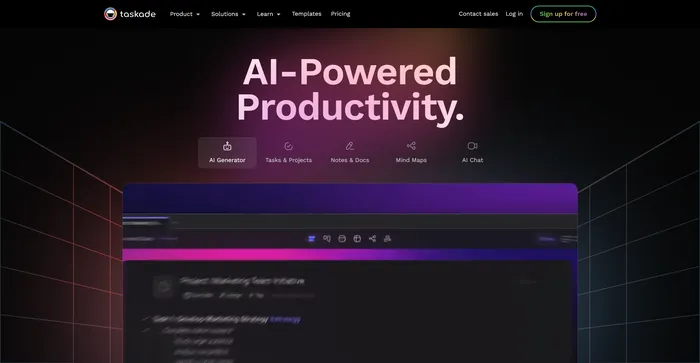
Taskade هي أداة قوية ومرنة لإدارة المهام والمشاريع وسير العمل باستخدام الذكاء الاصطناعي. فهو يتيح لك إنشاء أنواع مختلفة من المشاريع والتعاون فيها، مثل القوائم والخرائط الذهنية والمخططات التفصيلية ولوحات كانبان. يمكنك أيضًا استخدام Taskade لإنشاء المهام والأفكار والمحتوى باستخدام مساعد الذكاء الاصطناعي الخاص به، والذي يتكيف مع تفضيلاتك وأسلوبك.

الايجابيات

  • Available on multiple platforms and browsers
  • Flat-rate pricing for unlimited AI access
  • Multiple project views and templates
  • Real-time collaboration

سلبيات

  • Lacks some advanced project management features
  • AI credit system is unclear and inconsistent
  • Usability issues and bugs

Taskade Pricing

Taskade Personal Monthly Pricing Plans.

monthly pricing plan for Taskade 1

Taskade Personal Annual Pricing Plans.

yearly pricing plan for Taskade 3

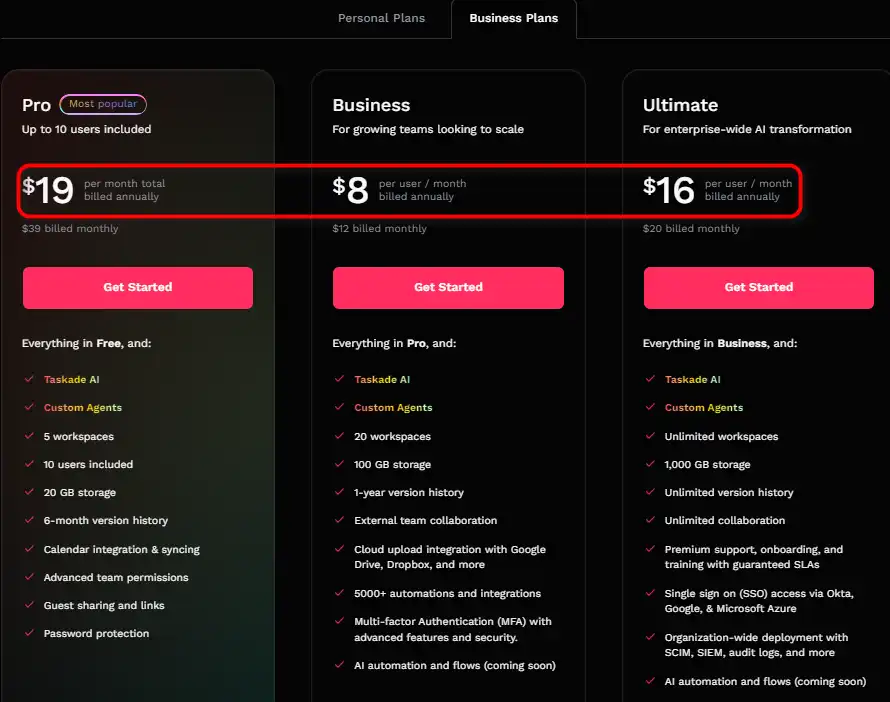
التسعير (الخطة الشهرية التي تتم فوترتها سنويًا) يخطط أفضل ل
19 دولارًا طليعة Best for individuals
$8/user عمل Best for growing teams
$16/user Ultimate Best for enterprise-wide AI transformation

Taskade Business Monthly Pricing Plans.

monthly pricing plan for Taskade 2

Taskade Business Annual Pricing Plans.

yearly pricing plan for Taskade 4

اسم الخطة طليعة عمل Ultimate
Users Included ما يصل إلى 10 Per User Per User
AI Features Taskade AI + Custom Agents Taskade AI + Custom Agents Taskade AI + Custom Agents
Workspaces 5 20 غير محدود
تخزين 20 جيجابايت 100 جيجابايت 1,000 GB
AI Workflow Generator نعم نعم نعم
AI Chat Assistant نعم نعم نعم

What is Taskade

• Who is Taskade for?

مكلف is a versatile tool designed for individuals and teams seeking to enhance their productivity. Whether you’re a project manager, a content creator, or a student, Taskade’s AI-powered features can help you manage tasks, brainstorm ideas, and organize content more efficiently.

• Taskade Top features

مكلف comes with a plethora of features. Here are some of the key ones:

  • AI Workflow Generator: Automate tasks and create efficient workflows using AI.
  • AI Chat Assistant: Get assistance with brainstorming ideas, editing documents, and organizing content.
  • AI Task Assistant: Generate structured task lists with subtasks in seconds.
  • AI Summarizer: Transform your PDF, TXT, Docs into projects using AI.
  • AI Personas & Tones: Customize the tone and persona of your AI assistant.

• Tips for using Taskade

فيما يلي بعض النصائح لتحقيق أقصى استفادة منها مكلف:

  • 🌟 Use AI commands: Utilize the slash commands to access various AI features like brainstorming, outlining, and expanding content.
  • 🎯 Customize your workspace: Taskade allows you to create a personalized workspace. Use this feature to organize your tasks and projects effectively.
  • 📝 Make use of AI prompt templates: If you’re stuck, Taskade offers AI prompt templates to help you get started.
  • ⏱️ أتمتة المهام المتكررة: Use Taskade’s AI Workflow Generator to automate repetitive tasks and save time.
  • 🗣️ Experiment with AI Personas & Tones: Customize the tone and persona of your AI assistant to suit your needs.
  • 📚 Use the AI Summarizer: Transform your documents into projects using the AI Summarizer.
  • 🔍 استكشف جميع الميزات: Taskade offers a wide range of features. Spend some time exploring all of them to maximize your productivity.
  • 🌐 Use Taskade on multiple platforms: Taskade is available on Web, Mobile, Windows, and Mac. Use it on the platform that suits you best.
  • 💡 Try different productivity methods: Taskade supports various productivity methods like GTD, BASB, SCRUM, Pomodoro, and Flowtime. Try different methods and see what works best for you.
  • 🔄 Use Taskade for team collaboration: Taskade is not just for personal use. It’s also a powerful tool for team collaboration. Use it to assign tasks, share notes, and collaborate on projects.
  • 📈 Monitor your AI usage: Taskade provides AI credits to monitor your AI usage. Make sure to use them efficiently.

مع هذه النصائح، يمكنك تحقيق أقصى استفادة منها مكلف and boost your productivity. Happy task managing! 📝

Product Hunt Review for Taskade

What other users are saying about Taskade

I have crosschecked Taskade reviews on هانت المنتج.

وإليكم ما وجدته:

  • 🌟 Taskade has a 4.9/5 rating on Product Hunt based on 229 reviews.
  • Most positive reviewers appreciate Taskade for its:
    • 💬 AI capabilities for efficient onboarding strategies
    • 😇 Dedicated and personalized AI Agents for diverse assignments
    • 💰 Helpful tools for various project management needs
    • 🚀 Continuous updates and improvements
    • ⏰ الذكاء الاصطناعي التوليدي for quick project setup
  • 🐾 Some users love Taskade’s efficiency و constant development pace.
  • ☁️ While there are moments requiring tweaking, Taskade is praised for saving time in planning and ideation.

How to use Taskade

Taskade is a versatile tool that can transform the way you manage tasks and projects. Here’s a comprehensive guide to using its features effectively:

Creating AI Agents

Custom AI Agents can autonomously research, complete tasks, and manage workflows.

  1. Access the AI Agents feature in beta and define the agent’s role.
    how to use Taskade 8
  2. Train your AI Agent with specific tasks and workflow preferences.
    how to use Taskade 9
  3. Run the AI Agent to automate tasks and streamline your workflow.
    how to use Taskade 12

Utilizing AI Prompt Templates

With over 1000+ templates, find the perfect workflow for your needs.

  1. Browse through the AI Prompt Templates library.
    how to use Taskade 13
  2. Select a template that suits your project’s requirements.
    how to use Taskade 14
  3. Customize the template with your specific content and details.
    how to use Taskade 15

Summarizing Documents with AI

Transform PDFs, TXTs, and Docs into concise projects using AI.

  1. Upload or import your document into Taskade.
    how to use Taskade 16
  2. Use the AI summarization tool to create a project.
  3. Edit and refine the AI-generated summary as needed.

Setting AI Personas and Tones

Engage with AI that adopts specialized roles like marketing experts or life coaches.

  • Choose a persona that aligns with your project’s goals.

how to use Taskade 17

  • Set the tone for the AI to match your desired communication style.

how to use Taskade 18

  • Interact with the AI to benefit from its specialized expertise.

how to use Taskade 19

Generating Action Items with AI

Convert notes into actionable tasks effortlessly.

  • Select the text you want to turn into tasks within Taskade.

how to use Taskade 24

  • Use the AI feature to generate action items.

how to use Taskade 21

  • Refine and prioritize the tasks as needed.

how to use Taskade 23

Prioritizing Multiple Tasks with AI

Let AI organize and prioritize your tasks for peak productivity.

  • Input your list of tasks into Taskade.

how to use Taskade 25

  • Activate the AI prioritization feature.

how to use Taskade 26

  • Review and adjust the AI-recommended task order.

how to use Taskade 27

AI-Powered Task Management

Optimize your task lists, mind maps, and custom workflows with AI.

  • Create a new project or open an existing one.

how to use Taskade 27

  • Use the `/ai` commands to generate tasks and workflows.

how to use Taskade 28

  • Customize the AI-generated content to fit your project needs.

how to use Taskade 29

AI Chat for Effective Communication

Enhance team communication with AI Chat powered by ChatGPT.
  • Access AI Chat within any Taskade project.

how to use Taskade 19

  • Use the chat to brainstorm, resolve queries, and collaborate.
  • Implement the chat insights into your project planning.

Taskade Top alternatives

HyperWrite Review

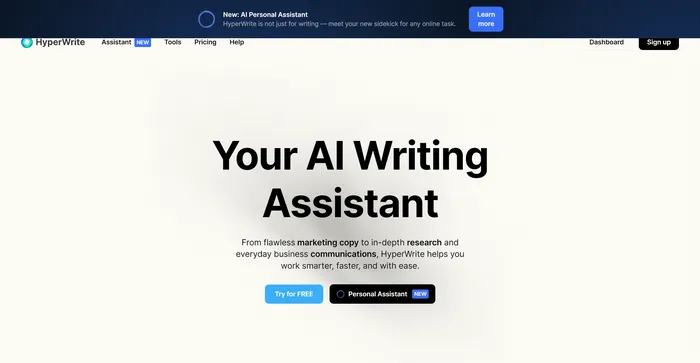
HyperWrite هو مساعد كتابة متعدد الاستخدامات يعتمد على الذكاء الاصطناعي التي تستفيد من نماذج الذكاء الاصطناعي المتقدمة، بما في ذلك GPT-4 وChatGPT، لمساعدة المستخدمين في مجموعة متنوعة من مهام الكتابة. إنه مصمم لتحسين الإنتاجية والإبداع لمنشئي المحتوى والمسوقين والمهنيين الذين يحتاجون إلى المساعدة في الكتابة. بفضل ميزات مثل AutoWrite وTypeAhead والاستجابة للبريد الإلكتروني، يهدف HyperWrite إلى تبسيط عملية الكتابة وتعزيز التواصل.

$19.99/mo

Coda Review

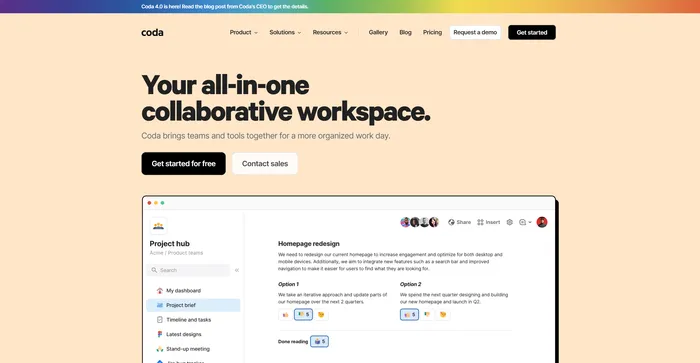
تبرز Coda كمساحة عمل تعاونية متعددة الاستخدامات الذي يدمج وظائف إنشاء المستندات وجداول البيانات مع إمكانات الأتمتة والذكاء الاصطناعي القوية. تمت الإشادة به لكونه أقوى من Google Docs وأكثر مرونة من Airtable أو Notion، مما يجعله منافسًا قويًا للفرق التي تتطلع إلى تبسيط سير العمل وتحسين الإنتاجية.

Taskade FAQ

What is Taskade AI? +

Taskade AI is an advanced productivity assistant that uses machine learning, specifically GPT-4, to help users write, plan tasks, and organize work. It can create and edit outlines, notes, drafts, and task lists using natural language prompts within projects.

How does Taskade AI enhance productivity? +

Taskade AI enhances productivity by automating over 700 tasks, generating workflows, creating mind maps, and providing collaboration tools. It allows users to convert notes into actionable tasks, prioritize multiple tasks, and streamline project management with AI-powered tools.

Can Taskade AI be used for education? +

Yes, Taskade AI is a transformative tool for education, allowing educators and students to integrate tasks, mind maps, and notes efficiently. It brings collaborative power to the educational journey and can craft custom templates for various academic purposes.

Is Taskade AI suitable for remote work and team collaboration? +

Taskade AI is ideal for remote work and team collaboration, offering real-time communication and project management features. It supports various productivity methodologies and can be accessed on multiple platforms, making it suitable for distributed teams.

What platforms is Taskade available on? +

Taskade is available on Web, Mobile, Windows, Mac, and as browser extensions. It offers cross-platform functionality, allowing users to access and sync their projects across all devices.

Does Taskade AI offer free and paid plans? +

Taskade AI offers both free and paid plans. The free plan includes limited AI credits per month, while paid plans provide additional features and increased AI credits. There is also a 30-day money-back guarantee for upgraded plans.

Can Taskade AI generate content like articles and summaries? +

Yes, Taskade AI can generate content such as articles, summaries, and even book summaries. It uses AI technology to create compelling and accurate descriptions, helping users save time and effort in content creation.

What kind of support does Taskade offer for its users? +

Taskade offers support through its help portal, where users can find documentation and use cases. Additionally, users can contact support via email for assistance with the product.

Taskade Conclusion

Embrace Taskade to revolutionize your productivity and collaboration. With its AI-driven capabilities, you can automate mundane tasks, generate creative ideas، و optimize workflows with ease. Start your journey towards peak efficiency today!

أدوات الذكاء الاصطناعي المميزة

Taskade Related AI Tools

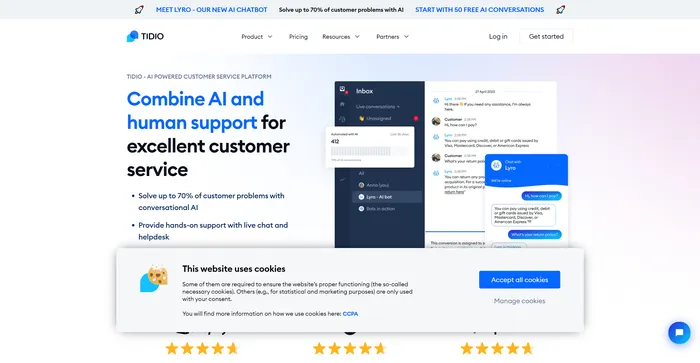
Tidio Review

Customer Service Software To Grow Your Business

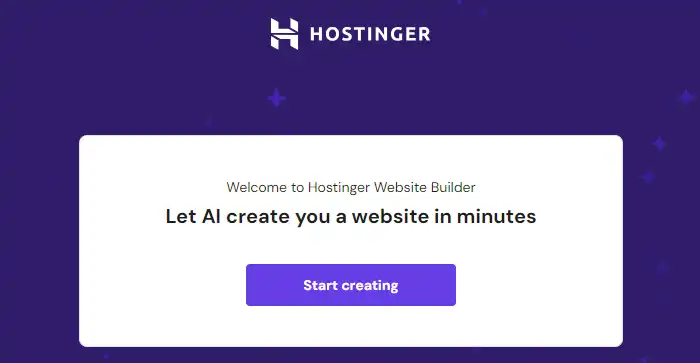
Hostinger Website Builder Review

اسمح للذكاء الاصطناعي بإنشاء موقع ويب لك في دقائق

FlexClip Review

محرر الفيديو عبر الإنترنت - أنشئ مقاطع فيديو مجانًا