
محددات عامة
المطابقات الدقيقة فقط
البحث في العنوان
البحث في المحتوى
محددات نوع المشاركة

Uizard Review: Is This AI-Powered UI Design Tool Worth Your Money?

التسعير:

أفضل البدائل:

منصة:

على شبكة الإنترنت

التكامل:

أفضل حالات الاستخدام:

#

روابط اجتماعية:

ملخص

Designing a user interface (UI) can be a daunting task, especially for those without a background in design.

But what if there was a tool that could simplify the process, making UI design accessible to everyone?

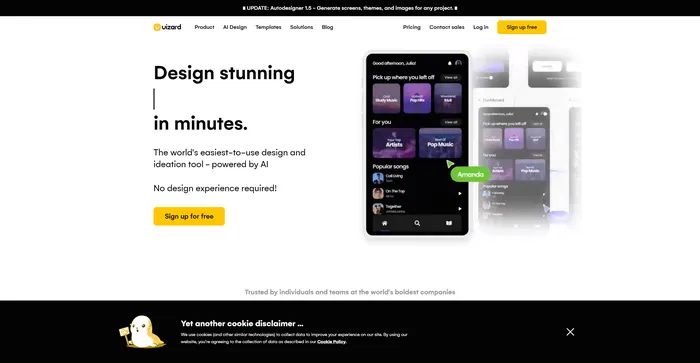
يدخل Uizard, an AI-powered tool that aims to revolutionize the way we design user interfaces. But does it live up to the hype? Let’s find out in this comprehensive Uizard review.

مراجعة المحرر

النتيجة الإجمالية: 4.6

Uizard هي أداة قوية تعمل بالذكاء الاصطناعي وتجعل تصميم واجهة المستخدم في متناول الجميع. فهو يتيح للمستخدمين إنشاء نماذج بالحجم الطبيعي من المطالبات النصية، وتحويل الرسومات المرسومة يدويًا إلى إطارات سلكية، وتحويل لقطات الشاشة إلى تصميمات قابلة للتحرير. تتيح تقنية الذكاء الاصطناعي من Uizard تصميمًا أسرع وأكثر سهولة، مما يجعل الانتقال من الفكرة إلى النموذج الأولي القابل للنقر سلسًا. كما أنه يسهل التعاون في الوقت الفعلي، مما يسمح للفرق بمراجعة أفكار التصميم وتقديم التعليقات عليها. يعد Uizard مفيدًا بشكل خاص للنماذج الأولية السريعة وإطلاق المنتجات بشكل أسرع.

الايجابيات

  • ميزات مدعومة بالذكاء الاصطناعي لتصميم بديهي
  • يولد تصميمات واجهة المستخدم من المطالبات النصية
  • تحويل الرسومات المرسومة باليد إلى إطارات سلكية
  • يحول لقطات الشاشة إلى تصميمات قابلة للتحرير
  • يسهل التعاون في الوقت الحقيقي
  • حصل على تقييم عالي من قبل المستخدمين

سلبيات

  • قد لا ينتج دائمًا نتائج دقيقة أو متسقة
  • وجد بعض المستخدمين أن التصميمات التي تم إنشاؤها بواسطة Uizard متكررة، وفي بعض الأحيان صفحات غير ذات صلة

Uizard Pricing

التسعير (الخطة الشهرية) يخطط أفضل ل
حر المنشئ Best for students and hobbyists
$12 طليعة Best for startups and growing businesses
$49 عمل Best for large organizations

Uizard monthly pricing plans. monthly pricing plan for Uizard 1

اسم الخطة حر طليعة عمل مَشرُوع
Creators per Organization غير محدود غير محدود غير محدود غير محدود
Free Viewers غير محدود غير محدود غير محدود غير محدود
Projects 2 Up to 100 غير محدود غير محدود
Screens per Project ما يصل الى 5 غير محدود غير محدود غير محدود
Text Assistant 5 suggestions/month 500 suggestions/month غير محدود غير محدود
Multiplayer collaboration نعم نعم نعم نعم
Private projects لا نعم نعم نعم

What is Uizard

• Who is Uizard for?

Uizard is a versatile tool that caters to a wide range of users. Whether you’re a seasoned designer looking for a more efficient way to create UI designs, a developer wanting to quickly prototype an idea, or a startup founder with no design background, Uizard is the tool for you. It’s particularly useful for those who want to leverage AI technology to streamline the design process.

• Uizard Top features

Uizard يأتي مليئًا بالميزات المبتكرة. وهنا عدد قليل:

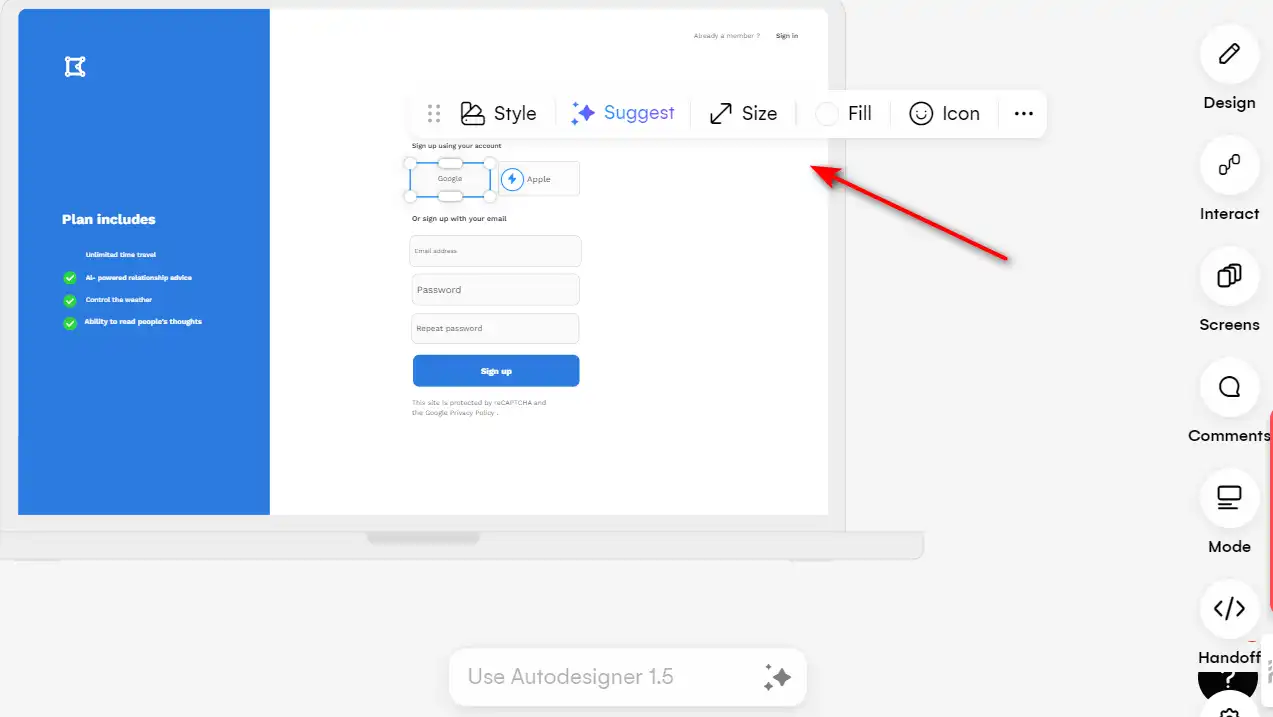
  • AI-Powered Design: Generate UI designs from text prompts, convert hand-drawn sketches into wireframes, and transform screenshots into editable designs.
  • Rapid Prototyping: Quickly create prototypes of mobile apps, web apps, and websites with drag-and-drop components and templates.
  • التعاون في الوقت الحقيقي: Work in real time with your team and invite stakeholders to review and provide feedback on your design ideas.

• Tips for using Uizard

فيما يلي بعض النصائح لتحقيق أقصى استفادة منها Uizard:

  • 📝 Use clear and concise text prompts: When generating UI designs from text prompts, be as clear and concise as possible to get the best results.
  • 🔄 Iterate quickly: Use Uizard’s rapid prototyping feature to quickly test and iterate on your design ideas.
  • 👥 Collaborate in real time: Take advantage of Uizard’s real-time collaboration feature to work with your team and get feedback from stakeholders.
  • 🎨 تجربة مع أنماط مختلفة: Use Uizard’s themes to experiment with different styles and adapt your design for different audiences.
  • 🔍 استكشف جميع الميزات: Spend some time exploring all the features that Uizard offers to fully leverage its capabilities.

مع هذه النصائح، يمكنك تحقيق أقصى استفادة مما Uizard has to offer and create stunning UI designs with ease. Happy designing! 🎨

Product Hunt Review for Uizard

What other users are saying about Uizard

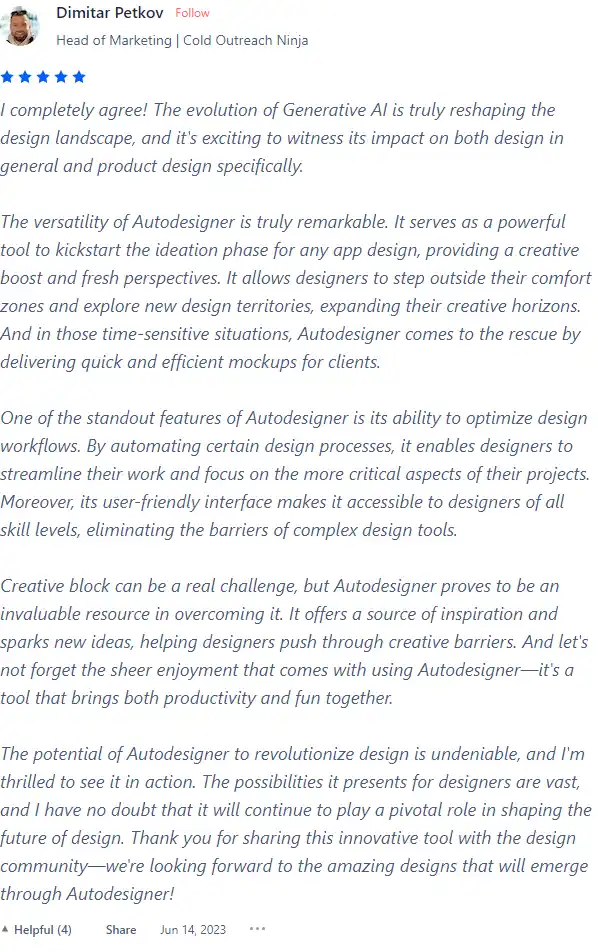
I have crosschecked reviews of Uizard on هانت المنتج.

  • ⭐ Uizard has an overall rating of 4.6/5 based on 124 reviews.
  • تشمل الجوانب الإيجابية التي أبرزها المستخدمون ما يلي:
    • 🚀 Versatile and remarkable Autodesigner that aids ideation in app design
    • 🔄 Optimization of design workflows through automation, suitable for all skill levels
    • 💡 Overcoming creative blocks and providing inspiration
    • 🌐 Revolutionizing design with vast possibilities
  • 🌈 Some specific user experiences include:
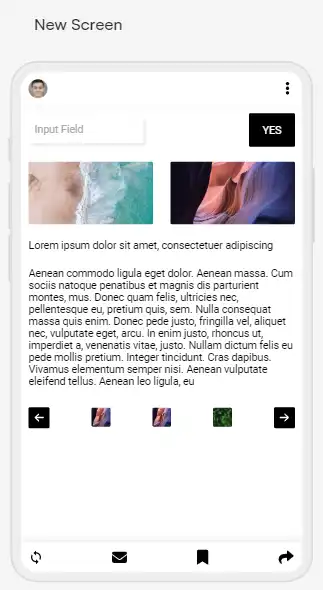
    • 📸 Successful generation of an app idea with images and text based on user prompt
    • 🎉 Excitement for new ideas and dedication to democratizing design
    • 👏 Positive feedback on the UX and overall effectiveness of the tool
  • 🔍 However, there are also negative reviews mentioning:
    • 🔄 Repetitive designs and lack of variety
    • 🤔 Inability to accurately interpret prompts, leading to irrelevant designs

How to use Uizard

Uizard’s features are designed to be user-friendly and intuitive. Here’s a step-by-step guide on how to utilize them:

Generate Mockups from Text Prompts

This feature allows you to create UI designs by simply typing in text prompts.

  1. Start a new project and select the ‘Autodesigner’ خيار.
    how to use Uizard 2
  2. Type in your text prompts, describing the project and styles you want in your design.
    how to use Uizard 3
  3. Uizard’s AI will generate a mockup based on your prompts.
    how to use Uizard 4
  4. Review and edit the generated design as needed.
    how to use Uizard 5

Convert Hand-drawn Sketches into Wireframes

This feature transforms your hand-drawn sketches into digital wireframes.

  1. Scan or take a photo of your hand-drawn sketch.
    how to use Uizard 6
  2. Upload the image to Uizard.
    how to use Uizard 7
  3. The AI will convert your sketch into a digital wireframe.
    how to use Uizard 8
  4. Edit and refine the wireframe as needed.
    how to use Uizard 9

Transform Screenshots into Editable Designs

With this feature, you can turn screenshots of apps or websites into editable designs.
how to use Uizard 10

  1. Upload a screenshot of an app or website to Uizard.
    how to use Uizard 11
  2. The AI will transform the screenshot into an editable design.
    how to use Uizard 12
  3. Customize the design to suit your needs.
    how to use Uizard 13

Collaborative Design

Uizard allows you to work in real-time with your team and invite stakeholders to review and provide feedback on your designs.

  1. Click the ‘Share’ button in the top right corner of the user interface.
    how to use Uizard 14
  2. Invite others to view or edit your design by sending them the generated link.
    how to use Uizard 15

Using Pre-made Components

Uizard provides a library of pre-made components that you can drag and drop onto your design.
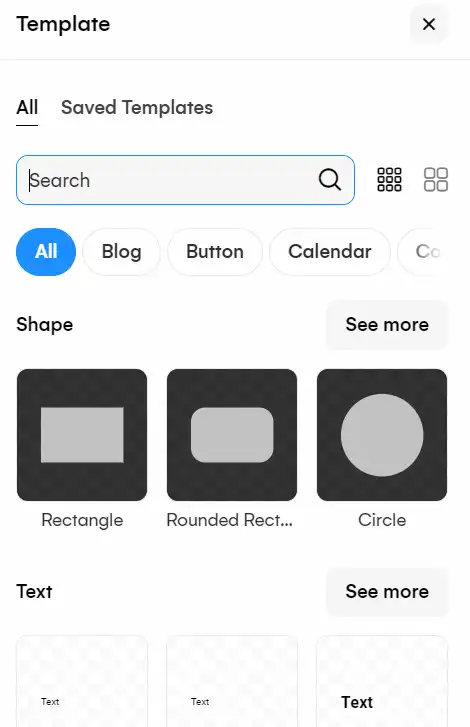
  1. Find the components library on the left panel of the interface.
    how to use Uizard 16
  2. Drag and drop the desired components onto your design.
    how to use Uizard 17

Adding Screen Interactions

This feature allows you to create an interactive experience by connecting different pages and elements within the design.
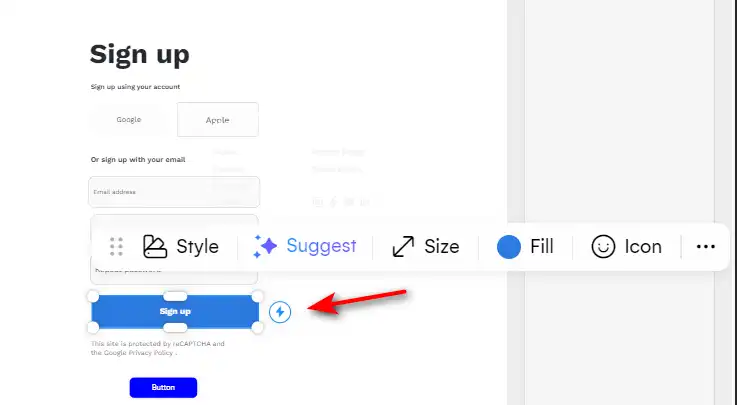
  1. Select an element to create an interaction from.
    how to use Uizard 18
  2. Choose the action (e.g., go to screen) and the target (e.g., the screen to go to).
    how to use Uizard 20

Previewing a Project

Once your design is complete, you can preview it to ensure all interactive elements, transitions, and functionalities work seamlessly.

  1. Click the ‘Preview’ button in the top right corner of the interface.
    how to use Uizard 21
  2. Interact with your design as if it were a live app or website.
    how to use Uizard 22

Uizard Top alternatives

Uizard FAQ

What is Uizard? +

Uizard is an AI-powered design tool that facilitates the creation of wireframes, mockups, and prototypes for apps and websites. It uses AI to convert text prompts into UI designs, hand-drawn sketches into wireframes, and screenshots into editable designs, making the design process faster and more accessible.

Who can use Uizard? +

Uizard is suitable for a wide range of users, including experienced designers, non-designers, project managers, marketers, startup founders, and developers. It is designed to be user-friendly and to empower users to bring their design ideas to life regardless of their design expertise.

What are the key features of Uizard? +

Key features of Uizard include the ability to generate UI designs from text prompts, transform hand-drawn sketches and screenshots into digital designs, and create interactive prototypes. It also offers collaboration tools, a drag-and-drop editor, and a library of pre-made components and templates.

How does Uizard’s Autodesigner work? +

Uizard’s Autodesigner allows users to generate editable prototypes, screens, images, and themes using simple text prompts. Users can input their design ideas in plain English, and Autodesigner will create an AI-generated UI design that can be further customized within Uizard’s editor.

Can I collaborate with others using Uizard? +

Yes, Uizard supports real-time collaboration, allowing team members to work together and stakeholders to review and provide feedback on design ideas. This feature helps to move projects forward efficiently without long waits for design resources.

Is Uizard free to use? +

Uizard offers a free sign-up option, but for more advanced features and capabilities, users may need to choose from various subscription types. Details on the subscription options and pricing can be found on Uizard’s website or by contacting their support.

Can I use Uizard on mobile devices? +

Uizard does not officially support mobile devices at this time and recommends using the platform on a laptop or PC for the best experience and full functionality.

Does Uizard offer customer support? +

Uizard provides customer support through their help center, and users can also contact them via email at [email protected] for assistance. Support is currently offered only in English.

Uizard Conclusion

Choose Uizard to transform your design process. It’s a powerful tool that leverages AI to make UI design accessible, efficient, and collaborative. Whether you’re a seasoned designer or a beginner, Uizard empowers you to bring your creative vision to life in minutes.

أدوات الذكاء الاصطناعي المميزة

Uizard Related AI Tools

Replicate Review

استنساخ

Hugging Face Review

مجتمع الذكاء الاصطناعي يبني المستقبل.

Framer Review

الإنترنت هو لوحتك القماشية

RunPod Review

استئجار وحدات معالجة الرسومات السحابية بسعر يبدأ من 0.2 دولار في الساعة