Generiske vælgere
Kun nøjagtige matcher
Søg i titel
Søg i indhold
Posttypevælgere

Is Murf AI the Ultimate Solution for Text-to-Speech? A Comprehensive Review and Pricing Guide

Pris:

Platform:

Web Baseret

Integrationer:

API

Bedste anvendelsesmuligheder:

#

Sociale links:

Oversigt

Creating high-quality voiceovers for your content can be a daunting task, especially when you’re aiming for a natural and engaging sound.

Enter Murf AI, a cutting-edge tool that leverages artificial intelligence to transform text into lifelike speech, promising to revolutionize the way you create voiceovers.

But does it live up to the hype? Let’s delve into an in-depth review of Murf AI to find out.

Redaktørens anmeldelse

Samlet score: 4,5

Murf AI skiller sig ud som en meget alsidig tekst-til-tale-software, designet til at levere AI-voiceovers, der tæt efterligner menneskelig intonation og følelser. Dens avancerede algoritmer er dygtige til at fortolke tegnsætnings- og udråbstegn, hvilket sikrer, at de producerede AI-stemmer er imponerende naturtro. Dette gør Murf AI til et fremragende valg for brugere, der ønsker at forbedre deres videoer med engagerende voiceovers uden at have brug for nogen videoredigeringsekspertise.

PROS

  • AI voices closely resemble human speech
  • Interprets punctuation for natural-sounding intonation
  • No video editing skills required to use
  • Enhances videos with engaging AI voiceovers

ULEMPER

  • May lack the nuanced expression of a professional voice actor
  • Dependent on the quality of the input text for voiceover output

Murf AI Pricing

Pris (månedlig plan faktureres årligt) Plan Bedst til
$0 Gratis Simple way to get started
19 USD Grundlæggende Access to essential features & basic voices
$26 Pro Best plan to create high-quality voiceovers
$75 Enterprise Enterprise grade Support & Unlimited Access

Murf.AI monthly pricing plans.
monthly pricing plan for Murf AI 1

Murf.AI annual pricing plans.
yearly pricing plan for Murf AI 2

Planens navn Gratis Grundlæggende Pro Enterprise
# of Users Op til 3 Op til 5 Op til 5 5+
# of Voices Try all 60 basic voices only 120+ 120+
# of Languages Try all 10 languages 20+ languages 20+ languages
Voice Generation Time 10 minutter 24 hours per user/year 48 hours per user/year Ubegrænset
Audio Transcription Time 10 min trial Ingen 24 hours per user/year Ubegrænset
AI Voice Changer Ingen Ingen Ja Ja
Licensed Soundtracks/Royalty Free Music Try all 8000+ 8000+ 8000+
Youtube/Vimeo Imports 5 min videos 60 min videos 60 min videos 60 min videos
Video/Image Upload Size Limit 50 MB 200 MB 400 MB 400 MB
Videoeksportkvalitet – Fuld HD Fuld HD Fuld HD
No of Downloads – Ubegrænset Ubegrænset Ubegrænset
No of Formats – All All All
Share Output via Link Ja Ja Ja Ja
Password Protected Sharing – Ja Ja Ja
Opbevaring 1 GB 10 GB per user 20 GB per user Ubegrænset
Commercial Usage Rights – Ja Ja Ja
YouTube Monetization – Ja Ja Ja
Google Slides Add-on Ja Ja Ja Ja
Support Ingen Chat and Email Prioriteret support Prioriteret support

What is Murf AI

• Who is Murf AI for?

Murf AI is a versatile tool designed for a wide range of users. Whether you’re a content creator looking to add voiceovers to your YouTube videos, a marketer aiming to enhance your advertisements with engaging audio, or an educator seeking to make your e-learning modules more interactive, Murf AI is the tool for you. It’s particularly beneficial for those who need high-quality, natural-sounding voiceovers in a variety of languages and accents.

• Murf AI Top features

Murf AI boasts a host of impressive features. Here are a few:

  • Natural Sounding Voices: With over 120 AI voices across 20+ languages, Murf AI can generate lifelike speech that captures the nuances of human voice.
  • Tilpasning: Users can adjust voice parameters such as speed, pitch, and emphasis to create a personalized voiceover experience.
  • Efficiency: Murf AI can create high-quality audio content in seconds, saving users significant time and effort.
  • Stemmekloning: Murf AI offers the ability to create a custom voice, allowing businesses to establish a unique brand voice.

• Tips for using Murf AI

Her er nogle tips til at hjælpe dig med at få mest muligt ud af Murf AI:

  • 🎙️ Vælg den rigtige stemme: Murf AI offers a wide range of voices. Choose the one that best fits your content and audience.
  • 🔧 Customize the voice parameters: Adjust the speed, pitch, and emphasis to create a voiceover that aligns with your content’s tone and style.
  • 🌐 Use the right language and accent: Murf AI supports over 20 languages and a variety of accents. Choose the one that resonates with your target audience.
  • 📝 Write clear and concise scripts: The quality of your voiceover heavily depends on your script. Make sure it’s clear, concise, and free of jargon.
  • 🔄 Experiment and iterate: Don’t be afraid to experiment with different voices and settings. Iterate based on feedback to improve your voiceovers.

With these tips, you can effectively leverage the power of Murf AI to create engaging and natural-sounding voiceovers. Happy creating! 🎙️

Product Hunt Review for Murf AI

What other users are saying about Murf AI

I have crosschecked my experience with the experience of other Murf AI users on Produktjagt.

Her er hvad jeg fandt:

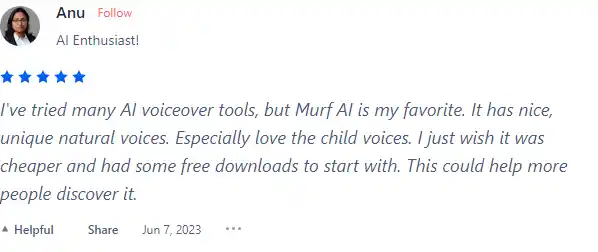
  • 🌟 Murf AI has an overall rating of 4.6/5 based on 67 reviews from the community.
  • Most positive features highlighted by users:
    • 💬 Nice, unique natural voices, especially loving the child voices
    • 😇 Option for Non-Binary AI Generated Voiceover (NB)
    • 💰 Reasonable pricing with a desire for more affordable options
    • 🚀 Effort put into TTS (Text-to-Speech) for natural audio
    • ⏰ Quick to learn, essential features in place
  • 🐾 Murf AI has a wide selection of voices supporting 20 languages and 130+ voices.
  • ☁️ Some concerns raised by users:
    • 💔 Non-Binary AI voice option criticized for lack of common sense

How to use Murf AI

Murf AI is designed to be intuitive and easy to use, even for first-time users. Here’s a step-by-step guide on how to utilize its features:

Creating a Voiceover

Creating a voiceover with Murf AI is a straightforward process:
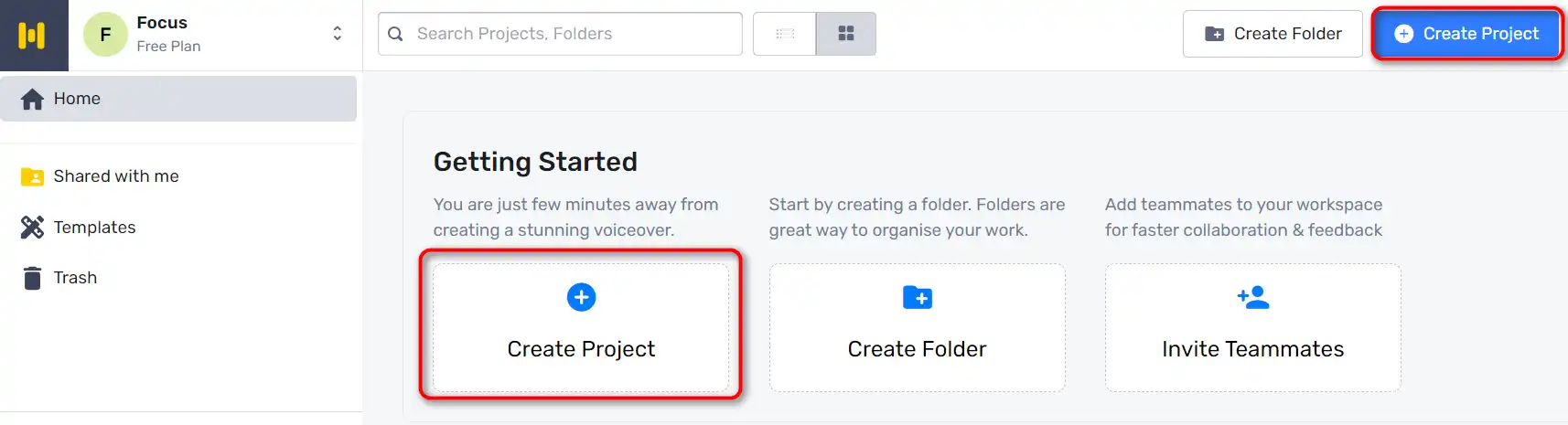
  1. Start by going to Murf Studio and clicking on ‘Create Project’.
    how to use Murf AI 3
  2. Choose the type of Audio or Video you’re making.
    how to use Murf AI 4
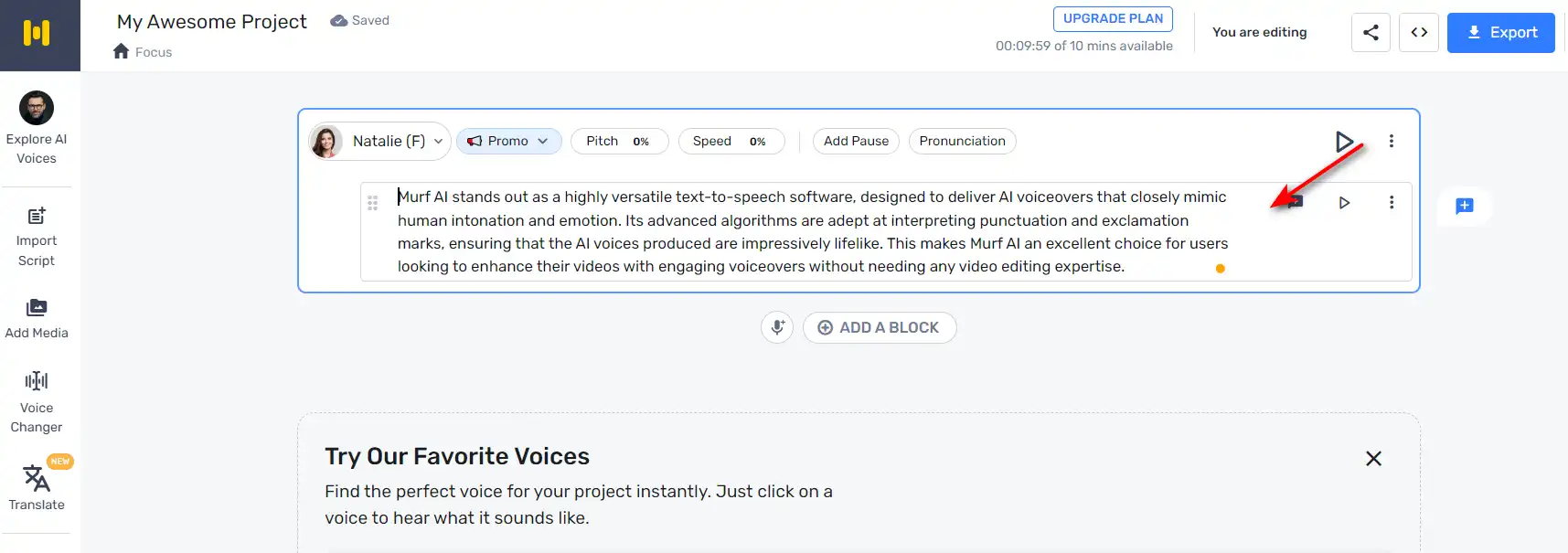
  3. Copy and paste your script into the text box provided.
    how to use Murf AI 5
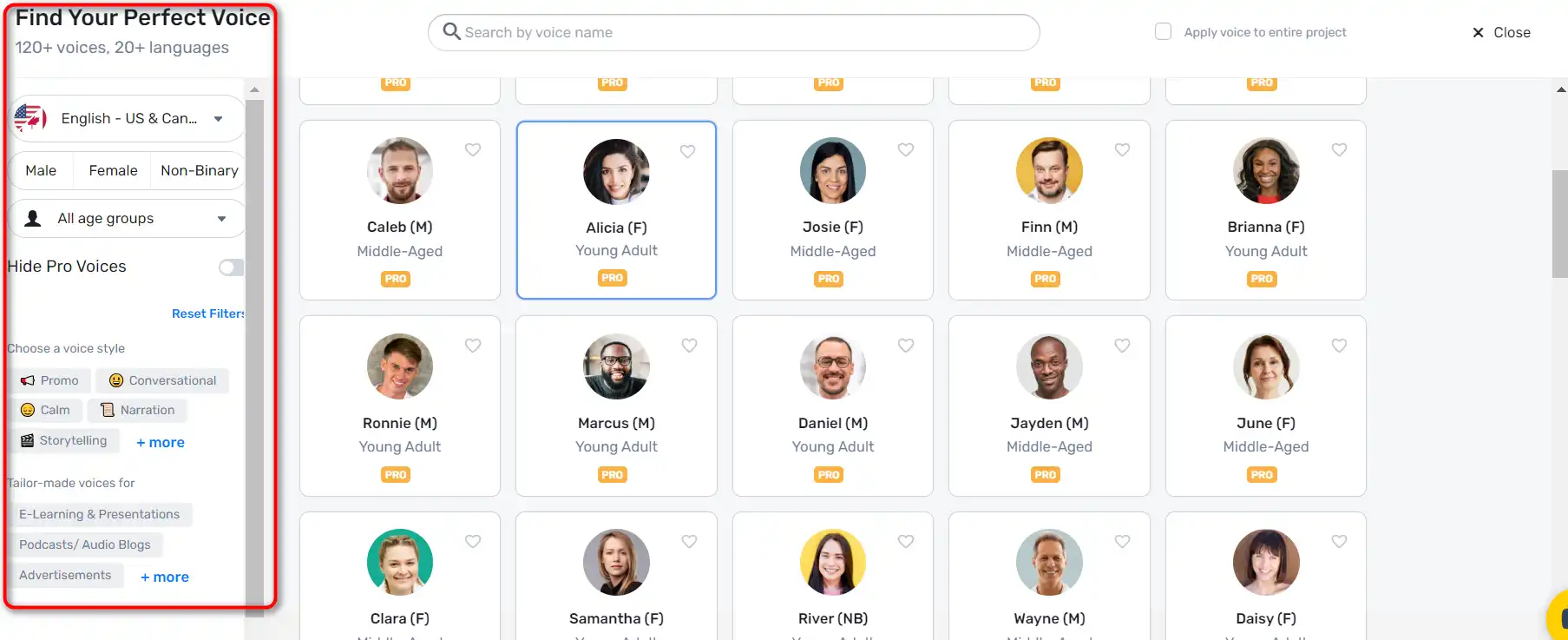
  4. Click on the ‘Explore AI voices’ tab to choose an AI voice for your video. Murf Studio offers a myriad of voices across different age groups, tonalities, accents, and languages.
    how to use Murf AI 6
  5. Once you’ve selected a voice, click on the ‘Generate Audio’ button to generate your voiceover.
    how to use Murf AI 7

Customizing Voiceovers

Murf AI allows you to customize your voiceovers to make them more engaging:

  1. You can highlight specific words and change how they sound for accurate pronunciation and emphasis.
    how to use Murf AI 8
  2. Add pauses to provide a breather and increase the impact of your voiceover.
    how to use Murf AI 9

Syncing Visuals and Audio

After creating your voiceover, you can sync it with visuals:
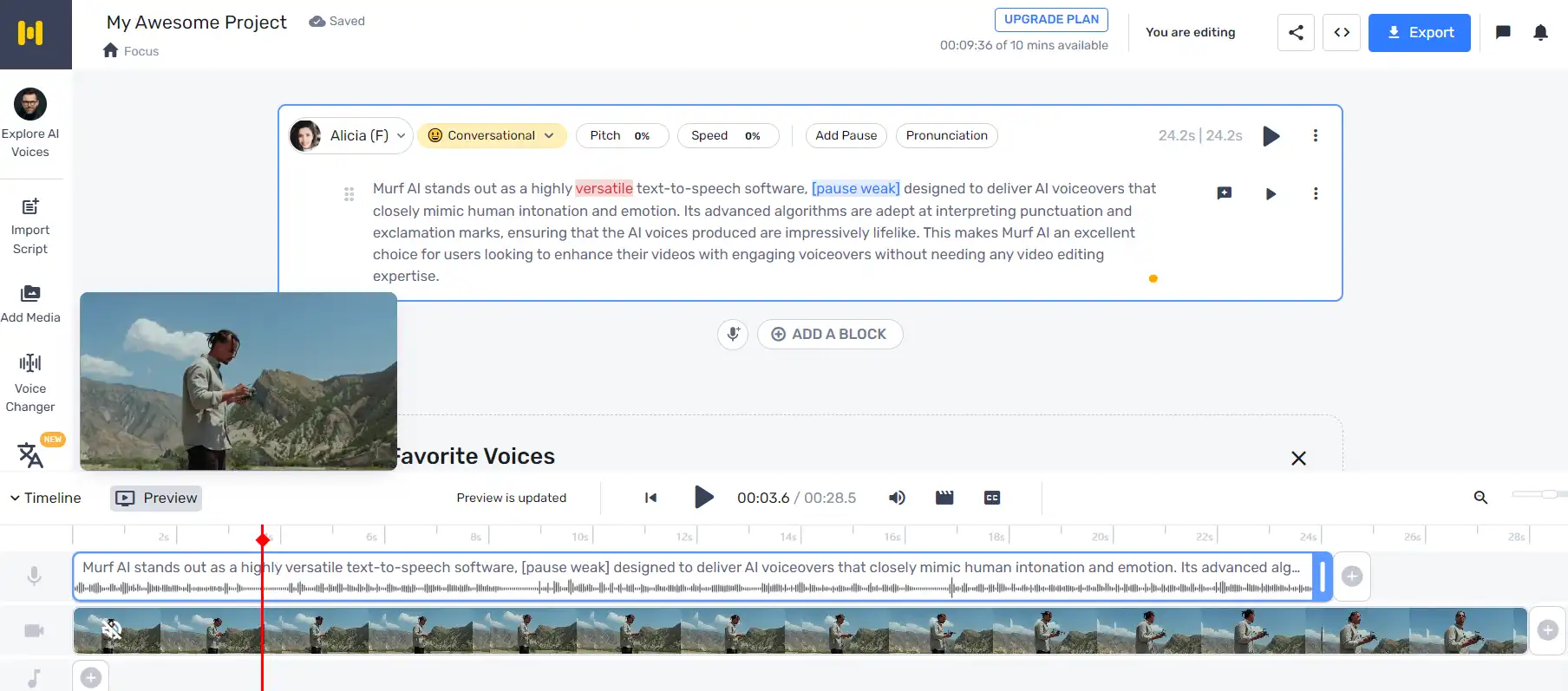
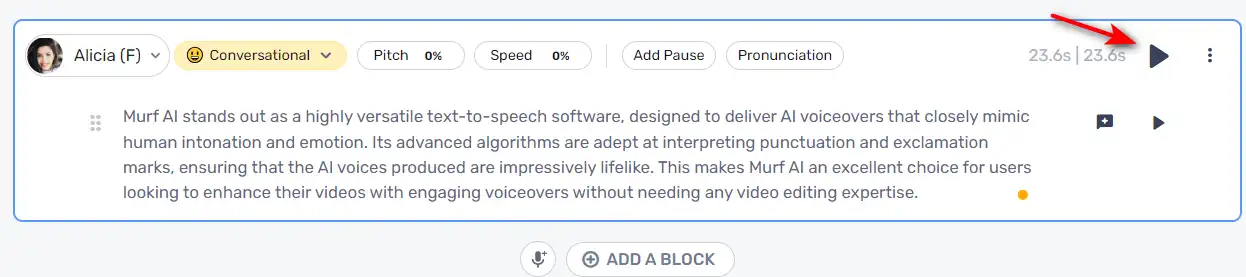
  1. Click ‘Play’ to ensure your visuals and audio are in sync.
    how to use Murf AI 10
  2. If you need to make changes, just enter the new text, render the voice, and then render the video again.

Adding Background Music

Murf AI also allows you to add background music to your voiceovers.
how to use Murf AI 11

Murf AI Top alternatives

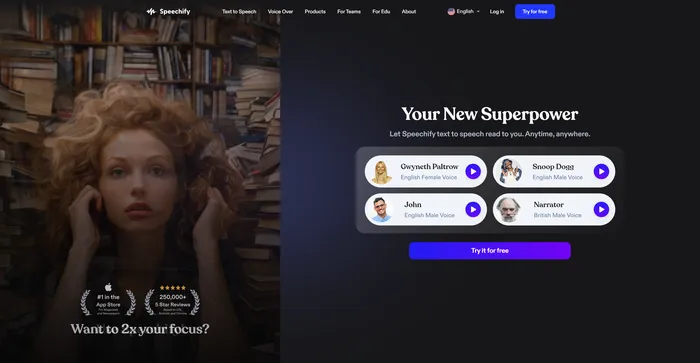
Speechify Review

Speechify er et alsidigt AI tekst-til-tale-værktøj der henvender sig til en bred vifte af brugere, herunder dem med indlæringsvanskeligheder som ordblindhed og ADHD, såvel som travle fagfolk og studerende, der ønsker at øge produktiviteten. Med sin evne til at konvertere tekst til naturlig lyd, tilbyder Speechify en håndfri og øjenfri læseoplevelse på tværs af forskellige platforme og enheder.

$9.99/mo

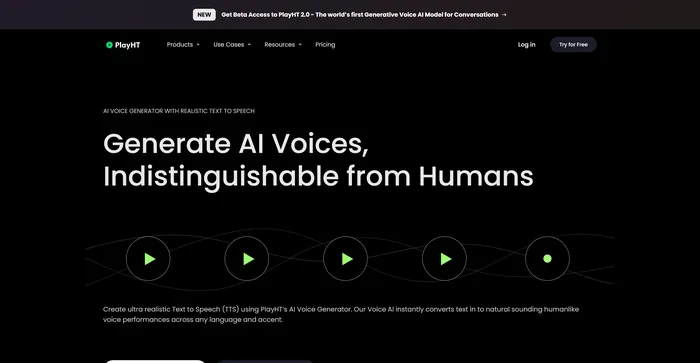
PlayHT Review

PlayHT er et førende AI-drevet tekst-til-tale-værktøj der ubesværet konverterer skrevet indhold til naturligt klingende stemmeoptræden. Det imødekommer forskellige behov såsom voiceovers, podcasts eller enhver anden form for talt ord. Værktøjet udnytter kunstig intelligens og maskinlæring til at generere naturligt klingende stemmer, hvilket øger lytterens engagement. Det understøtter flere sprog, ikke kun engelsk, hvilket giver mulighed for forskellige og globale brugssager. Det giver en bred vifte af stemmemuligheder, herunder både mandlige og kvindelige stemmer, der imødekommer forskellige indholdsbehov.

$29.00/mo

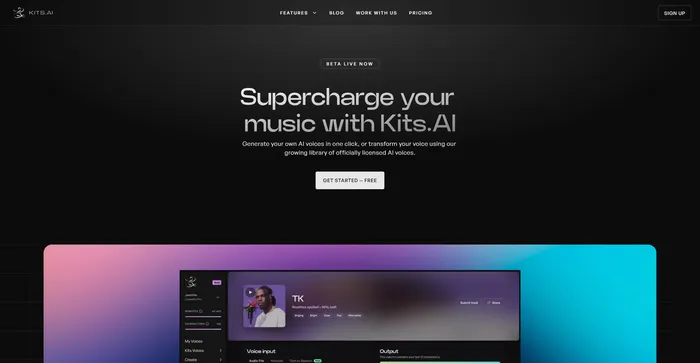
Kits AI Review

Kits AI er en AI-software, der lader dig skabe og omdanne din stemme til forskellige karakterer og stilarter. Du kan bruge den til at lave dine egne voiceovers, podcasts, lydbøger eller musik med en række forskellige stemmer og effekter. Kits AI hævder at være den første AI-stemmegenerator, der kan efterligne enhver stemme i verden, fra berømtheder til fiktive karakterer.

Kits AI er dog ikke uden sine mangler. Softwaren er stadig i beta og har nogle begrænsninger og fejl. For eksempel er stemmekvaliteten heller ikke særlig konsistent, og nogle gange lyder stemmerne robotiske eller unaturlige. Desuden har nogle brugere rapporteret etiske og juridiske bekymringer om at bruge stemmer fra rigtige mennesker uden deres samtykke.

$9.99/mo

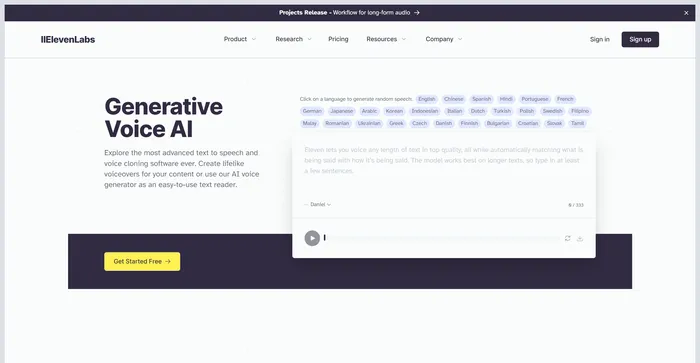
ElevenLabs Review

ElevenLabs er et kunstig intelligens-firma, der specialiserer sig i realistisk, syntetisk stemmegenerering, der er i stand til at efterligne menneskelig tale på over 30 sprog. Hvis du leder efter en hurtig og kraftfuld tekst-til-tale og stemme API, er ElevenLabs en god mulighed at overveje. Du kan skabe naturtro stemmer til forskellige formål, såsom video, spil, lydbøger og chatbots.

Rask Review

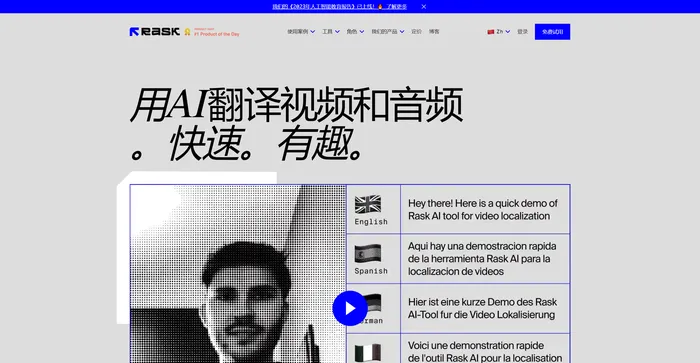
Rask AI er et førende værktøj inden for videolokalisering og dubbing, drevet af avanceret kunstig intelligens (AI) teknologi. Det giver en problemfri oplevelse til oversættelse og eftersynkronisering af videoer, hvilket sikrer, at indholdsskabere kan nå ud til et globalt publikum uden sprogets barrierer. Rask AI's banebrydende teknologi giver mulighed for problemfri dubbing og oversættelse, hvilket sparer både tid og penge. Det “Tekst-til-stemme” og “Stemmekloning” teknologier er virkelig imponerende og leverer en menneskelignende voiceover, der lyder lige så godt som en professionel stemmeskuespiller.

Murf AI FAQ

What is Murf AI? +

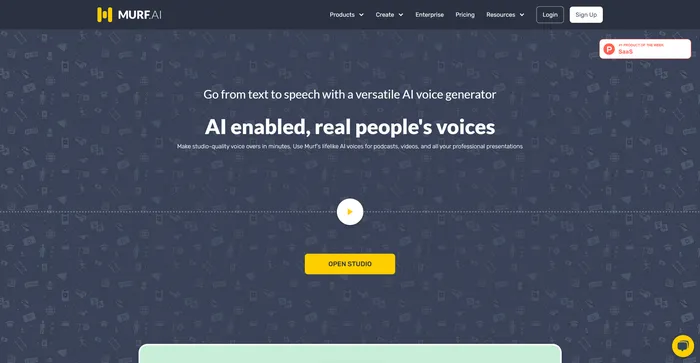
Murf AI is a text-to-speech software that uses artificial intelligence to generate lifelike voiceovers. It is designed to streamline the content creation process, particularly for podcasts, videos, and professional presentations. The software offers a wide range of natural-sounding voices across multiple languages, making it a versatile tool for various use cases.

What are the key features of Murf AI? +

Murf AI offers a wide range of features, including a selection of natural-sounding voices across multiple languages, voice customization options like pitch, speed variation, pause, and emphasis addition. It also allows users to import and export various file formats, and it works as a video maker, enabling content creators and businesses alike to add images, videos, and more.

Is Murf AI worth it? +

Murf AI is considered a valuable tool for content creators, businesses, and e-learning developers due to its efficiency, quality, and ease of use. It offers a free plan suitable for beginners, and for more advanced users or businesses, there are premium plans with varying features and pricing models.

How does Murf AI work? +

Murf AI works by converting text into lifelike voiceovers. Users can input their text, choose from a selection of voices, and customize the voiceover using various features. The software then generates a voiceover that can be downloaded in multiple file formats. Murf AI also allows users to add images, videos, and more to their voiceovers.

What are the potential applications of Murf AI? +

Murf AI can be used for a wide range of applications, including creating voiceovers for podcasts, videos, professional presentations, e-learning content, and more. It can also be used to create customized voices for virtual assistants or chatbots, making them more engaging and interactive for users.

What are the benefits of using Murf AI? +

Murf AI offers several benefits, including the ability to generate lifelike voiceovers in minutes, a wide selection of voices across multiple languages, and features for customizing voiceovers. It also streamlines the content creation process, reducing time and cost for users. Furthermore, the quality of the voiceovers generated by Murf AI is often praised for being very realistic.

What are the potential challenges and limitations of Murf AI? +

While Murf AI offers many benefits, there are also potential challenges and limitations to consider. One of the key issues to keep in mind is the quality of the voiceovers. While Murf AI can produce highly natural-sounding voices, the quality may vary depending on the specific voice and settings used.

How much does Murf AI cost? +

Murf AI offers a free plan with basic functionalities. For more advanced features, there are premium plans available. The basic plan costs $228 billed annually. The pricing structure varies depending on the features and services included in each plan.

Murf AI Conclusion

Choose Murf AI for creating professional, realistic-sounding voiceovers in minutes. It’s user-friendly, versatile, and powered by advanced AI technology. With Murf AI, you can elevate your content and engage your audience like never before.

Udvalgte AI-værktøjer

Murf AI Related AI Tools

Speechify Review

Gør enhver læsning til lyd

PlayHT Review

AI Voice Generator: Realistisk tekst til tale og AI Voiceover

Kits AI Review

Det ultimative AI-stemmegenereringsværktøj til at superlade din musik

ElevenLabs Review

Generativ AI tekst til tale & Stemmekloning

Rask Review

Leading AI video localization & dubbing tool