Selectoare generice
Doar potriviri exacte
Cauta in titlu
Căutați în conținut
Selectoare tip post

Is Murf AI the Ultimate Solution for Text-to-Speech? A Comprehensive Review and Pricing Guide

Preț:

Platformă:

Bazat pe web

Integrari:

API

Cele mai bune cazuri de utilizare:

#

Linkuri sociale:

Prezentare generală

Creating high-quality voiceovers for your content can be a daunting task, especially when you’re aiming for a natural and engaging sound.

Enter Murf AI, a cutting-edge tool that leverages artificial intelligence to transform text into lifelike speech, promising to revolutionize the way you create voiceovers.

But does it live up to the hype? Let’s delve into an in-depth review of Murf AI to find out.

Recenzia editorului

Scor general: 4,5

Murf AI se evidențiază ca un software extrem de versatil pentru transformarea textului în vorbire, proiectat pentru a oferi voci off AI care imită îndeaproape intonația și emoția umană. Algoritmii săi avansați sunt adepți în interpretarea semnelor de punctuație și exclamare, asigurându-se că vocile AI produse sunt impresionant de reale. Acest lucru face ca Murf AI să fie o alegere excelentă pentru utilizatorii care doresc să-și îmbunătățească videoclipurile cu voiceover captivante, fără a avea nevoie de nicio experiență de editare video.

PRO

  • Vocile AI seamănă foarte mult cu vorbirea umană
  • Interpretează punctuația pentru intonație naturală
  • Nu sunt necesare abilități de editare video pentru utilizare
  • Îmbunătățește videoclipurile cu voci AI captivante

CONTRA

  • Poate lipsi expresia nuanțată a unui actor vocal profesionist
  • Depinde de calitatea textului introdus pentru ieșirea vocală off

Murf AI Pricing

Preț (plan lunar facturat anual) Plan Cel mai bun pentru
0 USD Gratuit Simple way to get started
19 USD De bază Access to essential features & basic voices
$26 Pro Best plan to create high-quality voiceovers
$75 Afacere Enterprise grade Support & Unlimited Access

Murf.AI monthly pricing plans.
monthly pricing plan for Murf AI 1

Murf.AI annual pricing plans.
yearly pricing plan for Murf AI 2

Numele planului Gratuit De bază Pro Afacere
# of Users Pana la 3 Până la 5 Până la 5 5+
# of Voices Try all 60 basic voices only 120+ 120+
# of Languages Try all 10 languages 20+ languages 20+ languages
Voice Generation Time 10 min 24 hours per user/year 48 hours per user/year Nelimitat
Audio Transcription Time 10 min trial Nu 24 hours per user/year Nelimitat
AI Voice Changer Nu Nu da da
Licensed Soundtracks/Royalty Free Music Try all 8000+ 8000+ 8000+
Youtube/Vimeo Imports 5 min videos 60 min videos 60 min videos 60 min videos
Video/Image Upload Size Limit 50 MB 200 MB 400 MB 400 MB
Calitate export video – Full HD Full HD Full HD
No of Downloads – Nelimitat Nelimitat Nelimitat
No of Formats – All All All
Share Output via Link da da da da
Password Protected Sharing – da da da
Depozitare 1 GB 10 GB per user 20 GB per user Nelimitat
Commercial Usage Rights – da da da
YouTube Monetization – da da da
Google Slides Add-on da da da da
A sustine Nu Chat and Email Suport prioritar Suport prioritar

What is Murf AI

• Who is Murf AI for?

Murf AI is a versatile tool designed for a wide range of users. Whether you’re a content creator looking to add voiceovers to your YouTube videos, a marketer aiming to enhance your advertisements with engaging audio, or an educator seeking to make your e-learning modules more interactive, Murf AI is the tool for you. It’s particularly beneficial for those who need high-quality, natural-sounding voiceovers in a variety of languages and accents.

• Murf AI Top features

Murf AI boasts a host of impressive features. Here are a few:

  • Natural Sounding Voices: With over 120 AI voices across 20+ languages, Murf AI can generate lifelike speech that captures the nuances of human voice.
  • Personalizare: Users can adjust voice parameters such as speed, pitch, and emphasis to create a personalized voiceover experience.
  • Efficiency: Murf AI can create high-quality audio content in seconds, saving users significant time and effort.
  • Clonarea vocii: Murf AI offers the ability to create a custom voice, allowing businesses to establish a unique brand voice.

• Tips for using Murf AI

Iată câteva sfaturi care vă vor ajuta să profitați la maximum Murf AI:

  • 🎙️ Alegeți vocea potrivită: Murf AI offers a wide range of voices. Choose the one that best fits your content and audience.
  • 🔧 Customize the voice parameters: Adjust the speed, pitch, and emphasis to create a voiceover that aligns with your content’s tone and style.
  • 🌐 Use the right language and accent: Murf AI supports over 20 languages and a variety of accents. Choose the one that resonates with your target audience.
  • 📝 Write clear and concise scripts: The quality of your voiceover heavily depends on your script. Make sure it’s clear, concise, and free of jargon.
  • 🔄 Experiment and iterate: Don’t be afraid to experiment with different voices and settings. Iterate based on feedback to improve your voiceovers.

With these tips, you can effectively leverage the power of Murf AI to create engaging and natural-sounding voiceovers. Happy creating! 🎙️

Product Hunt Review for Murf AI

What other users are saying about Murf AI

I have crosschecked my experience with the experience of other Murf AI users on Vanatoare de produse.

Iată ce am găsit:

  • 🌟 Murf AI has an overall rating of 4.6/5 based on 67 reviews from the community.
  • Most positive features highlighted by users:
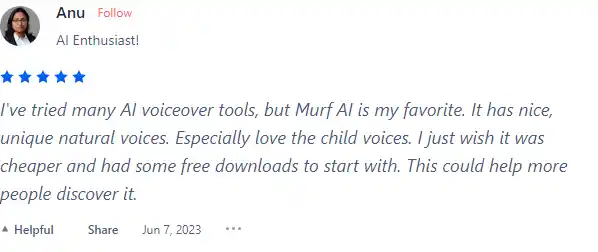
    • 💬 Nice, unique natural voices, especially loving the child voices
    • 😇 Option for Non-Binary AI Generated Voiceover (NB)
    • 💰 Reasonable pricing with a desire for more affordable options
    • 🚀 Effort put into TTS (Text-to-Speech) for natural audio
    • ⏰ Quick to learn, essential features in place
  • 🐾 Murf AI has a wide selection of voices supporting 20 languages and 130+ voices.
  • ☁️ Some concerns raised by users:
    • 💔 Non-Binary AI voice option criticized for lack of common sense

How to use Murf AI

Murf AI is designed to be intuitive and easy to use, even for first-time users. Here’s a step-by-step guide on how to utilize its features:

Creating a Voiceover

Creating a voiceover with Murf AI is a straightforward process:
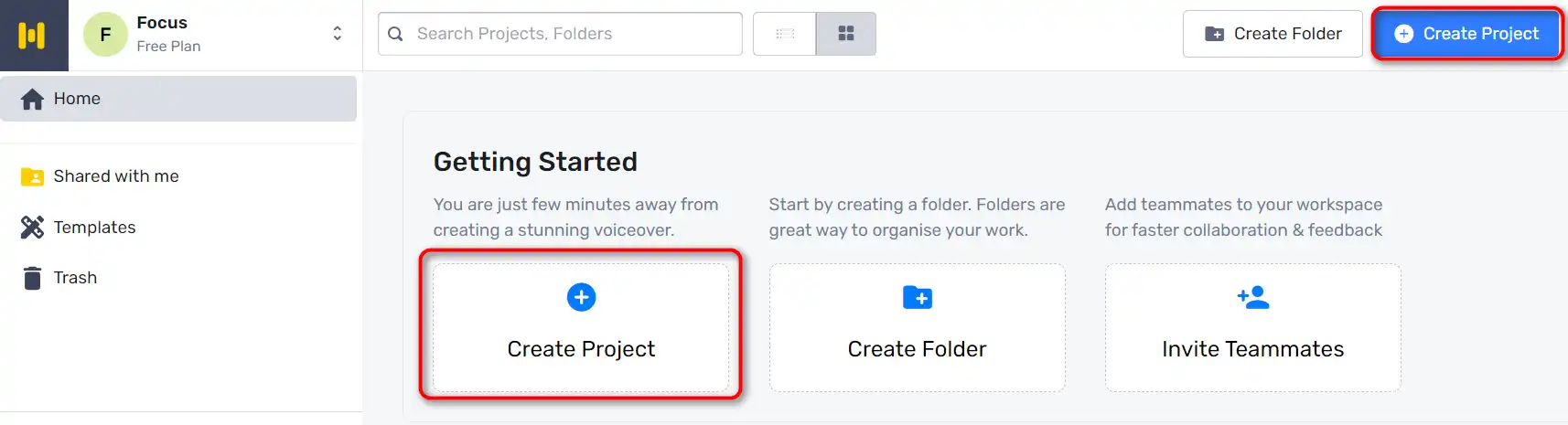
  1. Start by going to Murf Studio and clicking on ‘Create Project’.
    how to use Murf AI 3
  2. Choose the type of Audio or Video you’re making.
    how to use Murf AI 4
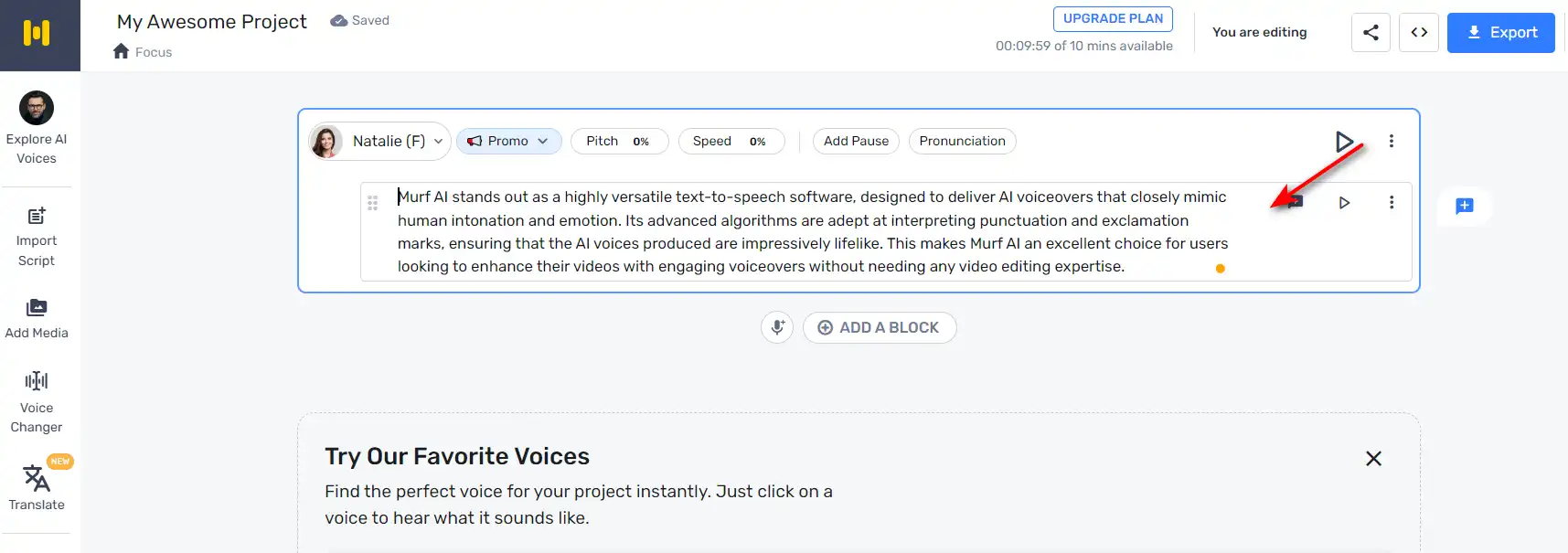
  3. Copy and paste your script into the text box provided.
    how to use Murf AI 5
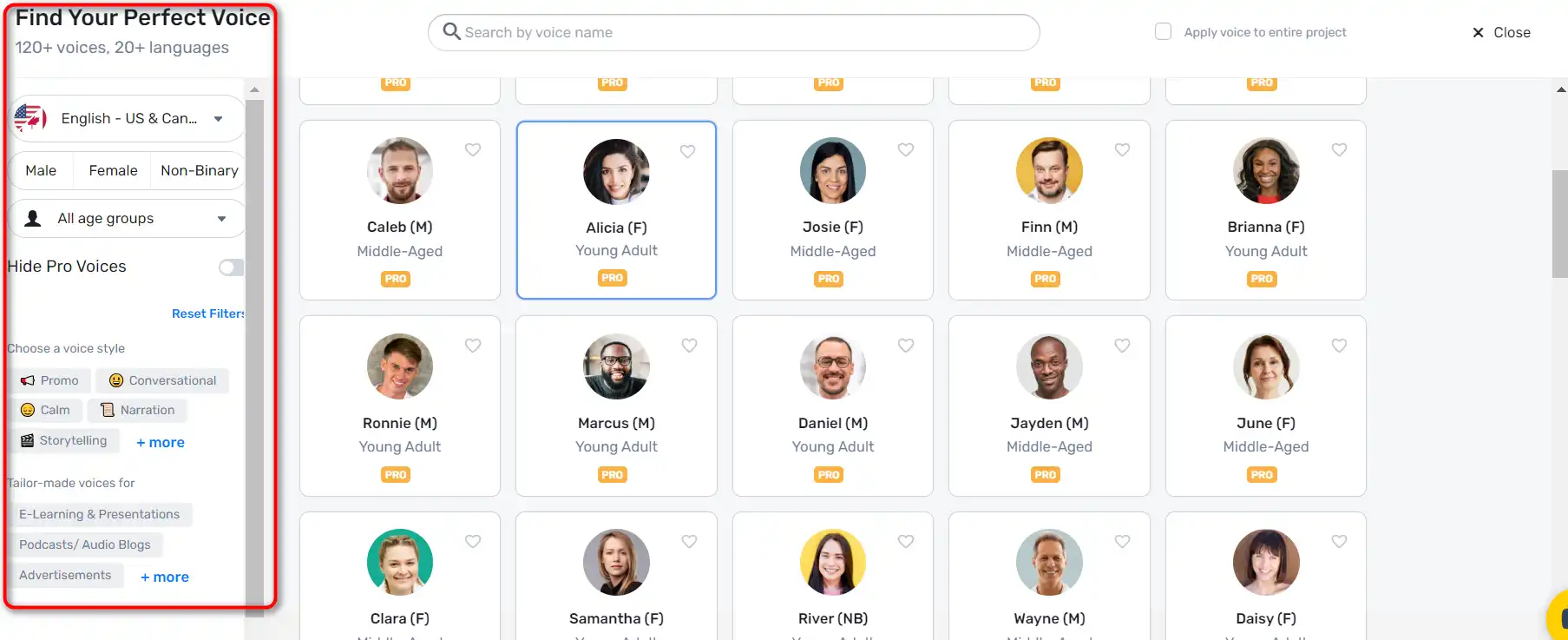
  4. Click on the ‘Explore AI voices’ tab to choose an AI voice for your video. Murf Studio offers a myriad of voices across different age groups, tonalities, accents, and languages.
    how to use Murf AI 6
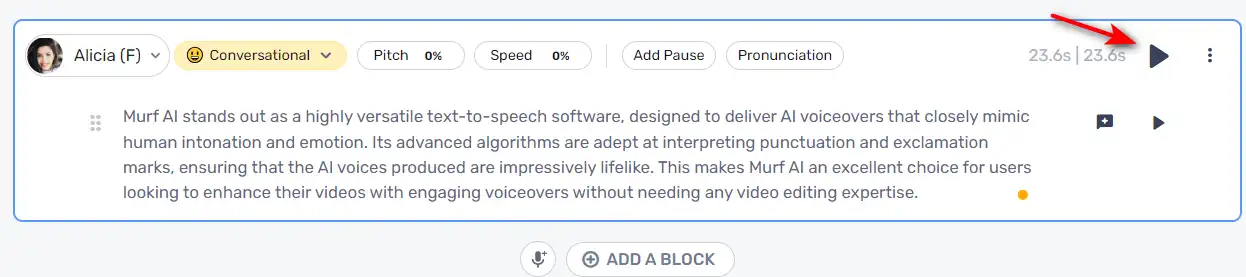
  5. Once you’ve selected a voice, click on the ‘Generate Audio’ button to generate your voiceover.
    how to use Murf AI 7

Customizing Voiceovers

Murf AI allows you to customize your voiceovers to make them more engaging:

  1. You can highlight specific words and change how they sound for accurate pronunciation and emphasis.
    how to use Murf AI 8
  2. Add pauses to provide a breather and increase the impact of your voiceover.
    how to use Murf AI 9

Syncing Visuals and Audio

After creating your voiceover, you can sync it with visuals:
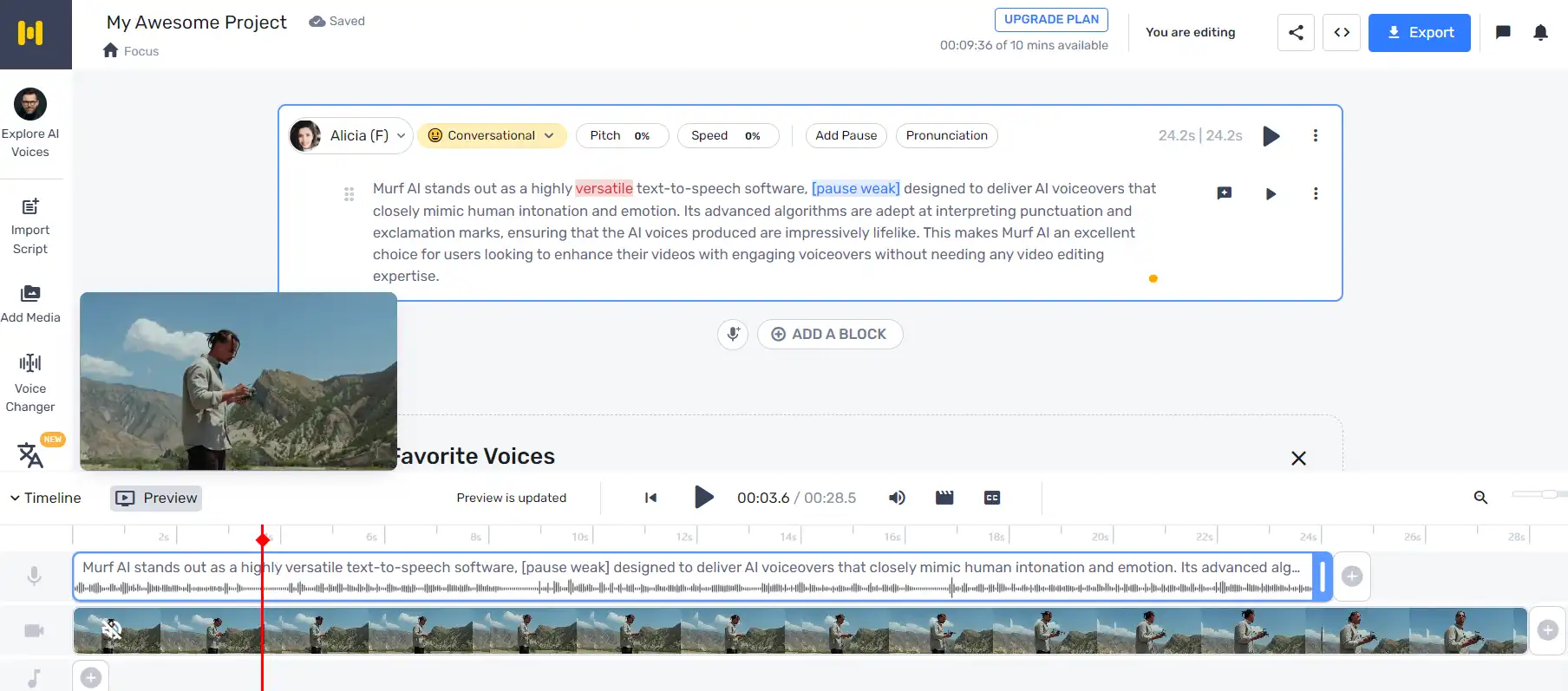
  1. Click ‘Play’ to ensure your visuals and audio are in sync.
    how to use Murf AI 10
  2. If you need to make changes, just enter the new text, render the voice, and then render the video again.

Adding Background Music

Murf AI also allows you to add background music to your voiceovers.
how to use Murf AI 11

Murf AI Top alternatives

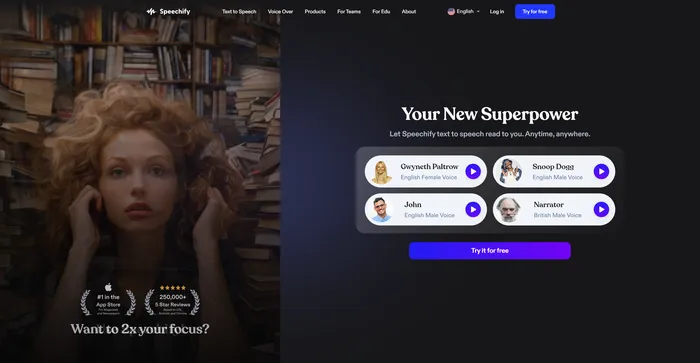
Speechify Review

Speechify este un instrument versatil de transformare a textului în vorbire AI care se adresează unei game largi de utilizatori, inclusiv celor cu dificultăți de învățare, cum ar fi dislexia și ADHD, precum și profesioniștii ocupați și studenții care doresc să sporească productivitatea. Cu capacitatea sa de a converti textul în sunet cu sunet natural, Speechify oferă o experiență de lectură fără mâini și fără ochi pe diverse platforme și dispozitive.

$9.99/mo

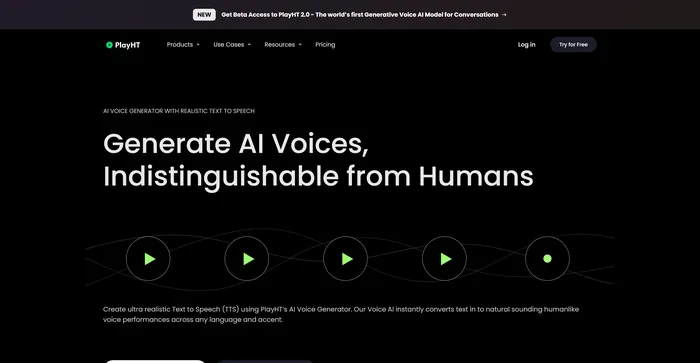
PlayHT Review

PlayHT este un instrument de top pentru transformarea textului în vorbire bazat pe inteligență artificială care convertește fără efort conținutul scris în performanțe vocale cu sunet natural. Acesta răspunde nevoilor diverse, cum ar fi voci off, podcasturi sau orice altă formă de cuvânt rostit. Instrumentul folosește inteligența artificială și învățarea automată pentru a genera voci care sună natural, sporind implicarea ascultătorului. Acceptă mai multe limbi, nu doar engleza, ceea ce permite cazuri de utilizare diverse și globale. Oferă o gamă largă de opțiuni de voce, inclusiv voci masculine și feminine, care răspund nevoilor diferite de conținut.

$29.00/mo

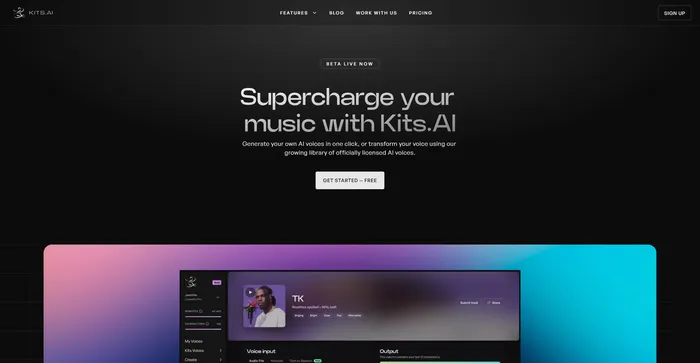
Kits AI Review

Kits AI este un software AI care vă permite să vă creați și să vă transformați vocea în diferite personaje și stiluri. Îl puteți folosi pentru a vă crea propriile voci, podcasturi, cărți audio sau muzică cu o varietate de voci și efecte. Kits AI pretinde a fi primul generator de voce AI care poate imita orice voce din lume, de la celebrități la personaje fictive.

Cu toate acestea, Kits AI nu este lipsit de defecte. Software-ul este încă în versiune beta și are unele limitări și erori. De exemplu, calitatea vocii nu este, de asemenea, foarte consistentă și, uneori, vocile sună robotic sau nenatural. Mai mult, unii utilizatori au raportat preocupări etice și legale cu privire la utilizarea vocilor unor persoane reale fără consimțământul acestora.

$9.99/mo

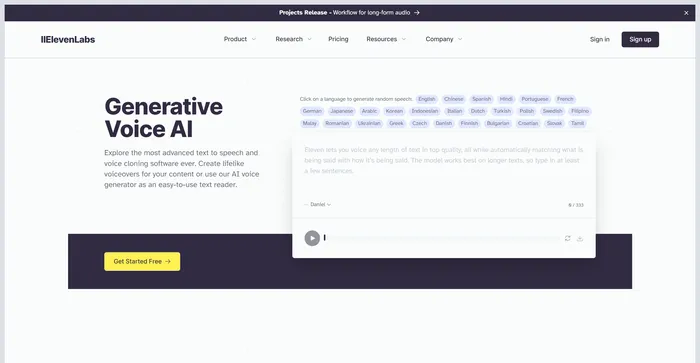
ElevenLabs Review

ElevenLabs este o firmă de inteligență artificială specializată în generarea de voci realiste, sintetice, capabilă să imite vorbirea umană în peste 30 de limbi.. Dacă sunteți în căutarea unui API rapid și puternic pentru text-to-speech și voce, ElevenLabs este o opțiune excelentă de luat în considerare. Puteți crea voci realiste pentru diverse scopuri, cum ar fi video, jocuri, cărți audio și chatbot.

Rask Review

Rask AI este un instrument de vârf în domeniul localizării și dublării video, alimentat de tehnologia avansată de inteligență artificială (AI). Oferă o experiență perfectă pentru traducerea și dublarea videoclipurilor, asigurând că creatorii de conținut pot ajunge la un public global fără barierele lingvistice. Tehnologia de ultimă oră a lui Rask AI permite dublarea și traducerea fără întreruperi, economisind atât timp, cât și bani. The “Text-to-Voice” și “Clonarea vocii” tehnologiile sunt cu adevărat impresionante, oferind o voce off asemănătoare unui om care sună la fel de bine ca un actor vocal profesionist.

Murf AI FAQ

What is Murf AI? +

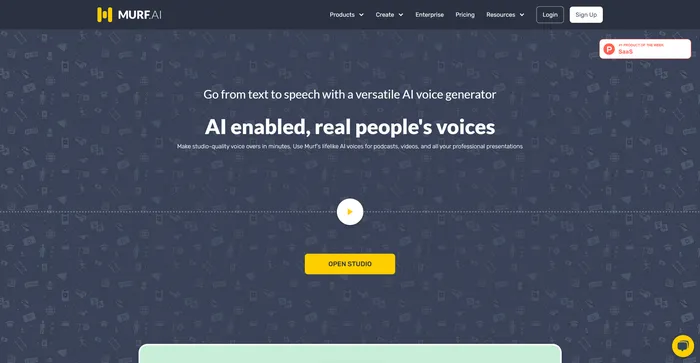
Murf AI is a text-to-speech software that uses artificial intelligence to generate lifelike voiceovers. It is designed to streamline the content creation process, particularly for podcasts, videos, and professional presentations. The software offers a wide range of natural-sounding voices across multiple languages, making it a versatile tool for various use cases.

What are the key features of Murf AI? +

Murf AI offers a wide range of features, including a selection of natural-sounding voices across multiple languages, voice customization options like pitch, speed variation, pause, and emphasis addition. It also allows users to import and export various file formats, and it works as a video maker, enabling content creators and businesses alike to add images, videos, and more.

Is Murf AI worth it? +

Murf AI is considered a valuable tool for content creators, businesses, and e-learning developers due to its efficiency, quality, and ease of use. It offers a free plan suitable for beginners, and for more advanced users or businesses, there are premium plans with varying features and pricing models.

How does Murf AI work? +

Murf AI works by converting text into lifelike voiceovers. Users can input their text, choose from a selection of voices, and customize the voiceover using various features. The software then generates a voiceover that can be downloaded in multiple file formats. Murf AI also allows users to add images, videos, and more to their voiceovers.

What are the potential applications of Murf AI? +

Murf AI can be used for a wide range of applications, including creating voiceovers for podcasts, videos, professional presentations, e-learning content, and more. It can also be used to create customized voices for virtual assistants or chatbots, making them more engaging and interactive for users.

What are the benefits of using Murf AI? +

Murf AI offers several benefits, including the ability to generate lifelike voiceovers in minutes, a wide selection of voices across multiple languages, and features for customizing voiceovers. It also streamlines the content creation process, reducing time and cost for users. Furthermore, the quality of the voiceovers generated by Murf AI is often praised for being very realistic.

What are the potential challenges and limitations of Murf AI? +

While Murf AI offers many benefits, there are also potential challenges and limitations to consider. One of the key issues to keep in mind is the quality of the voiceovers. While Murf AI can produce highly natural-sounding voices, the quality may vary depending on the specific voice and settings used.

How much does Murf AI cost? +

Murf AI offers a free plan with basic functionalities. For more advanced features, there are premium plans available. The basic plan costs $228 billed annually. The pricing structure varies depending on the features and services included in each plan.

Murf AI Conclusion

Choose Murf AI for creating professional, realistic-sounding voiceovers in minutes. It’s user-friendly, versatile, and powered by advanced AI technology. With Murf AI, you can elevate your content and engage your audience like never before.

Instrumente AI recomandate

Murf AI Related AI Tools

Speechify Review

Transformați orice lectură în audio

PlayHT Review

Generator de voce AI: text realist în vorbire și voce off AI

Kits AI Review

Setul de instrumente suprem de generare a vocii AI pentru a vă supraîncărca muzica

ElevenLabs Review

Text to Speech generativ AI & Clonarea vocii

Rask Review

Leading AI video localization & dubbing tool