Generiska väljare
Endast exakta matchningar
Sök i rubriken
Sök i innehåll
Posttypväljare

Is Murf AI the Ultimate Solution for Text-to-Speech? A Comprehensive Review and Pricing Guide

Prissättning:

Plattform:

Webbaserat

Integrationer:

API

Bästa användningsfall:

#

Sociala länkar:

Översikt

Creating high-quality voiceovers for your content can be a daunting task, especially when you’re aiming for a natural and engaging sound.

Enter Murf AI, a cutting-edge tool that leverages artificial intelligence to transform text into lifelike speech, promising to revolutionize the way you create voiceovers.

But does it live up to the hype? Let’s delve into an in-depth review of Murf AI to find out.

Redaktörens recension

Totalpoäng: 4,5

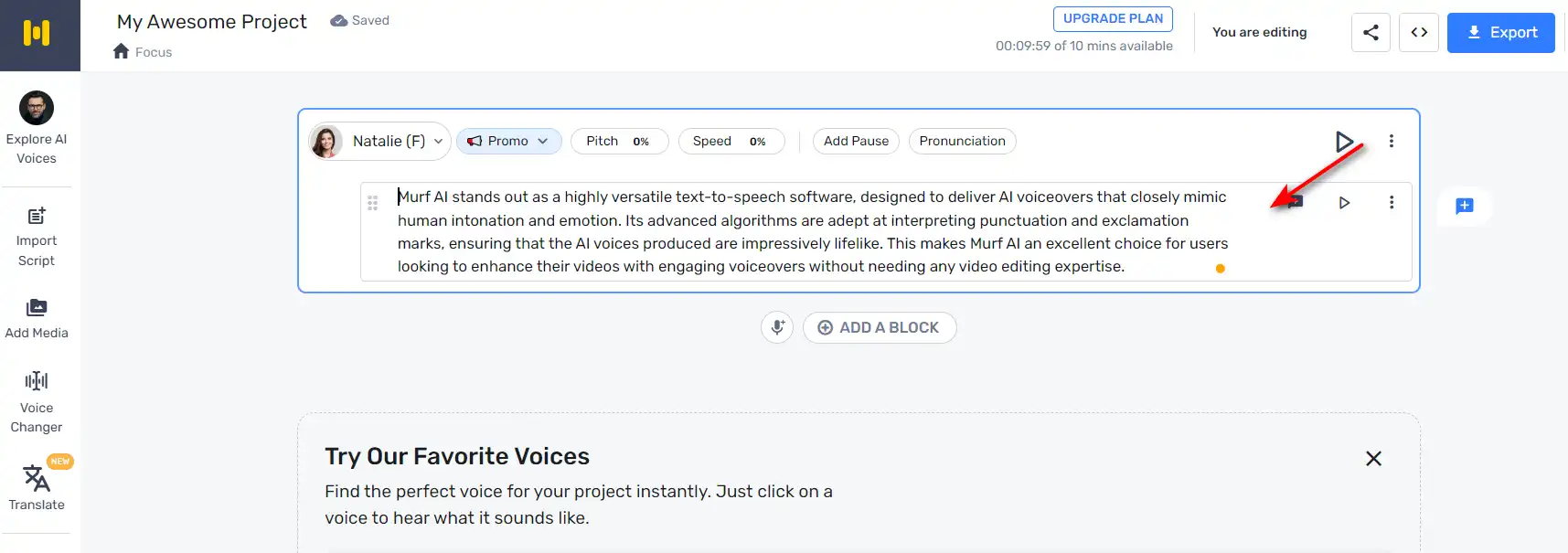
Murf AI framstår som en mycket mångsidig text-till-tal-mjukvara, designad för att leverera AI-voiceovers som nära efterliknar mänsklig intonation och känslor. Dess avancerade algoritmer är skickliga på att tolka skiljetecken och utropstecken, vilket säkerställer att de AI-röster som produceras är imponerande verklighetstrogna. Detta gör Murf AI till ett utmärkt val för användare som vill förbättra sina videor med engagerande voiceovers utan att behöva någon expertis inom videoredigering.

FÖRDELAR

  • AI -röster liknar nära mänskligt tal
  • Tolkar skiljetecken för naturlig klingande intonation
  • Inga videoredigeringsfärdigheter som krävs för att använda
  • Förbättrar videor med att engagera AI -voiceovers

NACKDELAR

  • Kan sakna det nyanserade uttrycket för en professionell röstskådespelare
  • Beroende på kvaliteten på ingångstexten för voiceover -utgång

Murf AI Pricing

Prissättning (månadsplan faktureras årligen) Planen Bäst för
$0 Fri Simple way to get started
19 USD Grundläggande Access to essential features & basic voices
$26 Proffs Best plan to create high-quality voiceovers
$75 Företag Enterprise grade Support & Unlimited Access

Murf.AI monthly pricing plans.
monthly pricing plan for Murf AI 1

Murf.AI annual pricing plans.
yearly pricing plan for Murf AI 2

Planens namn Fri Grundläggande Proffs Företag
# of Users Upp till 3 Upp till 5 Upp till 5 5+
# of Voices Try all 60 basic voices only 120+ 120+
# of Languages Try all 10 languages 20+ languages 20+ languages
Voice Generation Time 10 min 24 hours per user/year 48 hours per user/year Obegränsat
Audio Transcription Time 10 min trial Nej 24 hours per user/year Obegränsat
AI Voice Changer Nej Nej Ja Ja
Licensed Soundtracks/Royalty Free Music Try all 8000+ 8000+ 8000+
Youtube/Vimeo Imports 5 min videos 60 min videos 60 min videos 60 min videos
Video/Image Upload Size Limit 50 MB 200 MB 400 MB 400 MB
Videoexportkvalitet – Full HD Full HD Full HD
No of Downloads – Obegränsat Obegränsat Obegränsat
No of Formats – All All All
Share Output via Link Ja Ja Ja Ja
Password Protected Sharing – Ja Ja Ja
Lagring 1 GB 10 GB per user 20 GB per user Obegränsat
Commercial Usage Rights – Ja Ja Ja
YouTube Monetization – Ja Ja Ja
Google Slides Add-on Ja Ja Ja Ja
Stöd Nej Chat and Email Prioriterad support Prioriterad support

What is Murf AI

• Who is Murf AI for?

Murf AI is a versatile tool designed for a wide range of users. Whether you’re a content creator looking to add voiceovers to your YouTube videos, a marketer aiming to enhance your advertisements with engaging audio, or an educator seeking to make your e-learning modules more interactive, Murf AI is the tool for you. It’s particularly beneficial for those who need high-quality, natural-sounding voiceovers in a variety of languages and accents.

• Murf AI Top features

Murf AI boasts a host of impressive features. Here are a few:

  • Natural Sounding Voices: With over 120 AI voices across 20+ languages, Murf AI can generate lifelike speech that captures the nuances of human voice.
  • Anpassning: Users can adjust voice parameters such as speed, pitch, and emphasis to create a personalized voiceover experience.
  • Efficiency: Murf AI can create high-quality audio content in seconds, saving users significant time and effort.
  • Röstkloning: Murf AI offers the ability to create a custom voice, allowing businesses to establish a unique brand voice.

• Tips for using Murf AI

Här är några tips som hjälper dig att få ut det mesta av Murf AI:

  • 🎙️ Välj rätt röst: Murf AI offers a wide range of voices. Choose the one that best fits your content and audience.
  • 🔧 Customize the voice parameters: Adjust the speed, pitch, and emphasis to create a voiceover that aligns with your content’s tone and style.
  • 🌐 Use the right language and accent: Murf AI supports over 20 languages and a variety of accents. Choose the one that resonates with your target audience.
  • 📝 Write clear and concise scripts: The quality of your voiceover heavily depends on your script. Make sure it’s clear, concise, and free of jargon.
  • 🔄 Experiment and iterate: Don’t be afraid to experiment with different voices and settings. Iterate based on feedback to improve your voiceovers.

With these tips, you can effectively leverage the power of Murf AI to create engaging and natural-sounding voiceovers. Happy creating! 🎙️

Product Hunt Review for Murf AI

What other users are saying about Murf AI

I have crosschecked my experience with the experience of other Murf AI users on Produktjakt.

Här är vad jag hittade:

  • 🌟 Murf AI has an overall rating of 4.6/5 based on 67 reviews from the community.
  • Most positive features highlighted by users:
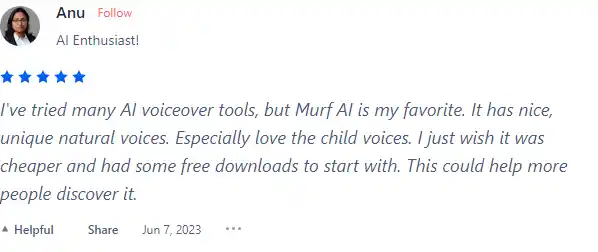
    • 💬 Nice, unique natural voices, especially loving the child voices
    • 😇 Option for Non-Binary AI Generated Voiceover (NB)
    • 💰 Reasonable pricing with a desire for more affordable options
    • 🚀 Effort put into TTS (Text-to-Speech) for natural audio
    • ⏰ Quick to learn, essential features in place
  • 🐾 Murf AI has a wide selection of voices supporting 20 languages and 130+ voices.
  • ☁️ Some concerns raised by users:
    • 💔 Non-Binary AI voice option criticized for lack of common sense

How to use Murf AI

Murf AI is designed to be intuitive and easy to use, even for first-time users. Here’s a step-by-step guide on how to utilize its features:

Creating a Voiceover

Creating a voiceover with Murf AI is a straightforward process:
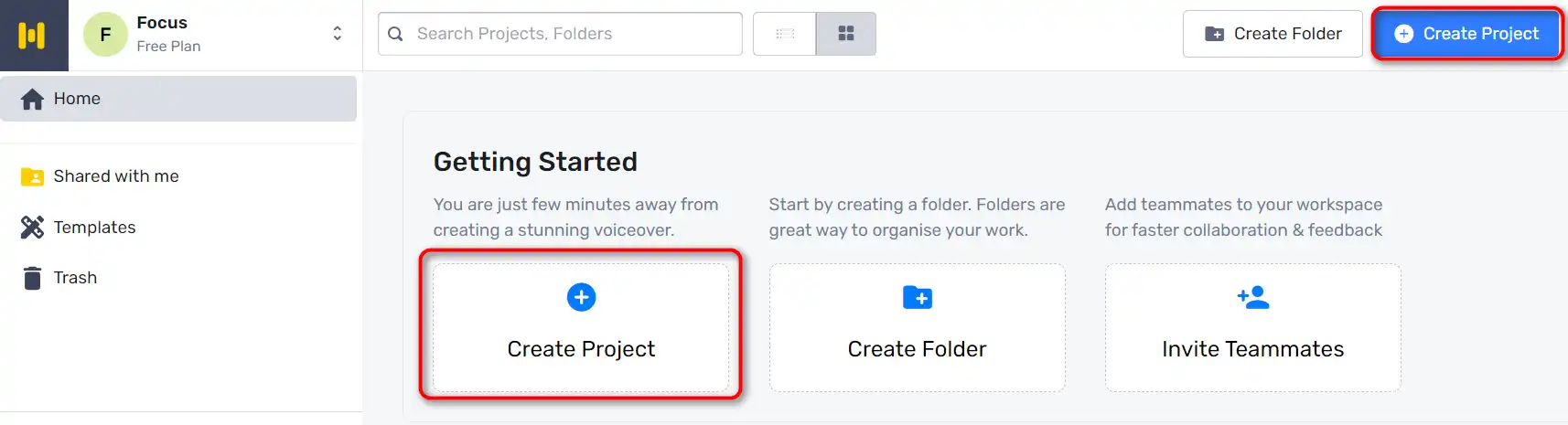
  1. Start by going to Murf Studio and clicking on ‘Create Project’.
    how to use Murf AI 3
  2. Choose the type of Audio or Video you’re making.
    how to use Murf AI 4
  3. Copy and paste your script into the text box provided.
    how to use Murf AI 5
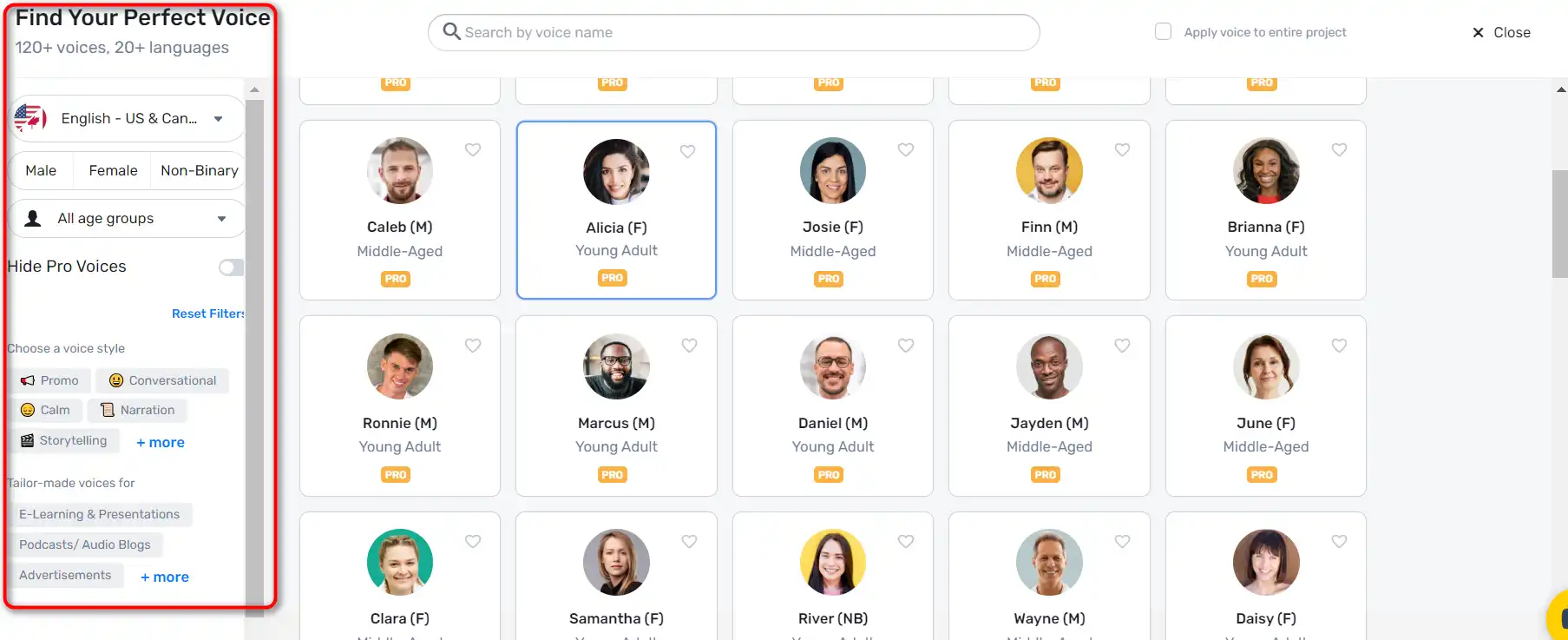
  4. Click on the ‘Explore AI voices’ tab to choose an AI voice for your video. Murf Studio offers a myriad of voices across different age groups, tonalities, accents, and languages.
    how to use Murf AI 6
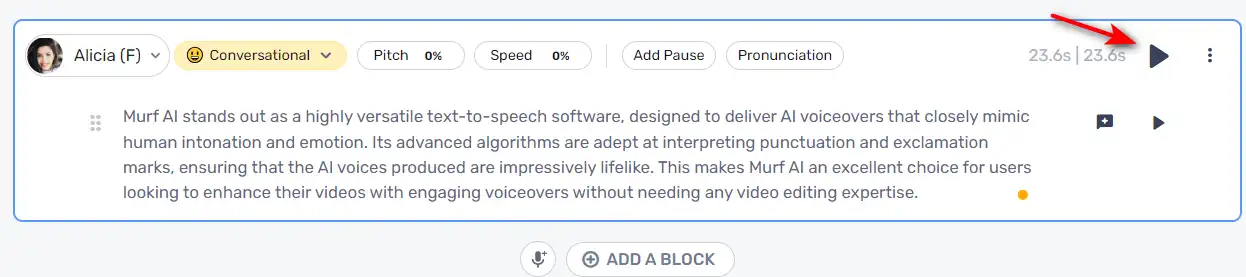
  5. Once you’ve selected a voice, click on the ‘Generate Audio’ button to generate your voiceover.
    how to use Murf AI 7

Customizing Voiceovers

Murf AI allows you to customize your voiceovers to make them more engaging:

  1. You can highlight specific words and change how they sound for accurate pronunciation and emphasis.
    how to use Murf AI 8
  2. Add pauses to provide a breather and increase the impact of your voiceover.
    how to use Murf AI 9

Syncing Visuals and Audio

After creating your voiceover, you can sync it with visuals:
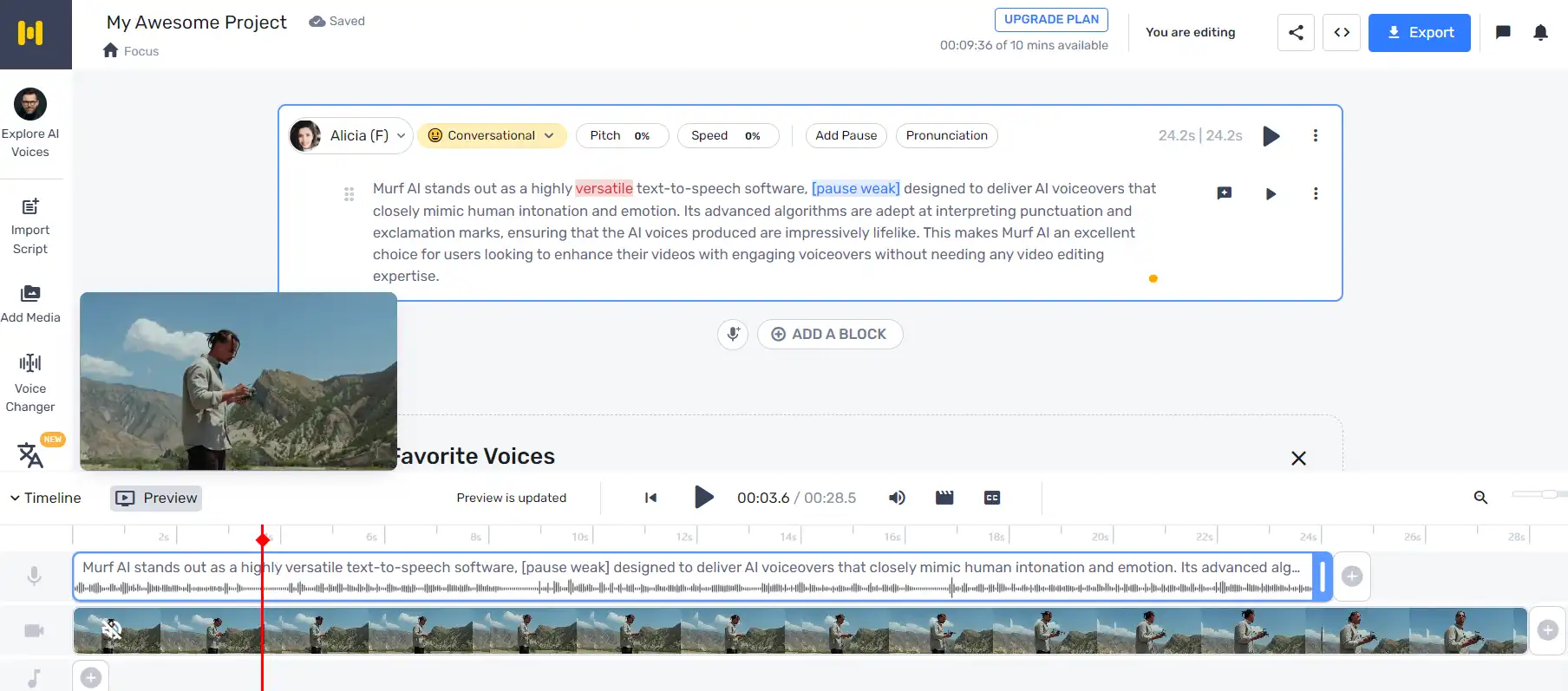
  1. Click ‘Play’ to ensure your visuals and audio are in sync.
    how to use Murf AI 10
  2. If you need to make changes, just enter the new text, render the voice, and then render the video again.

Adding Background Music

Murf AI also allows you to add background music to your voiceovers.
how to use Murf AI 11

Murf AI Top alternatives

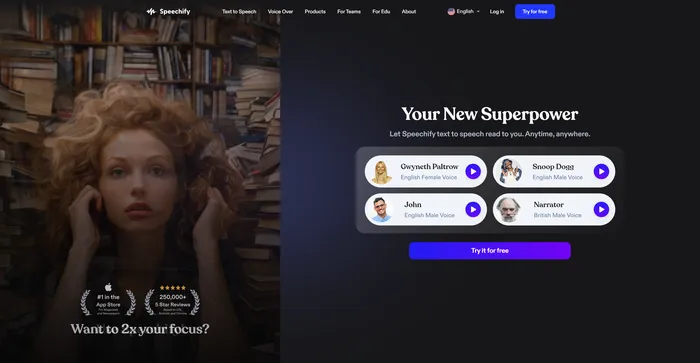
Speechify Review

Speechify är ett mångsidigt AI text-till-tal-verktyg som vänder sig till ett brett spektrum av användare, inklusive de med inlärningssvårigheter som dyslexi och ADHD, såväl som upptagna yrkesverksamma och studenter som vill öka produktiviteten. Med sin förmåga att konvertera text till naturligt ljud, erbjuder Speechify en handsfree och ögonfri läsupplevelse över olika plattformar och enheter.

$9.99/mo

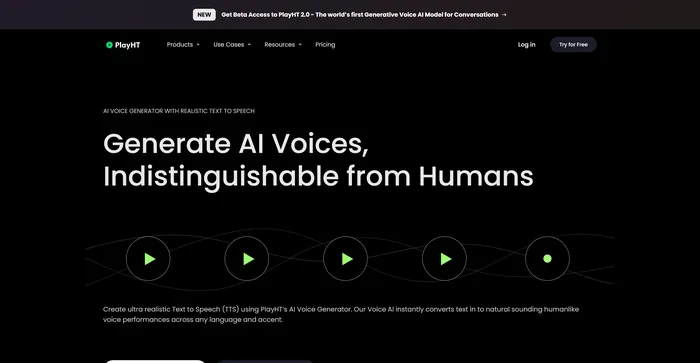
PlayHT Review

PlayHT är ett ledande AI-drivet text-till-tal-verktyg som enkelt omvandlar skrivet innehåll till naturligt klingande röstframträdanden. Den tillgodoser olika behov som voiceovers, podcasts eller någon annan form av talat ord. Verktyget utnyttjar artificiell intelligens och maskininlärning för att generera naturligt klingande röster, vilket ökar lyssnarens engagemang. Den stöder flera språk, inte bara engelska, vilket möjliggör olika och globala användningsfall. Det ger ett brett utbud av röstalternativ, inklusive både manliga och kvinnliga röster, som tillgodoser olika innehållsbehov.

$29.00/mo

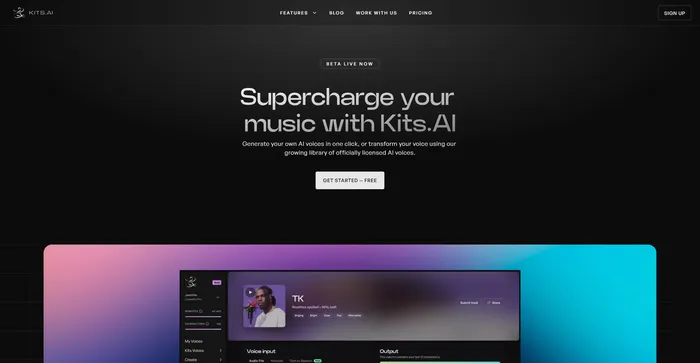
Kits AI Review

Kits AI är en AI-mjukvara som låter dig skapa och omvandla din röst till olika karaktärer och stilar. Du kan använda den för att göra dina egna voiceovers, poddsändningar, ljudböcker eller musik med en mängd olika röster och effekter. Kits AI säger sig vara den första AI-röstgeneratorn som kan efterlikna vilken röst som helst i världen, från kändisar till fiktiva karaktärer.

Kits AI är dock inte utan sina brister. Mjukvaran är fortfarande i betaversion och har vissa begränsningar och buggar. Till exempel är röstkvaliteten inte heller särskilt konsekvent, och ibland låter rösterna robotiska eller onaturliga. Dessutom har vissa användare rapporterat etiska och juridiska farhågor om att använda röster från riktiga människor utan deras samtycke.

$9.99/mo

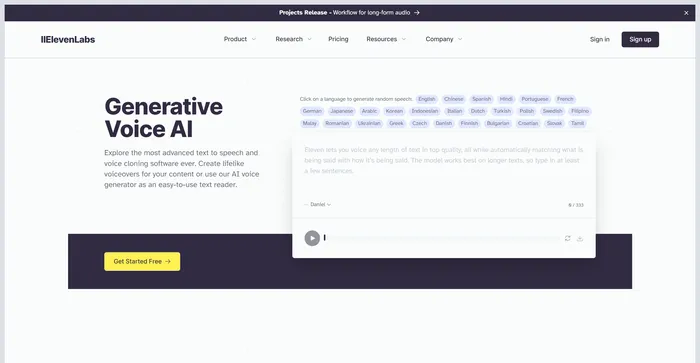
ElevenLabs Review

ElevenLabs är ett AI-företag som specialiserar sig på realistisk, syntetisk röstgenerering, som kan efterlikna mänskligt tal på över 30 språk. Om du letar efter ett snabbt och kraftfullt text-till-tal- och röst-API är ElevenLabs ett bra alternativ att överväga. Du kan skapa verklighetstrogna röster för olika ändamål, som video, spel, ljudböcker och chatbots.

Rask Review

Rask AI är ett ledande verktyg inom området för videolokalisering och dubbning, driven av avancerad artificiell intelligens (AI)-teknologi. Det erbjuder en sömlös upplevelse för att översätta och dubba videor, vilket säkerställer att innehållsskapare kan nå en global publik utan språkbarriärer. Rask AI:s banbrytande teknik möjliggör sömlös dubbning och översättning, vilket sparar både tid och pengar. De “Text-till-röst” och “Röstkloning” Teknikerna är verkligen imponerande och ger en människoliknande voiceover som låter lika bra som en professionell röstskådespelare.

Murf AI FAQ

What is Murf AI? +

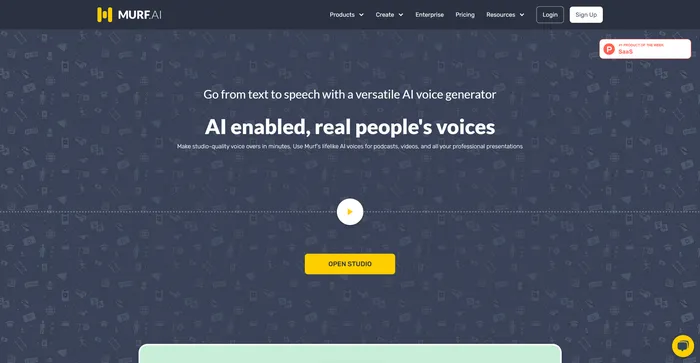
Murf AI is a text-to-speech software that uses artificial intelligence to generate lifelike voiceovers. It is designed to streamline the content creation process, particularly for podcasts, videos, and professional presentations. The software offers a wide range of natural-sounding voices across multiple languages, making it a versatile tool for various use cases.

What are the key features of Murf AI? +

Murf AI offers a wide range of features, including a selection of natural-sounding voices across multiple languages, voice customization options like pitch, speed variation, pause, and emphasis addition. It also allows users to import and export various file formats, and it works as a video maker, enabling content creators and businesses alike to add images, videos, and more.

Is Murf AI worth it? +

Murf AI is considered a valuable tool for content creators, businesses, and e-learning developers due to its efficiency, quality, and ease of use. It offers a free plan suitable for beginners, and for more advanced users or businesses, there are premium plans with varying features and pricing models.

How does Murf AI work? +

Murf AI works by converting text into lifelike voiceovers. Users can input their text, choose from a selection of voices, and customize the voiceover using various features. The software then generates a voiceover that can be downloaded in multiple file formats. Murf AI also allows users to add images, videos, and more to their voiceovers.

What are the potential applications of Murf AI? +

Murf AI can be used for a wide range of applications, including creating voiceovers for podcasts, videos, professional presentations, e-learning content, and more. It can also be used to create customized voices for virtual assistants or chatbots, making them more engaging and interactive for users.

What are the benefits of using Murf AI? +

Murf AI offers several benefits, including the ability to generate lifelike voiceovers in minutes, a wide selection of voices across multiple languages, and features for customizing voiceovers. It also streamlines the content creation process, reducing time and cost for users. Furthermore, the quality of the voiceovers generated by Murf AI is often praised for being very realistic.

What are the potential challenges and limitations of Murf AI? +

While Murf AI offers many benefits, there are also potential challenges and limitations to consider. One of the key issues to keep in mind is the quality of the voiceovers. While Murf AI can produce highly natural-sounding voices, the quality may vary depending on the specific voice and settings used.

How much does Murf AI cost? +

Murf AI offers a free plan with basic functionalities. For more advanced features, there are premium plans available. The basic plan costs $228 billed annually. The pricing structure varies depending on the features and services included in each plan.

Murf AI Conclusion

Choose Murf AI for creating professional, realistic-sounding voiceovers in minutes. It’s user-friendly, versatile, and powered by advanced AI technology. With Murf AI, you can elevate your content and engage your audience like never before.

Utvalda AI-verktyg

Murf AI Related AI Tools

Speechify Review

Förvandla vilken läsning som helst till ljud

PlayHT Review

AI Voice Generator: Realistisk text till tal och AI Voiceover

Kits AI Review

Den ultimata AI-röstgenereringsverktygssatsen för att överladda din musik

ElevenLabs Review

Generativ AI text till tal & Röstkloning

Rask Review

Leading AI video localization & dubbing tool