Generic selectors
Exact matches only
Search in title
Search in content
Post Type Selectors

Is Murf AI the Ultimate Solution for Text-to-Speech? A Comprehensive Review and Pricing Guide

Pricing:

Platform:

Web Based

Intergrations:

API

Best use cases:

#

Social links:

Overview

Creating high-quality voiceovers for your content can be a daunting task, especially when you’re aiming for a natural and engaging sound.

Enter Murf AI, a cutting-edge tool that leverages artificial intelligence to transform text into lifelike speech, promising to revolutionize the way you create voiceovers.

But does it live up to the hype? Let’s delve into an in-depth review of Murf AI to find out.

Editor's review

Overall Score: 4.5

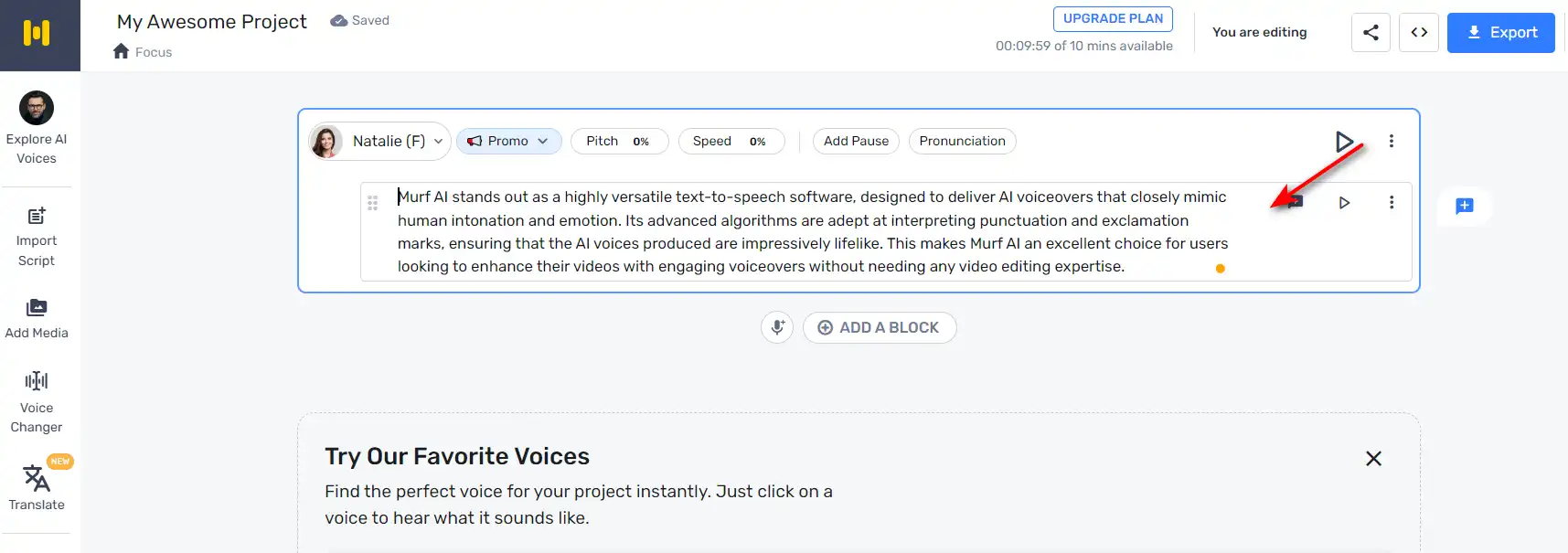
Murf AI stands out as a highly versatile text-to-speech software, designed to deliver AI voiceovers that closely mimic human intonation and emotion. Its advanced algorithms are adept at interpreting punctuation and exclamation marks, ensuring that the AI voices produced are impressively lifelike. This makes Murf AI an excellent choice for users looking to enhance their videos with engaging voiceovers without needing any video editing expertise.

PROS

  • AI voices closely resemble human speech
  • Interprets punctuation for natural-sounding intonation
  • No video editing skills required to use
  • Enhances videos with engaging AI voiceovers

CONS

  • May lack the nuanced expression of a professional voice actor
  • Dependent on the quality of the input text for voiceover output

Murf AI Pricing

Pricing (monthly plan billed annually) Plan Best For
$0 Free Simple way to get started
$19 Basic Access to essential features & basic voices
$26 Pro Best plan to create high-quality voiceovers
$75 Enterprise Enterprise grade Support & Unlimited Access

Murf.AI monthly pricing plans.
monthly pricing plan for Murf AI 1

Murf.AI annual pricing plans.
yearly pricing plan for Murf AI 2

Plan Name Free Basic Pro Enterprise
# of Users Up to 3 Up to 5 Up to 5 5+
# of Voices Try all 60 basic voices only 120+ 120+
# of Languages Try all 10 languages 20+ languages  20+ languages
Voice Generation Time 10 mins 24 hours per user/year 48 hours per user/year Unlimited
Audio Transcription Time 10 min trial No 24 hours per user/year Unlimited
AI Voice Changer No No Yes Yes
Licensed Soundtracks/Royalty Free Music Try all 8000+ 8000+ 8000+
Youtube/Vimeo Imports 5 min videos 60 min videos 60 min videos 60 min videos
Video/Image Upload Size Limit 50 MB 200 MB 400 MB 400 MB
Video Export Quality – Full HD Full HD Full HD
No of Downloads – Unlimited Unlimited Unlimited
No of Formats – All All All
Share Output via Link Yes Yes Yes Yes
Password Protected Sharing – Yes Yes Yes
Storage 1 GB 10 GB per user 20 GB per user Unlimited
Commercial Usage Rights – Yes Yes Yes
YouTube Monetization – Yes Yes Yes
Google Slides Add-on Yes Yes Yes Yes
Support No Chat and Email Priority Support Priority Support

What is Murf AI

• Who is Murf AI for?

Murf AI is a versatile tool designed for a wide range of users. Whether you’re a content creator looking to add voiceovers to your YouTube videos, a marketer aiming to enhance your advertisements with engaging audio, or an educator seeking to make your e-learning modules more interactive, Murf AI is the tool for you. It’s particularly beneficial for those who need high-quality, natural-sounding voiceovers in a variety of languages and accents.

• Murf AI Top features

Murf AI boasts a host of impressive features. Here are a few:

  • Natural Sounding Voices: With over 120 AI voices across 20+ languages, Murf AI can generate lifelike speech that captures the nuances of human voice.
  • Customization: Users can adjust voice parameters such as speed, pitch, and emphasis to create a personalized voiceover experience.
  • Efficiency: Murf AI can create high-quality audio content in seconds, saving users significant time and effort.
  • Voice Cloning: Murf AI offers the ability to create a custom voice, allowing businesses to establish a unique brand voice.

• Tips for using Murf AI

Here are some tips to help you make the most out of Murf AI:

  • 🎙️ Choose the right voice: Murf AI offers a wide range of voices. Choose the one that best fits your content and audience.
  • 🔧 Customize the voice parameters: Adjust the speed, pitch, and emphasis to create a voiceover that aligns with your content’s tone and style.
  • 🌐 Use the right language and accent: Murf AI supports over 20 languages and a variety of accents. Choose the one that resonates with your target audience.
  • 📝 Write clear and concise scripts: The quality of your voiceover heavily depends on your script. Make sure it’s clear, concise, and free of jargon.
  • 🔄 Experiment and iterate: Don’t be afraid to experiment with different voices and settings. Iterate based on feedback to improve your voiceovers.

With these tips, you can effectively leverage the power of Murf AI to create engaging and natural-sounding voiceovers. Happy creating! 🎙️

Product Hunt Review for Murf AI

What other users are saying about Murf AI

I have crosschecked my experience with the experience of other Murf AI users on Product Hunt.

Here’s what I found:

  • 🌟 Murf AI has an overall rating of 4.6/5 based on 67 reviews from the community.
  • Most positive features highlighted by users:
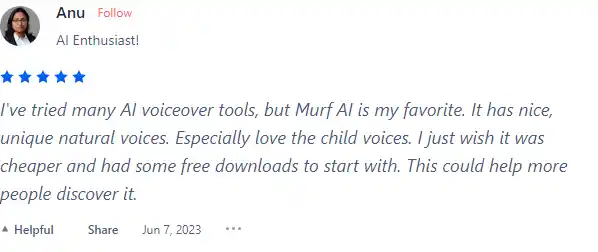
    • 💬 Nice, unique natural voices, especially loving the child voices
    • 😇 Option for Non-Binary AI Generated Voiceover (NB)
    • 💰 Reasonable pricing with a desire for more affordable options
    • 🚀 Effort put into TTS (Text-to-Speech) for natural audio
    • ⏰ Quick to learn, essential features in place
  • 🐾 Murf AI has a wide selection of voices supporting 20 languages and 130+ voices.
  • ☁️ Some concerns raised by users:
    • 💔 Non-Binary AI voice option criticized for lack of common sense

How to use Murf AI

Murf AI is designed to be intuitive and easy to use, even for first-time users. Here’s a step-by-step guide on how to utilize its features:

Creating a Voiceover

Creating a voiceover with Murf AI is a straightforward process:
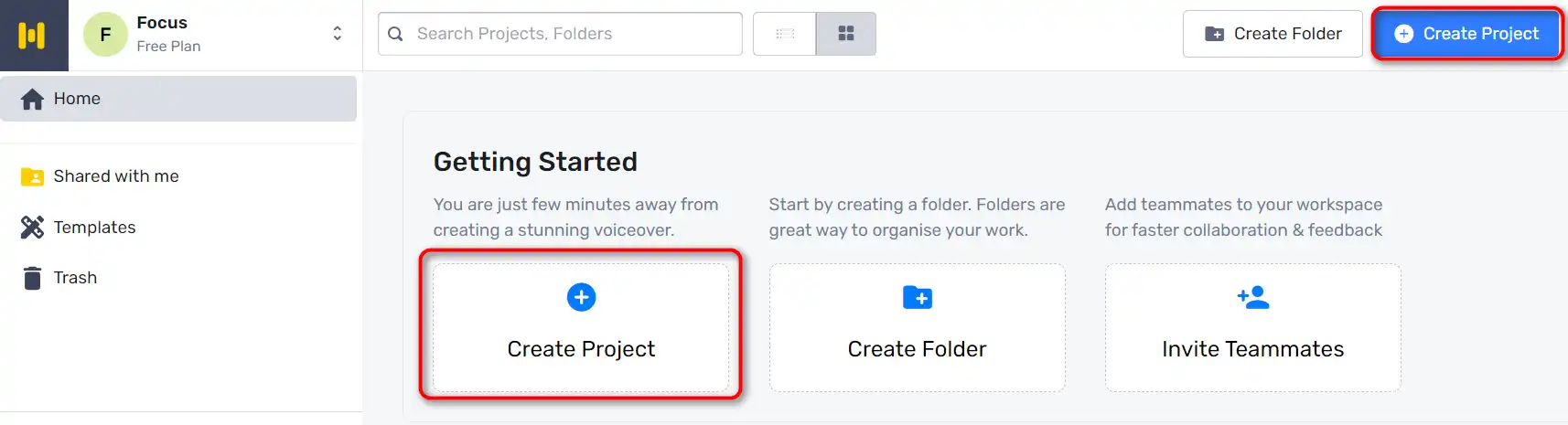
  1. Start by going to Murf Studio and clicking on ‘Create Project’.
    how to use Murf AI 3
  2. Choose the type of Audio or Video you’re making.
    how to use Murf AI 4
  3. Copy and paste your script into the text box provided.
    how to use Murf AI 5
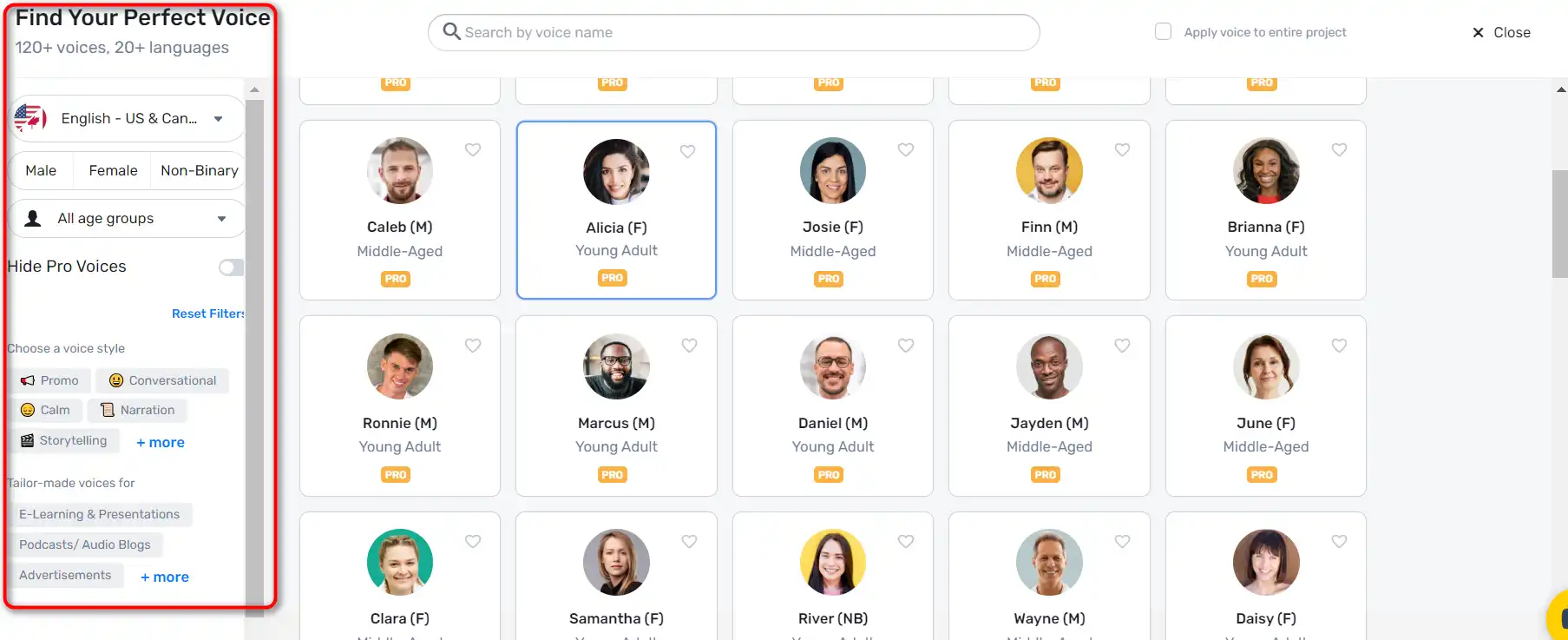
  4. Click on the ‘Explore AI voices’ tab to choose an AI voice for your video. Murf Studio offers a myriad of voices across different age groups, tonalities, accents, and languages.
    how to use Murf AI 6
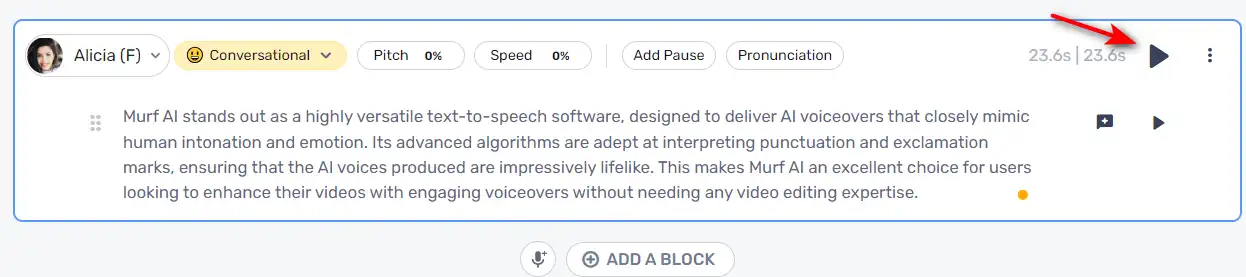
  5. Once you’ve selected a voice, click on the ‘Generate Audio’ button to generate your voiceover.
    how to use Murf AI 7

Customizing Voiceovers

Murf AI allows you to customize your voiceovers to make them more engaging:

  1. You can highlight specific words and change how they sound for accurate pronunciation and emphasis.
    how to use Murf AI 8
  2. Add pauses to provide a breather and increase the impact of your voiceover.
    how to use Murf AI 9

Syncing Visuals and Audio

After creating your voiceover, you can sync it with visuals:
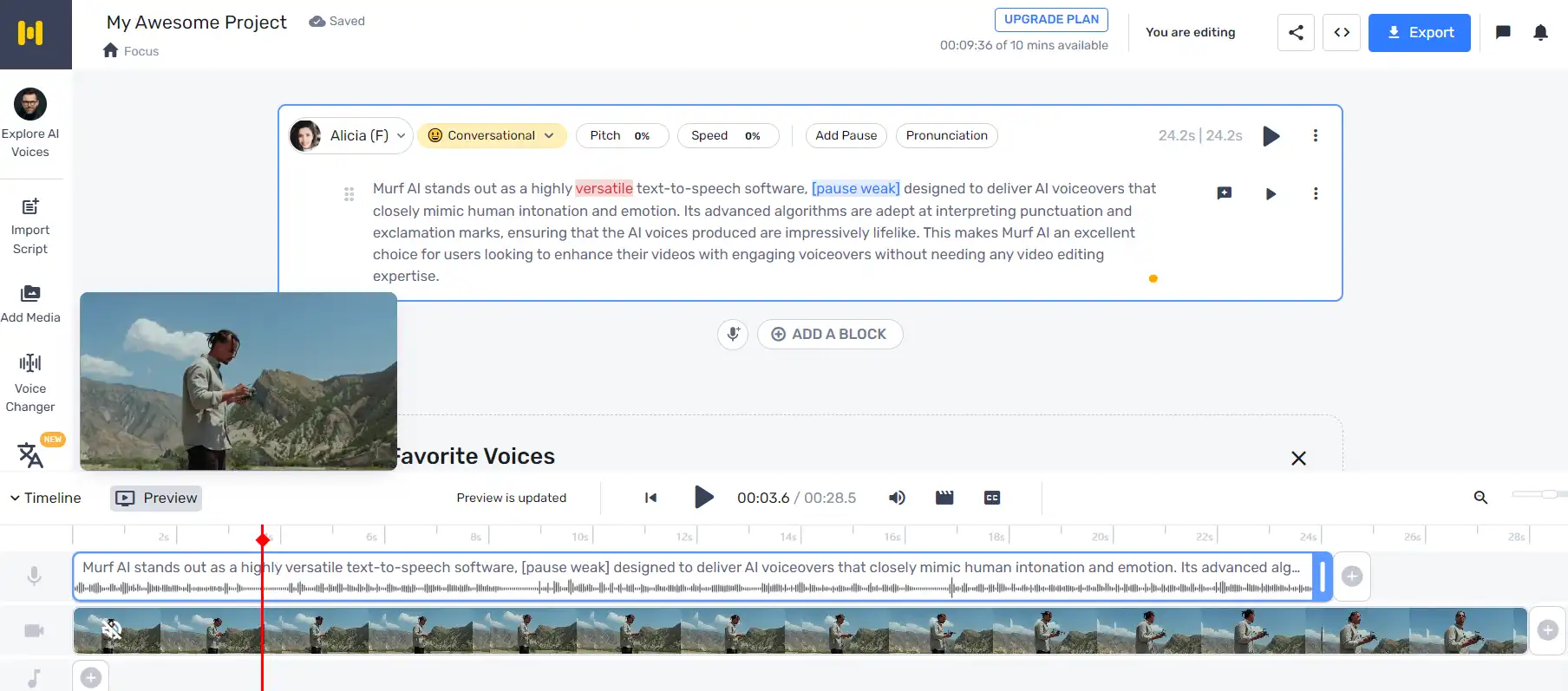
  1. Click ‘Play’ to ensure your visuals and audio are in sync.
    how to use Murf AI 10
  2. If you need to make changes, just enter the new text, render the voice, and then render the video again.

Adding Background Music

Murf AI also allows you to add background music to your voiceovers.
how to use Murf AI 11

Murf AI Top alternatives

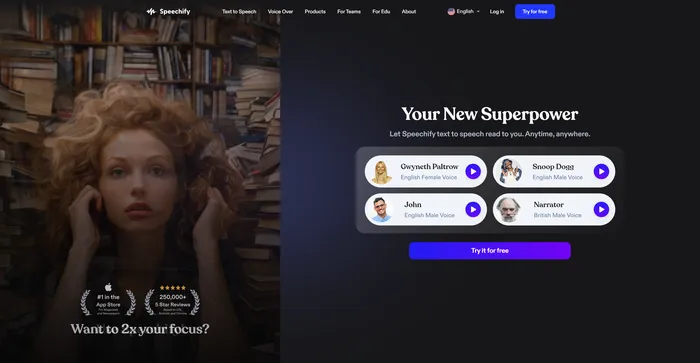
Speechify Review

Speechify is a versatile AI text-to-speech tool that caters to a wide range of users, including those with learning disabilities like dyslexia and ADHD, as well as busy professionals and students looking to boost productivity. With its ability to convert text into natural-sounding audio, Speechify offers a hands-free and eyes-free reading experience across various platforms and devices.

$9.99/mo

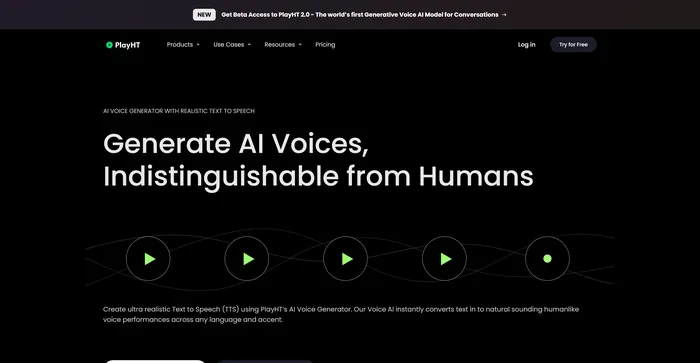
PlayHT Review

PlayHT is a leading AI-powered text-to-speech tool that effortlessly converts written content into natural-sounding voice performances. It caters to diverse needs such as voiceovers, podcasts, or any other form of spoken word. The tool leverages artificial intelligence and machine learning to generate natural-sounding voices, enhancing listener engagement. It supports multiple languages, not just English, which allows for diverse and global use cases. It provides a wide range of voice options, including both male and female voices, catering to different content needs.

$29.00/mo

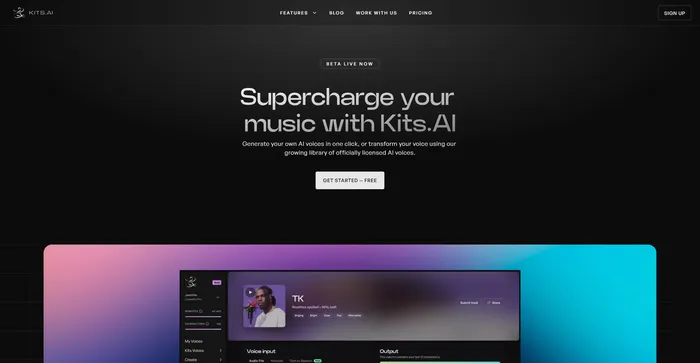
Kits AI Review

Kits AI is an AI software that lets you create and transform your voice into different characters and styles. You can use it to make your own voiceovers, podcasts, audiobooks, or music with a variety of voices and effects. Kits AI claims to be the first AI voice generator that can mimic any voice in the world, from celebrities to fictional characters.

However, Kits AI is not without its flaws. The software is still in beta and has some limitations and bugs. For example, voice quality is also not very consistent, and sometimes the voices sound robotic or unnatural. Moreover, some users have reported ethical and legal concerns about using the voices of real people without their consent.

$9.99/mo

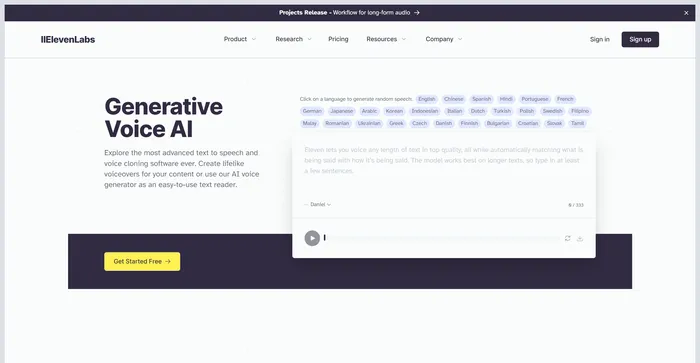
ElevenLabs Review

ElevenLabs is an AI firm that specializes in realistic, synthetic voice generation, capable of mimicking human speech in over 30 languages. If you are looking for a fast and powerful text-to-speech and voice API, ElevenLabs is a great option to consider. You can create lifelike voices for various purposes, such as video, gaming, audiobooks, and chatbots.

$1/mo

Rask Review

Rask AI is a leading tool in the field of video localization and dubbing, powered by advanced artificial intelligence (AI) technology. It offers a seamless experience for translating and dubbing videos, ensuring that content creators can reach a global audience without the barriers of language. Rask AI’s cutting-edge technology allows for seamless dubbing and translation, saving both time and money. The “Text-to-Voice” and “Voice Cloning” technologies are truly impressive, delivering a human-like voiceover that sounds just as good as a professional voice actor.

$50/mo

Murf AI FAQ

What is Murf AI? +

Murf AI is a text-to-speech software that uses artificial intelligence to generate lifelike voiceovers. It is designed to streamline the content creation process, particularly for podcasts, videos, and professional presentations. The software offers a wide range of natural-sounding voices across multiple languages, making it a versatile tool for various use cases.

What are the key features of Murf AI? +

Murf AI offers a wide range of features, including a selection of natural-sounding voices across multiple languages, voice customization options like pitch, speed variation, pause, and emphasis addition. It also allows users to import and export various file formats, and it works as a video maker, enabling content creators and businesses alike to add images, videos, and more.

Is Murf AI worth it? +

Murf AI is considered a valuable tool for content creators, businesses, and e-learning developers due to its efficiency, quality, and ease of use. It offers a free plan suitable for beginners, and for more advanced users or businesses, there are premium plans with varying features and pricing models.

How does Murf AI work? +

Murf AI works by converting text into lifelike voiceovers. Users can input their text, choose from a selection of voices, and customize the voiceover using various features. The software then generates a voiceover that can be downloaded in multiple file formats. Murf AI also allows users to add images, videos, and more to their voiceovers.

What are the potential applications of Murf AI? +

Murf AI can be used for a wide range of applications, including creating voiceovers for podcasts, videos, professional presentations, e-learning content, and more. It can also be used to create customized voices for virtual assistants or chatbots, making them more engaging and interactive for users.

What are the benefits of using Murf AI? +

Murf AI offers several benefits, including the ability to generate lifelike voiceovers in minutes, a wide selection of voices across multiple languages, and features for customizing voiceovers. It also streamlines the content creation process, reducing time and cost for users. Furthermore, the quality of the voiceovers generated by Murf AI is often praised for being very realistic.

What are the potential challenges and limitations of Murf AI? +

While Murf AI offers many benefits, there are also potential challenges and limitations to consider. One of the key issues to keep in mind is the quality of the voiceovers. While Murf AI can produce highly natural-sounding voices, the quality may vary depending on the specific voice and settings used.

How much does Murf AI cost? +

Murf AI offers a free plan with basic functionalities. For more advanced features, there are premium plans available. The basic plan costs $228 billed annually. The pricing structure varies depending on the features and services included in each plan.

Murf AI Conclusion

Choose Murf AI for creating professional, realistic-sounding voiceovers in minutes. It’s user-friendly, versatile, and powered by advanced AI technology. With Murf AI, you can elevate your content and engage your audience like never before.

Featured AI Tools

Murf AI Related AI Tools

Speechify Review

Turn Any Reading Into Audio

PlayHT Review

AI Voice Generator: Realistic Text to Speech and AI Voiceover

Kits AI Review

The ultimate AI voice generation toolkit to supercharge your music

ElevenLabs Review

Generative AI Text to Speech & Voice Cloning

Rask Review

Leading AI video localization & dubbing tool