Effortlessly Transform PNGs into Vector Graphics with Vectorizer AI
In the world of digital design, having the ability to convert raster images into scalable vector graphics is invaluable. Vectorizer AI emerges as a powerful solution, offering a seamless way to vectorize PNG images with impressive results. This article explores the features and benefits of this innovative tool, demonstrating how it can revolutionize your design workflow.
Key Features of Vectorizer AI
User-Friendly Interface
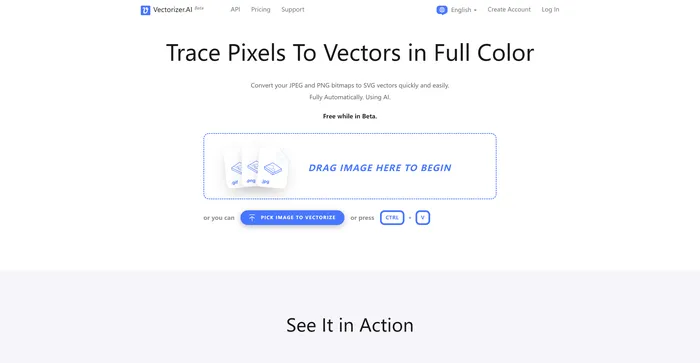
Vectorizer AI boasts an intuitive interface that makes the vectorization process incredibly straightforward. With a prominent “Upload Image” button, users can quickly select and process their PNG files without any complicated steps.
Rapid Processing
The AI-powered tool processes images swiftly, providing near-instantaneous results. This efficiency allows designers to save time and focus on their creative work rather than tedious conversion tasks.
High-Quality Output
One of the standout features of Vectorizer AI is its ability to maintain the integrity of the original image. The vectorized version preserves all details and colors, ensuring that the final product is a faithful representation of the source material.
Zoom Functionality
For those who need to examine their vectorized images closely, Vectorizer AI offers a zoom feature. This allows users to inspect the crisp, clean lines that result from the vectorization process, ensuring quality at every level of detail.
How to Use Vectorizer AI
- Access the Tool: Visit the Vectorizer AI website.
- Upload Your Image: Click the “Upload Image” button and select your PNG file.
- Review the Result: Compare the original and vectorized versions side by side.
- Fine-tune if Necessary: Use the zoom feature to inspect details.
- Download: Click the “Download” button to save your vectorized image as an SVG file.
Benefits for Designers and Creators
Vectorizer AI offers several advantages that make it an essential tool for design professionals:
- Scalability: Vector graphics can be resized without loss of quality, making them ideal for various applications.
- Editability: SVG files are easily editable in popular design software like Adobe Illustrator.
- Time-Saving: The quick processing time allows for rapid iteration and project completion.
- Consistency: Maintain brand integrity by ensuring logos and graphics remain sharp across all mediums.
Pricing and Accessibility
At just $9.99 per month, Vectorizer AI provides unlimited access to web image vectorization. This affordable pricing model makes it an attractive option for both individual designers and small businesses looking to enhance their design capabilities without breaking the bank.