
Generic selectors
Exact matches only
Search in title
Search in content
Post Type Selectors

Is Gamma App the Ultimate AI-Powered Presentation Tool?

Top alternatives:

Platform:

Web Based

Intergrations:

Social links:

Overview

Are you struggling to create presentations that captivate your audience?

Gamma App promises to revolutionize the way we create presentations by leveraging AI to produce content that is not only engaging but also interactive and visually appealing.

Discover how Gamma App can transform your presentation experience in this comprehensive review.

Editor's review

Overall Score: 4.5

Gamma App is an innovative AI software that helps you create presentations, documents, and webpages from your written content. Whether you need to pitch an idea, share a report, or showcase your portfolio, Gamma App can help you generate professional and engaging content in minutes.

PROS

  • Easy to use interface with no-code editing
  • AI-powered generator that creates content from your text
  • One-click templates and styles to customize your design
  • Embeddable media and interactive elements to enhance your content

CONS

  • Limited number of languages supported
  • Requires internet connection to use the AI features
  • No offline or mobile version available

Gamma Pricing

Pricing (monthly plan) Plan Best For
8 USD Plus Best for users needing regular AI credits and basic features without branding
15 USD Pro Best for advanced users requiring unlimited AI creation and detailed analytics

Gamma App monthly pricing plans.

monthly pricing plan for Gamma App 3

Gamma App annual pricing plans.

yearly pricing plan for Gamma App 1

Feature Free Plus Pro
AI Credits 400 400 per Month Unlimited
Remove “Made with Gamma” Badge No Yes Yes
PDF Export Gamma branded Yes Yes
PPT Export Gamma branded Yes Yes
Change History 7-day 30-day Unlimited
Unlimited Folders No Yes Yes
Advanced AI Models No No Yes
Priority Support No No Yes
Custom Fonts No No Yes
Analytics Basic Basic Detailed

What is Gamma

• Who is Gamma App for?

Gamma App is designed for professionals, educators, and students who want to create dynamic presentations without the hassle of extensive formatting and design work. It’s particularly beneficial for those who value time-saving features and the ability to incorporate multimedia elements seamlessly into their projects.

• Gamma App Top features

Gamma App boasts a range of features that enhance the presentation-making process:

  • AI-Powered Design: Utilize AI to automatically generate visually appealing presentations with minimal effort.
  • Interactive Content: Embed GIFs, videos, charts, and web pages to create engaging and interactive presentations.
  • Collaboration and Sharing: Work together with teammates within the platform and share ideas effortlessly.

• Tips for using Gamma App

Maximize your use of Gamma App with these tips:

  • 🔍 Start with a clear outline: Before using Gamma App, have a clear outline of your presentation to guide the AI in generating relevant content.
  • 🎨 Customize the design: Take advantage of the customizable templates to align with your branding or personal style.
  • 🤝 Collaborate in real-time: Use the collaboration features to work with others and gather feedback instantly.
  • 📊 Embed multimedia elements: Make your presentation more engaging by embedding various multimedia elements directly into your slides.
  • 📈 Use analytics: After sharing your presentation, analyze which parts engaged your audience the most to improve future presentations.
  • 📝 Review and edit: Use the AI as a personal editor to suggest wording and formatting changes for a polished final product.
  • 💡 Explore all features: Spend time getting to know all the functionalities Gamma App offers to fully leverage its capabilities.

With these tips, you can harness the full potential of Gamma App and elevate your presentation game. 🚀

Product Hunt Review for Gamma App

What other users are saying about Gamma

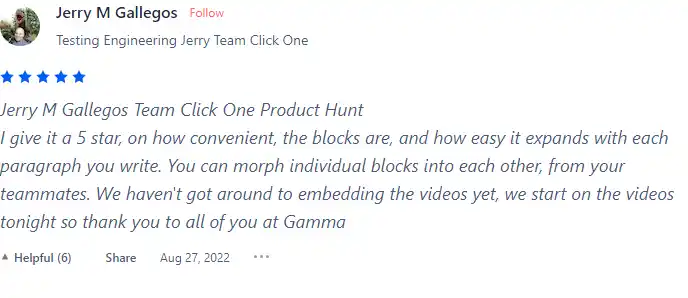
  • 🌟 Gamma has a 4.9 rating on Product Hunt with 122 total reviews (4.9/5 all-time, 5/5 recently).
  • Most positive reviewers appreciate Gamma for:
    • 💬 Integrated workflow and convenience in morphing blocks and expanding paragraphs
    • 😇 Professionalism and ease in restyling presentations
    • 💰 Time-saving features and themes
    • 🚀 Easy collaboration and learning curve
    • ⏰ Ability to embed various content types
  • 🐾 Some users appreciate Gamma’s time-saving features in creating presentations.
  • ☁️ Negative reviews emerge when users face challenges in certain functionalities.

How to use Gamma

Gamma App is user-friendly and intuitive, making it easy to create visually engaging content. Here’s a step-by-step guide on how to use its features:

Document Creation

Gamma App offers a seamless document creation process, allowing users to focus on their content while the AI handles the design aspect.
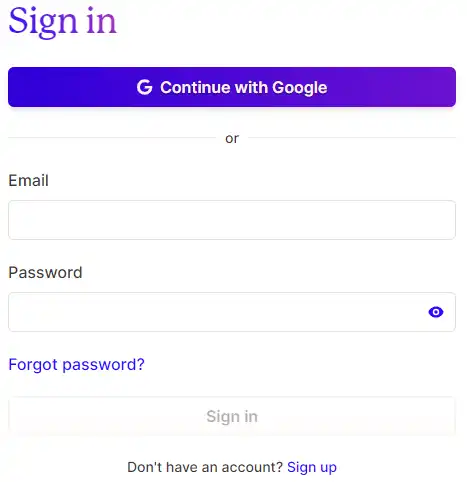
  1. Sign up on the Gamma App website using your Google account or create a new account.
    how to use Gamma App 4
  2. Choose the type of project you want to create: a presentation, a document, or a webpage.
    how to use Gamma App 5
  3. Provide the topic of your presentation. The AI will generate a rough outline, which you can tweak and customize as needed.
    how to use Gamma App 6

Customizable Themes

Gamma App provides a variety of pre-designed themes that users can customize to suit their needs.

  1. Select a theme that fits your presentation style and content.
    how to use Gamma App 7
  2. Customize the theme by adding or removing elements, changing colors, and adjusting the layout.
    how to use Gamma App 8

Embedding Features

Users can enhance their presentations by incorporating external content, such as web pages, videos, charts, and more.

  1. Select the ‘Embed’ option in the editor.
    how to use Gamma App 9
  2. Input the URL of the content you want to embed.
    how to use Gamma App 10
  3. Adjust the size and position of the embedded content as needed.
    how to use Gamma App 11

Presentation Mode

Gamma App allows users to easily switch to the Present View, where they can navigate through their content using keyboard shortcuts.

  1. Once your presentation is ready, select the ‘Present’ option.
    how to use Gamma App 12
  2. Use the arrow keys to navigate through your slides during the presentation.
    how to use Gamma App 13

Sharing and Collaboration

Gamma App facilitates real-time collaboration and feedback, making teamwork seamless within the app.

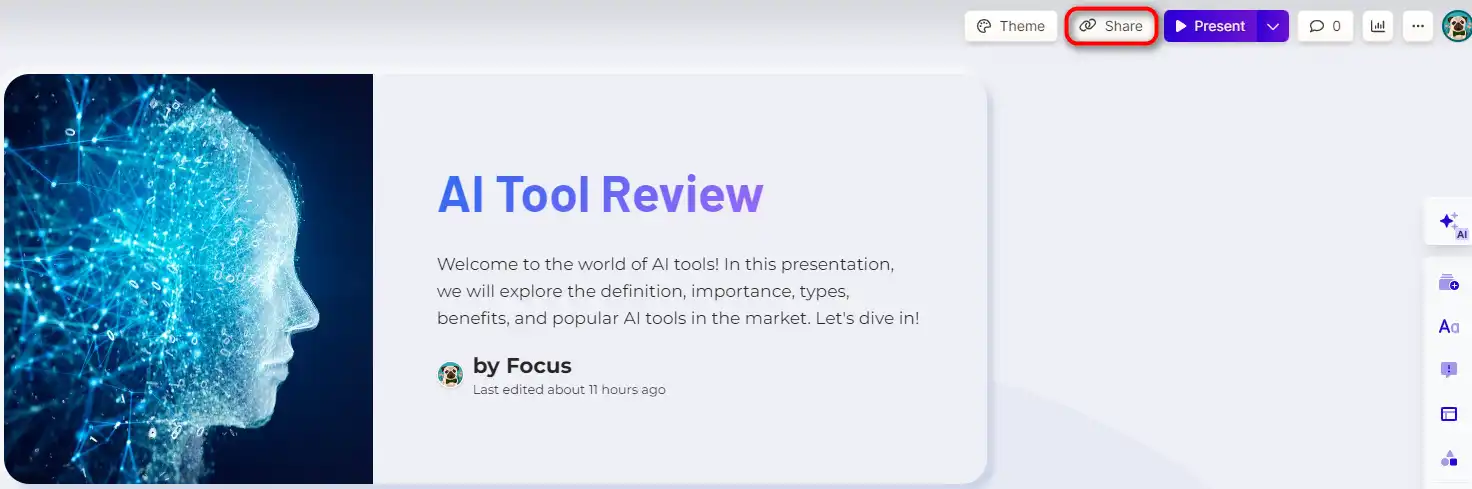
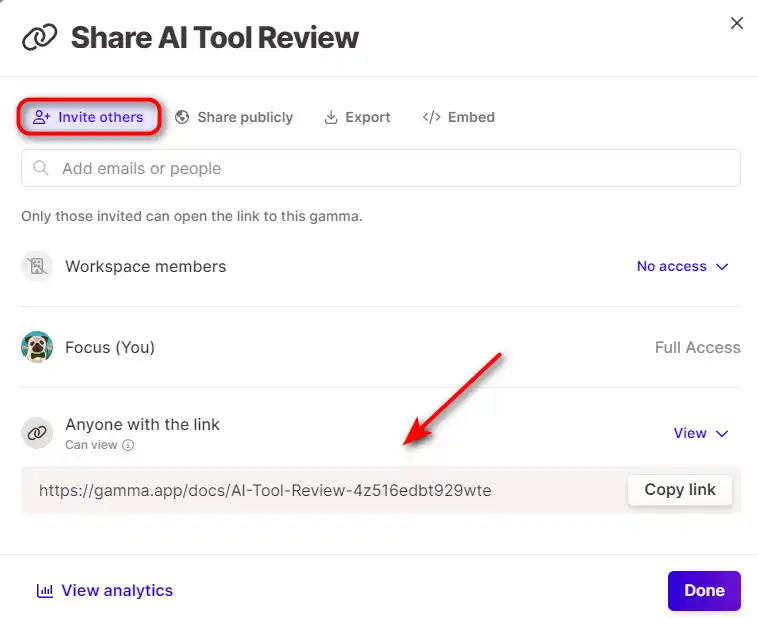
  1. Share your document with colleagues and collaborators by sending them a link to your presentation.
    how to use Gamma App 14
  2. Collaborators can provide real-time feedback by adding comments to your presentation.
    how to use Gamma App 15

Gamma Top alternatives

Tome Review

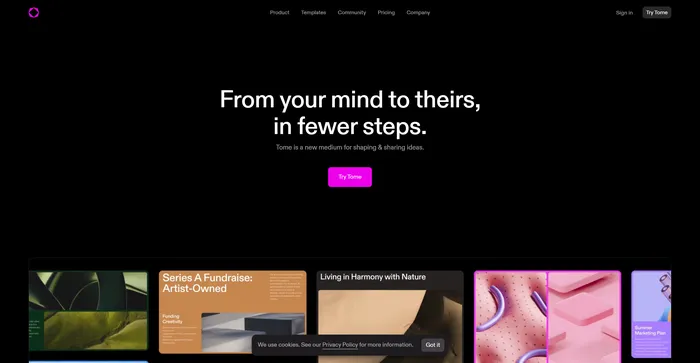
Tome is an AI-powered app that helps you create engaging and interactive stories from your content. Whether you want to turn your blog posts, scripts, podcasts, or videos into immersive presentations, Tome can help you do it in minutes. Tome lets you add any web content to your stories, such as tweets, videos, GIFs, 3D models, and live data. You can also customize the layout and design of your pages to suit your style and audience. Tome is more than just a slide deck tool, it’s a storytelling platform that enables you to share your ideas and stories with the world.

$16/mo

Gamma FAQ

What is Gamma App? +

Gamma App is an AI-powered tool that simplifies the creation of presentations, webpages, and documents. It’s designed to be user-friendly, allowing users to focus on their content while the AI handles the design aspect. The tool also offers content suggestions to make presentations more engaging and interactive.

Who should use Gamma App? +

Gamma App is ideal for educators and students, as it simplifies the presentation-making process. It’s also beneficial for bloggers, small business owners, YouTubers, social media managers, SEOs, affiliate marketers, and anyone who wants to create original and engaging content regularly.

What are the key features of Gamma App? +

Key features of Gamma App include an AI generator that creates content from text in seconds, customizable templates for quick styling, the ability to drag and drop media like GIFs, videos, charts into content, one-click restyling of entire documents, and built-in publishing tools and analytics.

Does Gamma App offer a native app for desktop or mobile devices? +

Currently, Gamma App does not offer a native app for desktop or mobile devices.

Can I customize the content created by Gamma App? +

Yes, Gamma App offers customization options. Users can adjust styles, tones, and layouts to suit their preferences, ensuring that the content aligns with their unique brand or personal style.

How does Gamma App use AI? +

Gamma App uses AI to handle the design aspect of presentations, allowing users to focus on their content. The AI is also smart enough to offer content suggestions, turning a simple presentation into an immersive learning experience. It can propose including captivating images or even interactive quizzes based on the topic of the presentation.

Is Gamma App easy to use? +

Yes, Gamma App is designed to be user-friendly. It simplifies the presentation-making process, allowing users to focus on their content while the AI handles the design aspect. No coding knowledge is necessary to use the tool.

What makes Gamma App special? +

What makes Gamma App special is its AI-powered platform that simplifies the creation of presentations, webpages, and documents. It allows users to focus on their content while the AI handles the design aspect. The tool also offers content suggestions to make presentations more engaging and interactive. It encourages collaborative learning, as students can easily share their work and gather feedback.

Gamma Conclusion

Choose Gamma App for a seamless, AI-powered presentation creation experience. It’s user-friendly, versatile, and designed to make your content stand out. With Gamma App, you can focus on your content while the AI handles the design, saving you time and effort.

Featured AI Tools

Gamma Related AI Tools

HyperWrite Review

AI Writing Assistant

Cohesive Review

Create magical content with the most powerful AI editor

Poe Review

Fast, Helpful AI Chat

Copy.ai Review

The only AI platform purpose-built for outcomes

Jasper Review

AI copilot for enterprise marketing teams

Midjourney Review

Midjourney