
Generic selectors
Exact matches only
Search in title
Search in content
Post Type Selectors

Is Guidde the Ultimate Solution for Quick and Efficient Documentation Creation? A Comprehensive Review

Top alternatives:

Platform:

Web Based, Browser Extension

Intergrations:

Social links:

Overview

Creating clear, concise, and effective documentation can be a daunting task, especially when it needs to be done frequently and quickly.

Guidde, an AI-powered tool, promises to revolutionize this process by automating the creation of step-by-step guides and documentation.

But does it live up to its promise? Let’s delve into an in-depth review of Guidde to find out.

Editor's review

Overall Score: 4.5

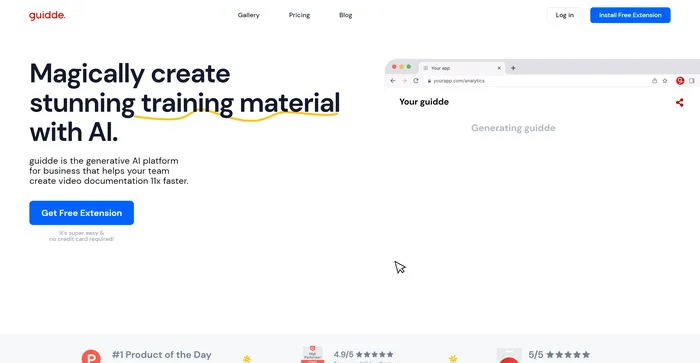
Guidde is an AI-powered tool that helps you create video documentation for your software, product, or service in minutes. Whether you need to create how-to guides, onboarding docs, FAQs, or feature notes, Guidde can help you capture, edit, and share your videos with ease. You can also use Guidde to provide personalized video responses to customer questions, reducing support tickets and increasing satisfaction.

PROS

  • Easy to use browser extension that works with any website
  • Generates voiceover, captions, and graphics automatically
  • Allows you to customize your branding, style, and language
  • Integrates with popular platforms like YouTube, Zendesk, and WordPress

CONS

  • Limited video editing options and features
  • Requires internet connection and Chrome browser
  • Expensive pricing plans for premium features

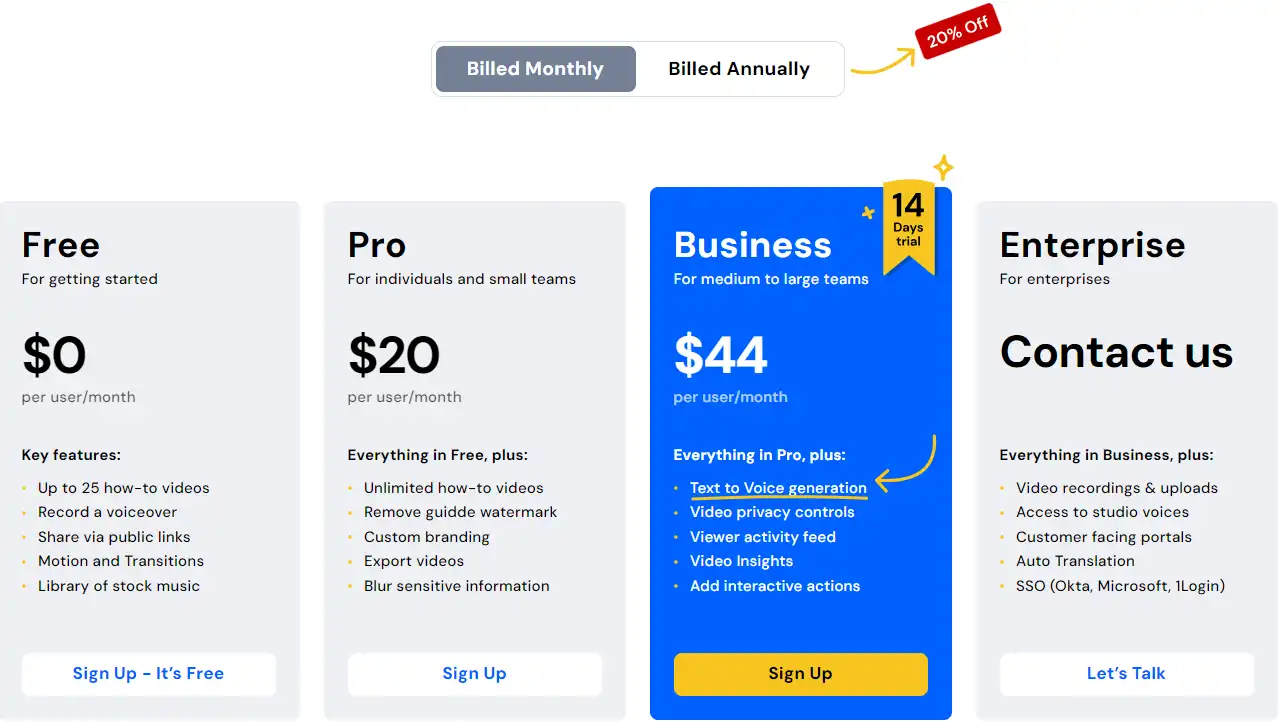
Guidde Pricing

Pricing (monthly plan) Plan Best For
16 USD Pro Best for individuals and small teams
35 USD Business Best for medium to large teams

Guidde monthly pricing plans.
monthly pricing plan for Guidde 1

Guidde annual pricing plans.
yearly pricing plan for Guidde 1

Feature Free Pro Business Enterprise
Price per user/month 0 USD 16 USD 35 USD Contact us
How-to videos Up to 25 Unlimited Unlimited Unlimited
Record a voiceover Yes Yes Yes Yes
Remove guidde watermark No Yes Yes Yes
Custom branding No Yes Yes Yes
Export videos No Yes Yes Yes
Blur sensitive information No Yes Yes Yes
Text to Voice generation No No Yes Yes
Video privacy controls No No Yes Yes
Viewer activity feed No No Yes Yes
Video Insights No No Yes Yes
Add interactive actions No No Yes Yes

What is Guidde

• Who is Guidde for?

Guidde is a game-changer for anyone who frequently creates documentation or step-by-step guides. Whether you’re a software developer, a customer support representative, or a team leader needing to onboard new members, Guidde can simplify and speed up your workflow. It’s particularly beneficial for businesses looking to scale their operations without compromising the quality of their support or training materials.

• Guidde Top features

Guidde boasts several impressive features. Here are a few:

  • Efficient Documentation Creation: Capture your workflow and let the AI generate a detailed description and voiceover.
  • Highly Customizable: Personalize your videos by selecting from over 100 voices and languages.
  • Integration with Enterprise Tools: Direct integrations with platforms like Salesforce and ServiceNow allow you to easily embed your documentation into these platforms.

• Tips for using Guidde

Here are some tips to get the most out of Guidde:

  • 🎯 Be clear in your workflow: The clearer and more precise your actions during the workflow capture, the better the AI can generate accurate and useful documentation.
  • 📝 Make use of the editing features: Guidde allows you to personalize the content. Make sure to utilize this feature to align the documentation with your brand and specific needs.
  • 🔗 Take advantage of integrations: If you’re using platforms like Salesforce or ServiceNow, make use of Guidde’s integration feature to streamline your documentation process.
  • 🔄 Automate repetitive tasks: If you frequently create similar types of documentation, Guidde can help automate these tasks, saving you time and effort.
  • 🌐 Use a compatible browser: Guidde works through a browser extension, so ensure you’re using a compatible browser for the best experience.
  • 💡 Explore and Experiment: Spend some time exploring all the features that Guidde offers. Don’t be afraid to experiment with different settings and options to see what works best for you.

With these tips, you can maximize the benefits of using Guidde for your documentation needs. Happy documenting! 📝

Product Hunt Review for Guidde

What other users are saying about Guidde

I have crosschecked user experiences with Guidde on Product Hunt.

Here’s what I found:

  • 🌟 Guidde has an impressive overall rating of 4.9/5 based on 46 reviews.
  • Most users appreciate Guidde for:
    • 💬 Super easy usability and quick time-to-value
    • 😇 Exceptional customer support and service
    • 💰 Useful for solepreneurs running their own websites
    • 🚀 Facilitates the creation of how-to videos in under a minute
    • ⏰ Organizing communities with custom workflows for different cohorts
  • 🐾 Some users inquire about voiceovers with avatars during the trial and seek clarification on pricing for this feature.

How to use Guidde

Guidde is designed to be user-friendly and intuitive, making it easy to create professional-quality how-to videos. Here’s how you can utilize its features:

Capture Workflow

This feature allows you to record your workflow and transform it into a step-by-step video guide.

  1. Install the Guidde Chrome extension.
    how to use Guidde 3
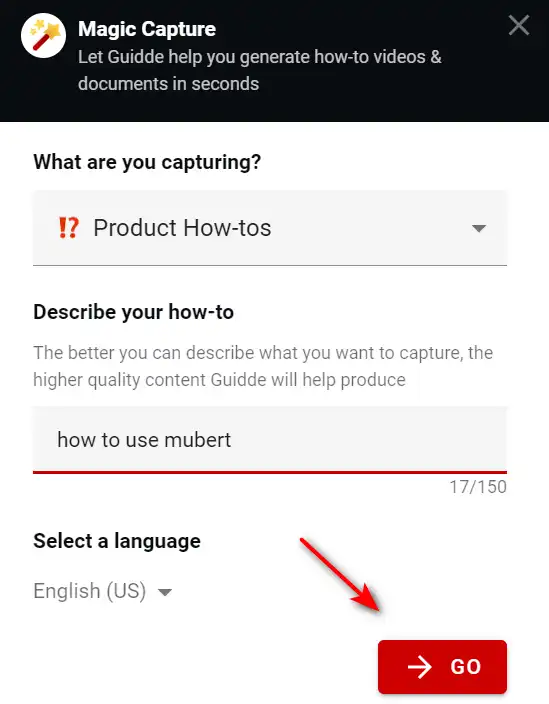
  2. Click ‘capture’ from the browser extension to start recording your workflow.
    how to use Guidde 4
  3. Perform the tasks you want to document.
    how to use Guidde 13
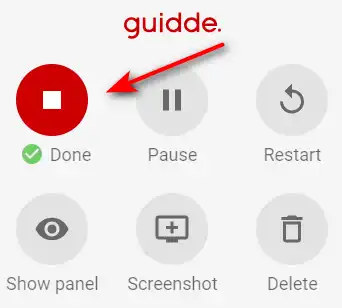
  4. Click ‘Done’ when you’re done.
    how to use Guidde 6
  5. Guidde will automatically generate a video with a step-by-step description of your workflow.
    how to use Guidde 7

Customize Your Content

Guidde allows you to personalize your videos to align with your brand or target audience.
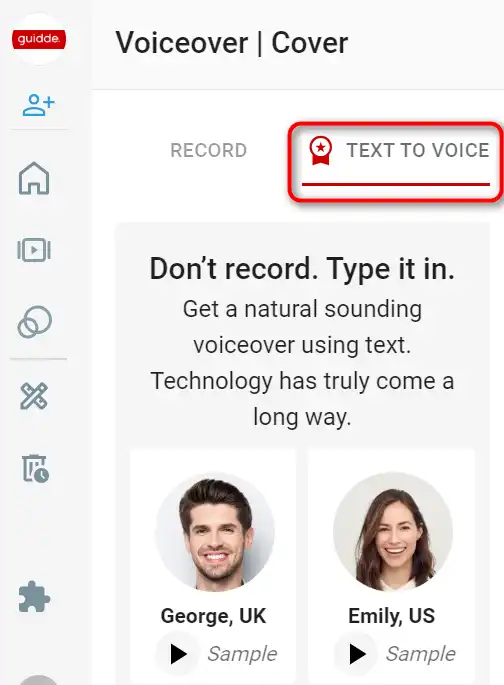
  1. Select from a variety of over 100 different voices and languages for narration.
    how to use Guidde 8
  2. Edit the generated labels and descriptions before publishing the video.
    how to use Guidde 9
  3. Use the video editing suite to add effects like motion transitions, adjust frame timing, and crop the video.
    how to use Guidde 10

Share Your Videos

Guidde makes it easy to share your videos with your team or customers.

  1. Once your video is ready, you can share it with a link or embed it within your organization’s platforms.
    how to use Guidde 11
  2. Guidde videos can be integrated with third-party platforms like GitHub, Zendesk, Zoom, Slack, Google Drive, Notion, Confluence, ClickUp, WordPress, and Salesforce.
    how to use Guidde 12

Guidde Top alternatives

Guidde FAQ

What is Guidde? +

Guidde is an AI-powered platform that helps users create video documentation and training materials quickly and efficiently. It uses a browser extension to capture workflows and automatically generates step-by-step narrated videos.

How does Guidde work? +

Guidde works by capturing a user’s on-screen activity through a browser extension. The AI then automatically splits the captured content into labeled chapters with descriptions and generates an intro and outro voiceover. Users can edit any generated labels and descriptions before publishing the video.

Can Guidde capture content outside the browser? +

Currently, Guidde’s AI-generated videos are limited to browser content. However, capturing content outside the browser is on their long-term product roadmap.

What formats can I download my Guidde content in? +

You can download content from Guidde in MP4, GIF, and PDF formats on any of their paid plans. Additionally, you can use the Smart Copy feature to copy-paste Guidde content to other systems.

What happens after the free 14-day trial of Guidde? +

Once the free trial is over, if you haven’t upgraded to a paid plan, you will be downgraded to the Free plan, which allows you to create up to 25 videos per month.

Can I upload my own videos to Guidde? +

Yes, you can upload regular videos to Guidde and integrate with platforms like Zoom, YouTube, OneDrive, and Google Drive to copy your videos to Guidde (available on the Enterprise plan).

Is there a limit to the number of steps in a Guidde video? +

Guidde recommends not exceeding 100 steps in a video for both editing and usage efficiency.

What are the real-world applications of Guidde? +

Guidde is useful across various industries for customer support, training, and onboarding processes. It is especially beneficial for teams in retail, healthcare, IT services, and companies involved in SaaS products or software training.

Guidde Conclusion

Choose Guidde to create high-quality video documentation swiftly and effortlessly. It’s user-friendly, versatile, and powered by AI, making it an invaluable tool for enhancing communication and collaboration within your team or with your customers.

Featured AI Tools

Guidde Related AI Tools

Tidio Review

Customer Service Software To Grow Your Business