
Generic selectors
Exact matches only
Search in title
Search in content
Post Type Selectors

HARPA AI Review (December): The Ultimate AI Web Automation Tool?

Top alternatives:

Platform:

Web Based, Browser Extension

Intergrations:

Zapier, Make, ChatGPT

Social links:

Overview

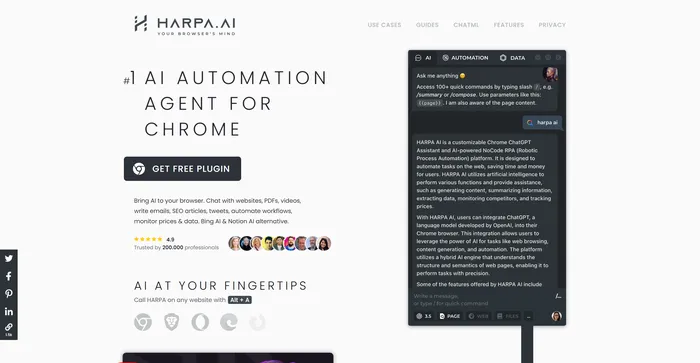
Do you ever wish you had a personal AI assistant that could help you with your web tasks, such as writing emails, articles, tweets, summarizing web pages, PDFs, videos, extracting data, monitoring prices, competitors, SEO, and more?

If you answered yes, then you might want to check out HARPA AI, a Chrome extension that leverages advanced AI technologies to automate various web tasks, saving you time and effort.

HARPA AI works with OpenAI’s GPT-3.5, GPT-4, and Claude2, enabling it to perform a wide range of web-based activities with remarkable proficiency.

But how does it work? What are its features? And is it worth trying? In this HARPA AI review, I will answer these questions and more.

Editor's review

Overall Score: 4.5

HARPA AI is a great Chrome extension for anyone who wants to leverage the power of AI on the web. It can handle a wide range of web tasks, from writing and summarizing to searching and monitoring. It is easy to use and has a lot of pre-configured prompts and commands to choose from.

PROS

  • Works with multiple AI models and sources
  • Supports various web tasks and formats
  • Has a privacy-centered approach
  • Offers a free trial and affordable plans

CONS

  • Only available for Chrome browser
  • AI-generated content may not always be accurate or original

HARPA AI Pricing

Pricing (annual plan) Plan Best For
$120 (one-time payment) X Best for users who want to use it for an extended time
$12/mo S1 Best for professionals seeking advanced features
$20/mo S2 Best for those requiring data iteration and scheduling capabilities
$45/mo S3 Best for organizations needing agent orchestration and integration

HARPA AI monthly pricing plans.

monthly pricing plan for HARPA AI 0

HARPA AI annual pricing plans.

yearly pricing plan for HARPA AI 1

Plan Name X S1 S2 S3
Unlimited Power Messages Yes Yes Yes Yes
Custom AI Commands Yes Yes Yes Yes
Edit Predefined Commands Yes Yes Yes Yes
Chat History & Export Yes Yes Yes Yes
Reuse Chats Across Tabs Yes Yes Yes Yes
Commands Cloud Storage Yes Yes Yes Yes
Schedule & Run Commands No No Yes Yes
Agent Orchestration API No No No Yes
Google Sheet Integration No No No Yes
Megatokens No No 2 4

What is HARPA AI

• Who is HARPA AI for?

HARPA AI is a versatile tool that caters to a broad spectrum of users. Whether you are a marketer, blogger, student, researcher, entrepreneur, or just a curious web surfer, HARPA AI can help you with your web tasks. It’s especially useful for those who want to leverage the power of AI to create, analyze, and automate web content efficiently.

• HARPA AI Top features

HARPA AI comes packed with top-notch features. Here are a few:

  • AI Writer on any website: Write emails, articles, tweets, SMM posts in various styles using the power of AI. You can also mimic your own writing style or that of others.
  • AI Assisted Search: Get AI-generated responses alongside Google, DuckDuckGo, and Bing search results. HARPA AI can also send information on the recent events to AI for better results.
  • Chat with PDFs and websites: Save time reading. Let HARPA AI scan a web page, PDF, YouTube video, ask it anything and get information immediately.
  • Monitor web pages: Track data on web pages, prices, metrics, competitors, and products. Get notified whenever they change.
  • Automate your work: Build AI-powered web automations that can navigate websites, extract data, send data to Make and much more.
  • SEO Superpowers: Perform SEO audit, extract SEO keywords, compile keyword reports, segment your audience, create content calendars, outrank articles, and more.
  • Language Wizard: The most practical language learning AI assistant. HARPA AI corrects mistakes, explains grammar, and builds learning plans for any proficiency level and language.
  • Midjourney Wizard: Effortlessly generate highly detailed Midjourney, DALL-E, Leonardo AI prompts in various styles, and copy them in one click.

• Tips for using HARPA AI

Here are my personal tips for making the most out of HARPA AI:

  • 🌟 Use the slash command: Type slash / in chat to use one of 100+ pre-configured prompts for Business, SEO, SMM, Productivity, Learning, E‑Commerce and more.
  • 🎯 Specify your topic clearly: Write your topic as clearly as possible. For example, “Create a video script on the benefits of using HARPA AI for web automation.”
  • 📺 Specify the type of content: Clearly state the type of content you want HARPA AI to generate for you. It could be an email, an article, a tweet, a social post, a story, a CV, a cover letter, a poem, a todo list, a meeting agenda, etc.
  • ⏱️ State the length of the content: Be sure to specify the length of the content you want, such as 500 words or 1000 words for an article.
  • 📚 Include a blog post or article: If possible, include a blog post or article from which HARPA AI can pick points. This can provide a solid base for your content.
  • 🔍 Be detailed and specific: The more specific you are with your instructions, the better HARPA AI can meet your expectations. Don’t hesitate to provide detailed instructions.
  • 🌐 Use a compatible browser: For the most optimal experience, use a compatible browser like Google Chrome when using HARPA AI.
  • 💡 Explore and Experiment: Spend some time exploring all the features that HARPA AI offers. Don’t be afraid to experiment with different settings and options to see what works best for you.
  • 🔄 Automate Tasks: Identify tasks that are repetitive and time-consuming, and automate them using HARPA AI. This can free up your time for more important tasks.

Remember, HARPA AI is a powerful tool, and with these tips, you can harness its full potential. Happy web surfing! 🌐

Product Hunt Review for HARPA AI

What other users are saying about HARPA AI

Here’s what people think about HARPA AI based on 13 reviews:

  • 🌟 Overall rating is 4.8/5 from 13 reviews, with a recent rating of 4.3/5 from 3 reviews.
  • 👥 Users praise HARPA AI for its versatility and effectiveness in various tasks.
  • 💬 Positive feedback:
    • 🧠 Accurate information: Users appreciate HARPA AI for providing correct information 99% of the time, minimizing the need for manual adjustments.
    • 🚀 Wide range of capabilities: Described as a Swiss army knife for ChatGPT, capable of handling diverse tasks.
    • 💲 Free availability: Users express gratitude for the tool being free, acknowledging its potential early adopter discount.
    • 🌐 Integration possibilities: HARPA AI’s connection with tools like Make (ex Integromat) is seen as valuable for marketers.
    • 🎯 Productivity enhancement: Users observe improved productivity, with the tool handling tedious and recurring duties.
  • 🤔 Constructive feedback:
    • Speed concerns: Some users find HARPA AI to be amazing but slow in its performance.
    • 🔄 Learning curve: New users express challenges in figuring out where to start due to the tool’s extensive capabilities.
  • For more detailed reviews, check out HARPA AI on Product Hunt

How to use HARPA AI

To use HARPA AI, you need to install the extension from the official web store page. After installing, you can access HARPA AI by pressing Alt + A or clicking on the extension icon in the Chrome toolbar. You can also pin HARPA AI in the toolbar for easy access.

how to use HARPA AI 5

Once you open HARPA AI, you will see a chat interface where you can type commands or questions to interact with the AI. You can also switch to other tabs, such as Automate, and Settings, to access more features and options.

Here are some of the main features of HARPA AI and how to use them:

how to use HARPA AI 3

AI Writer

You can use HARPA AI to write various types of content, such as emails, articles, tweets, social posts, stories, CVs, cover letters, poems, and more. To use this feature, you can type /compose  in the chat, followed by the type of content you want to write and some keywords or prompts. For example, you can type /compose email to write an email, or /repurpose to write an SEO-optimized article.

You can choose the type of text you want to convert to.
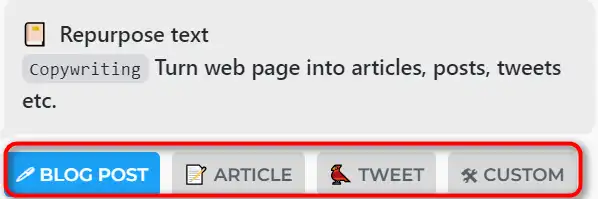
how to use HARPA AI 11

Then you can make the text SEO optimized by ‘Add keywords’, ‘Add external links’, or ‘Refine’ it further.
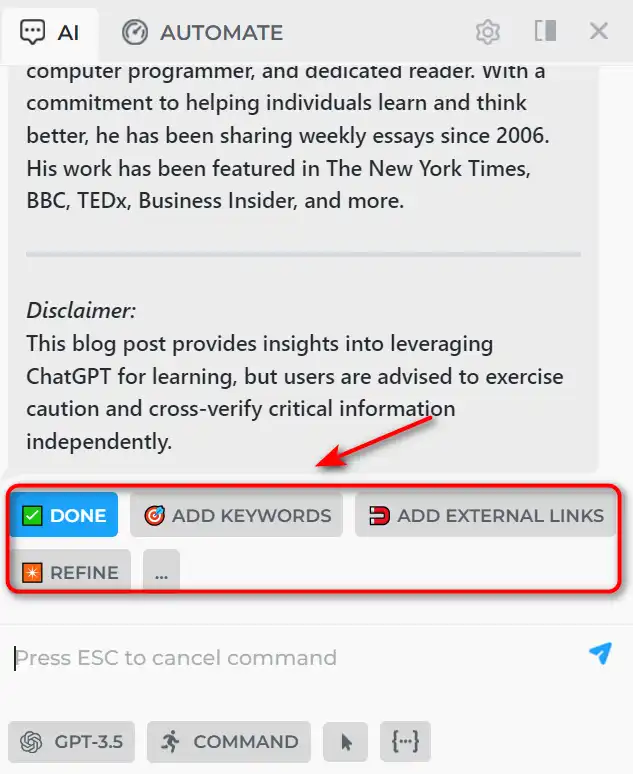
how to use HARPA AI 12

Add ‘LSI kw from SERP’ or paste your own keywords.
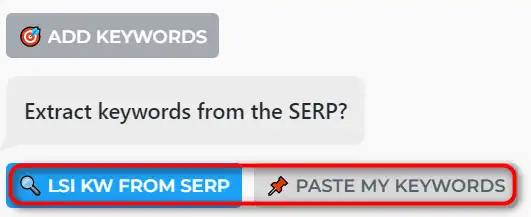
how to use HARPA AI 13

Enter your keywords, and HARPA AI will extract LSI keywords from Google SERP.
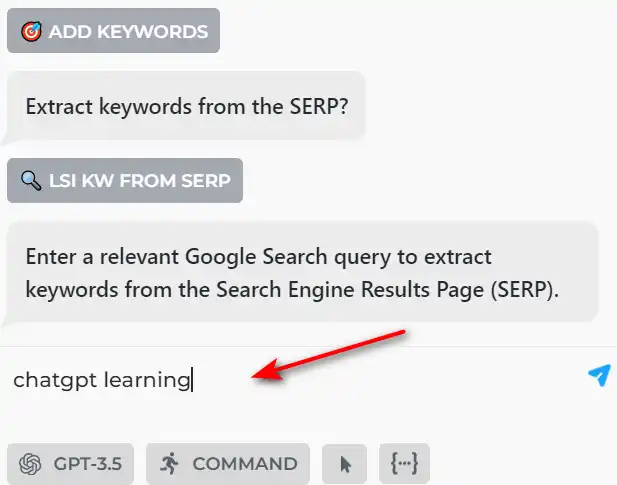
how to use HARPA AI 14

HARPA AI will regenerate the content with your keywords.
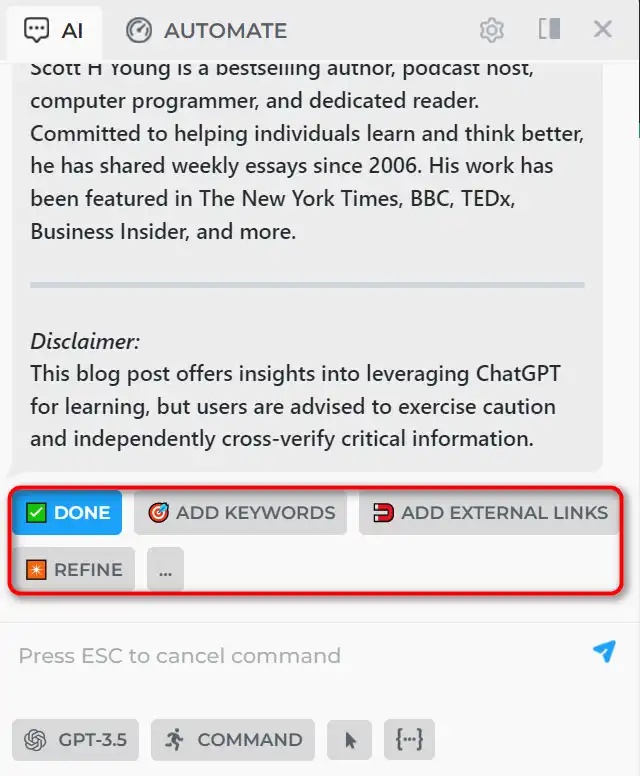
how to use HARPA AI 15

You can also use the /rewrite commands to improve your writing. HARPA AI can also mimic your writing style by analyzing your previous texts.

AI Summarizer

You can use HARPA AI to summarize any web page, PDF, or YouTube video in a few sentences. To use this feature, you can type /summarize in the chat. For example, you can type /summarize to get a summary of the welcome page of HARPA AI.

Go to any YouTube video, and click the ‘Summarize with HARPA AI’ button.
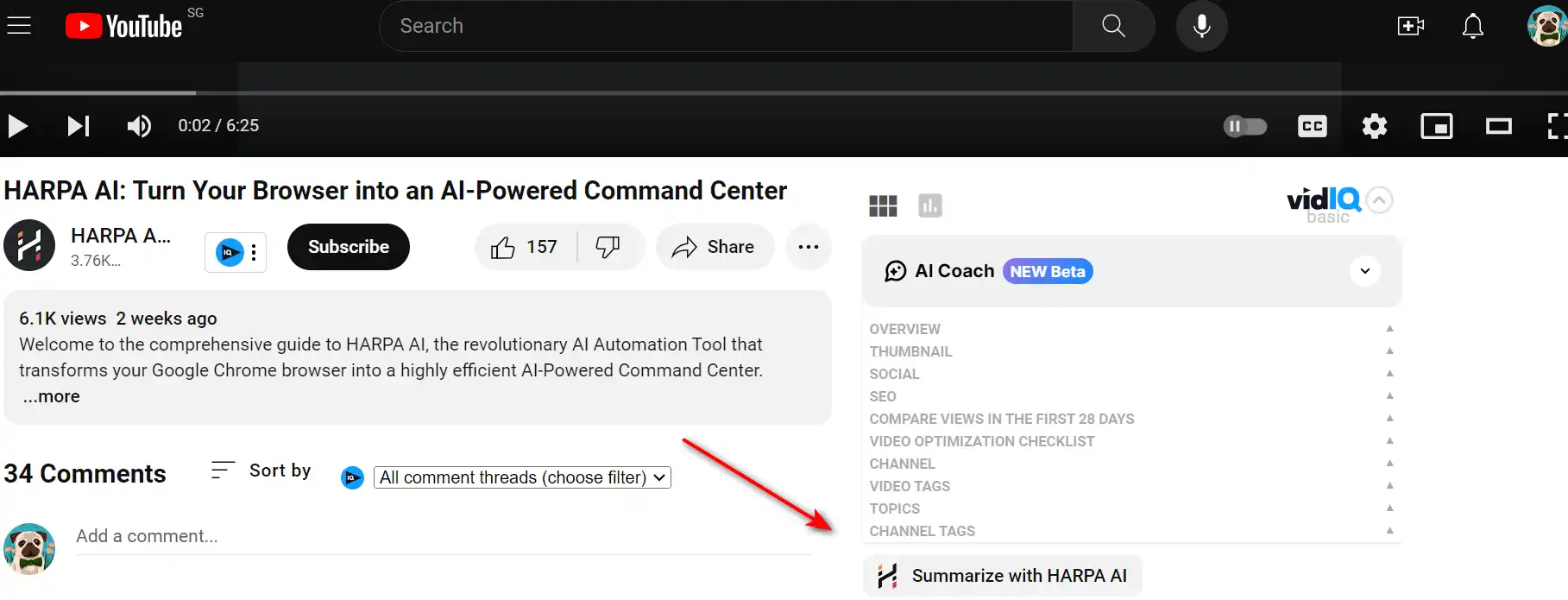
how to use HARPA AI 4

Choose the summary format you want.

how to use HARPA AI 6

Then HARPA AI will generate the summary with the timestamp for you.

how to use HARPA AI 7

You can adjust the length and detail of the summary by using the ‘shorten’ button. You can also use the /talk command to ask questions about the summarized content and get answers from the AI.

AI Search Agent

You can use HARPA AI to search the web with the help of AI. To use this feature, you can type /search in the chat.
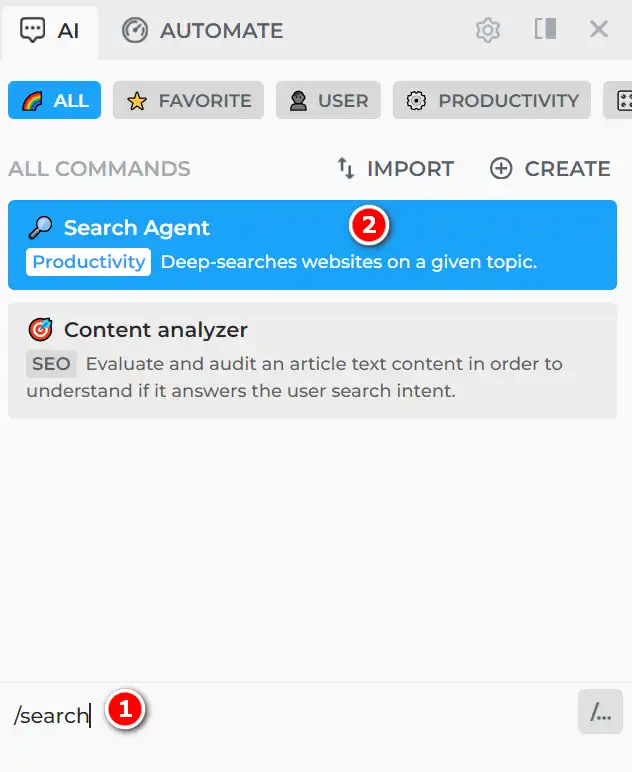
how to use HARPA AI 16

Select the type of search you want to do. ‘Quick’, ‘Deep research’, or ‘Within website’.
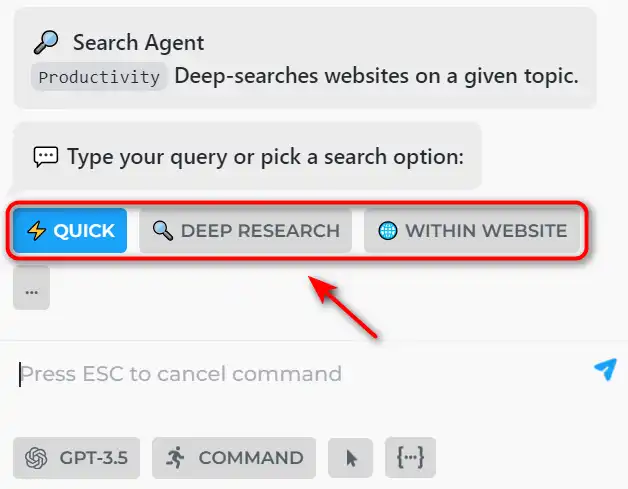
how to use HARPA AI 17

Followed by the query you want to search. For example, you can type ‘HARPA AI’ to get information about HARPA AI.

how to use HARPA AI 25

HARPA AI will show you the web search results from Google, along with AI-generated responses that provide additional insights, facts, or suggestions. You can also click ‘FOLLOW UP’ to ask follow up questions.

how to use HARPA AI 18

AI Monitor

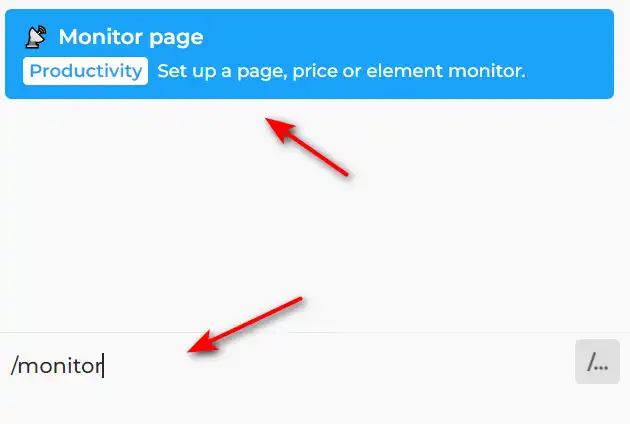
You can use HARPA AI to monitor any web page, product, or competitor for changes and get notified whenever they update. To use this feature, you can type /monitor in the chat to configure a monitor.
how to use HARPA AI 20

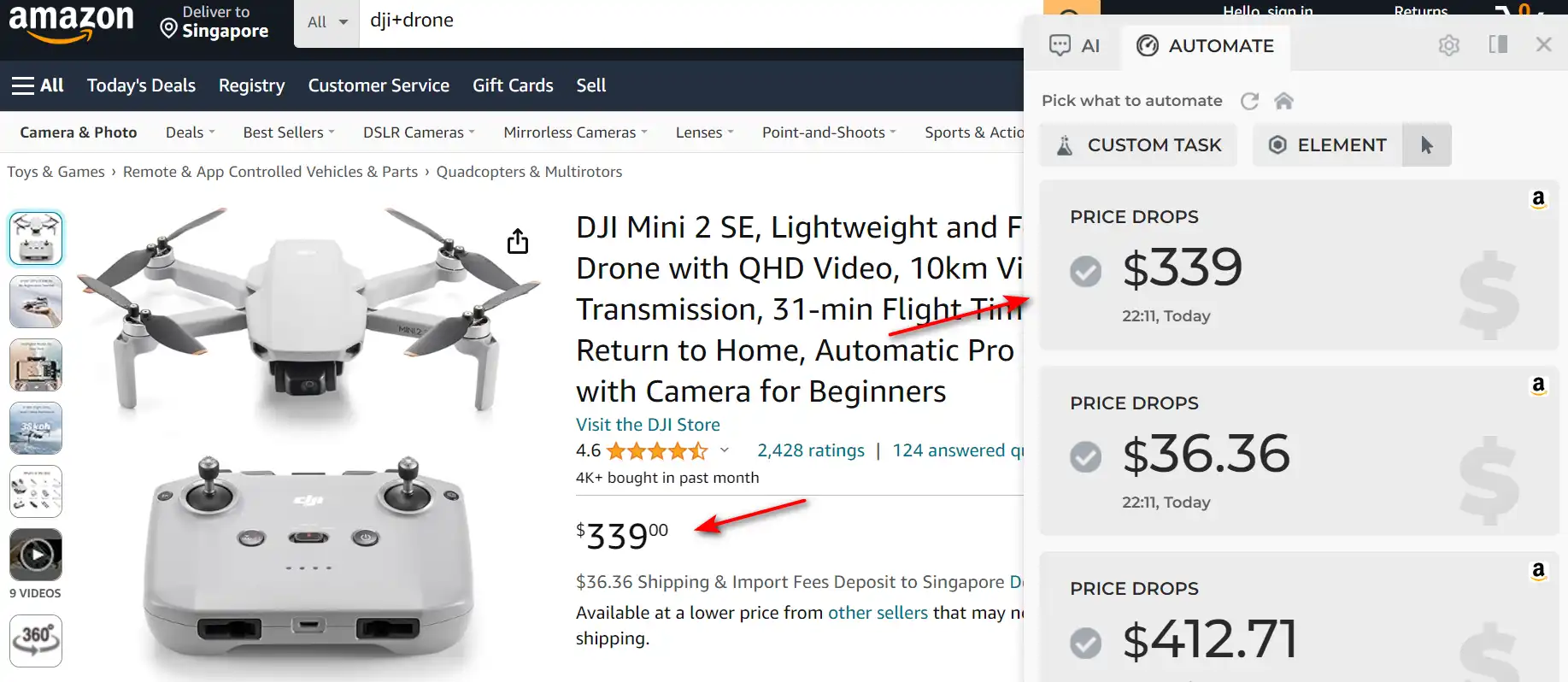
You can choose the data you want to monitor, the frequency of checking, and the notification method.
how to use HARPA AI 21

HARPA AI will start monitoring the web page for you and alert you when there is a change.

how to use HARPA AI 22


HARPA AI Top alternatives

HyperWrite Review

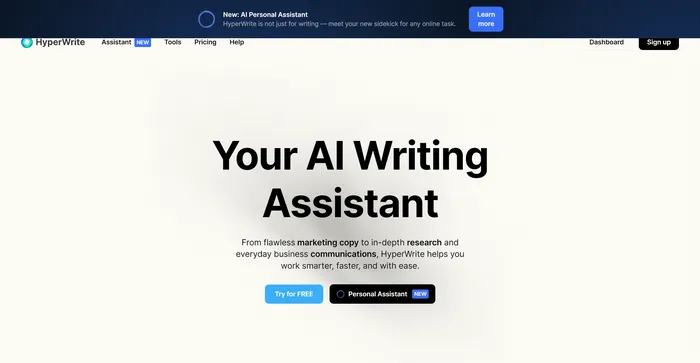
HyperWrite is a versatile AI writing assistant that leverages advanced AI models, including GPT-4 and ChatGPT, to help users with a variety of writing tasks. It is designed to improve productivity and creativity for content creators, marketers, and professionals who require assistance with writing. With features like AutoWrite, TypeAhead, and Email Response, HyperWrite aims to streamline the writing process and enhance communication.

$19.99/mo

Monica Review

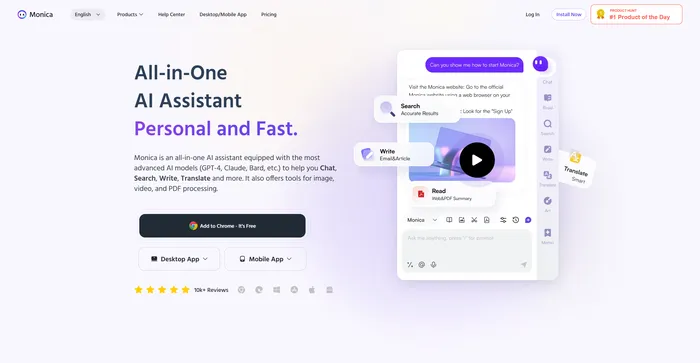
Monica is an AI-powered assistant designed to enhance your browsing experience. It operates seamlessly across websites and devices, offering chat capabilities, quick actions, and composition tools. Monica stands out due to its advanced technologies, including GPT-4. It’s an all-in-one solution, aiding in tasks like email drafting and content creation. Monica is more than just an AI tool; it’s a revolution in the way we browse the web. With its advanced features and user-centric design, Monica promises to redefine the digital landscape.

$8.3/mo

Perplexity AI Review

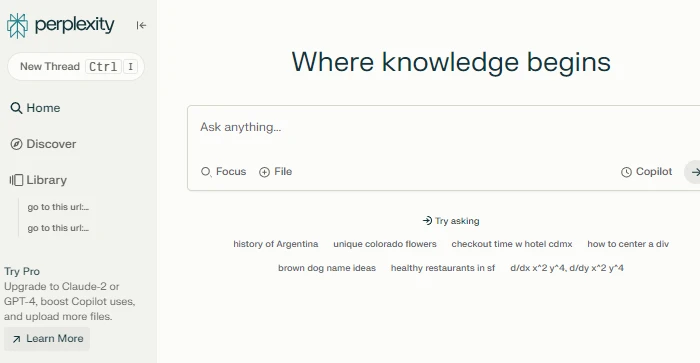
Perplexity AI is a conversational search engine that uses large language models to deliver accurate answers to complex questions. It is similar to OpenAI’s ChatGPT and the ChatGPT 4 integration, but with some unique features and advantages. Perplexity AI allows users to ask questions in natural language and get direct answers from reliable sources, without having to browse through multiple web pages. Perplexity AI also shows the sources of the answers and allows users to share, rewrite, or refine their queries. Perplexity AI is a great tool for anyone who wants to access information quickly and easily.

$20/mo

HARPA AI FAQ

What is HARPA AI? +

HARPA AI is a Chrome extension that leverages advanced AI technologies to automate various web tasks, saving users time and effort. It works with OpenAI’s GPT-3.5, GPT-4, and Claude2, enabling it to perform a wide range of web-based activities with remarkable proficiency.

What can HARPA AI do? +

HARPA AI can do many things, such as:- Write and reply to emails, articles, tweets, social media posts, and more in various styles and languages.
– Summarize and chat with web pages, PDF files, YouTube videos, and more.
– Extract and research SEO keywords, perform SEO audit, outrank articles, and create content calendars.
– Monitor prices, competitors, data, and web page changes and get notified or trigger actions.
– Automate web navigation, data extraction, and more with custom commands and webhooks.
– Create and use AI personas, Midjourney prompts, DALL-E images, and more with professional templates and presets.
– Learn languages, grammar, and more with interactive exercises and feedback.

How does HARPA AI work? +

HARPA AI works by combining natural language processing and web automation. It uses a hybrid AI engine that integrates ChatGPT, Bard, Claude2, and other models to understand and generate natural language. It also uses web scraping and web automation techniques to interact with web elements and extract data. HARPA AI can be activated on any website by pressing Alt + A or clicking on the extension icon. It has a chat interface where users can type commands, ask questions, or chat with the AI. It also has a monitor tab where users can configure and run web page monitors. HARPA AI can also connect to other apps and services via Make.com, Zapier, n8n, and custom webhooks.

Is HARPA AI free? +

HARPA AI has a free plan that offers limited access to some of its features. Users can also upgrade to a premium plan that unlocks more features, such as unlimited AI requests, unlimited web monitors, unlimited web automations, and more.

Is HARPA AI safe? +

HARPA AI is privacy-centered and does not collect or store user’s browsing data. It only accesses the web page content when the user explicitly activates it or runs a web monitor. It also encrypts the data it sends and receives from its servers. Users can review the privacy policy and terms of service of HARPA AI on its website.

How can I get help with HARPA AI? +

Users can get help with HARPA AI by emailing at [email protected]. Users can also join Harpa AI discord channel to get in touch with the support team.

HARPA AI Conclusion

HARPA AI is a revolutionary Chrome extension that brings the power of AI to your browser.

It can help you save time, boost productivity, enhance creativity, and achieve your goals on the web.

With HARPA AI, you can chat, summarize, write, SEO, and automate with AI on any website. Try it today and see the difference for yourself.

Featured AI Tools

HARPA AI Related AI Tools

HyperWrite Review

AI Writing Assistant

Coda Review

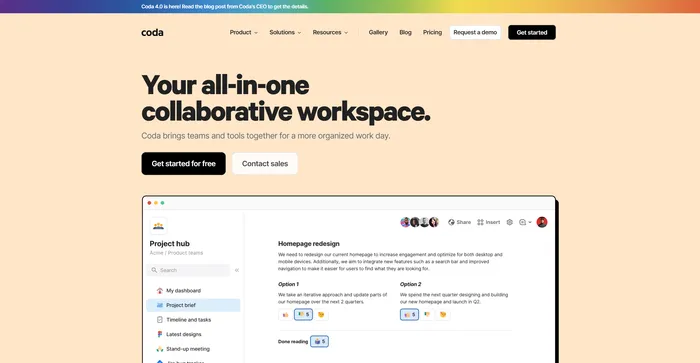
Your all-in-one collaborative workspace

Cohesive Review

Create magical content with the most powerful AI editor

Copy.ai Review

The only AI platform purpose-built for outcomes

Jasper Review

AI copilot for enterprise marketing teams

Midjourney Review

Midjourney