
Generic selectors
Exact matches only
Search in title
Search in content
Post Type Selectors

Taplio Review: Is This the Ultimate AI Tool for LinkedIn Growth?

Pricing:

Top alternatives:

Platform:

Web Based, Browser Extension

Intergrations:

API, Zapier, ChatGPT

Social links:

Overview

LinkedIn has become a crucial platform for professionals to connect, network, and build relationships.

However, managing LinkedIn efficiently can be challenging and time-consuming.

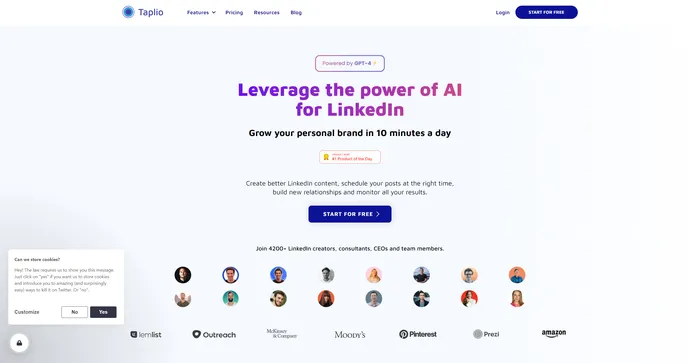
Taplio, an AI-powered tool, aims to simplify this process by helping users create engaging content, schedule posts, and track their performance. But does it deliver on its promises? Let’s find out in this comprehensive Taplio review.

Editor's review

Overall Score: 4.5

Taplio is a comprehensive AI-powered tool designed to enhance personal branding on LinkedIn. It offers a suite of features that cater to content creation, scheduling, analytics, and engagement, making it a valuable asset for LinkedIn users aiming to grow their presence on the platform. With its AI capabilities, Taplio simplifies the process of generating and scheduling content, analyzing performance, and engaging with the LinkedIn community.

PROS

  • AI-powered content inspiration and generation
  • Intuitive post scheduling and performance tracking
  • Features for engaging with other LinkedIn accounts and CRM integration
  • Helps in identifying viral content and industry trends
  • Offers a 7-day free trial and a 30-day money-back guarantee

CONS

  • Some users find the AI-generated content to be occasionally irrelevant
  • May have a learning curve for new users to utilize all features effectively
  • Some users consider it to be expensive for the value it provides

Taplio Pricing

Pricing (billed yearly) Plan Best For
$39 / month Starter Best for starting on LinkedIn and saving time on daily content generation.
$52 / month Standard Best for scaling visibility with AI-powered content and team analytics.
$149 / month Pro Used by top LinkedIn creators for extensive outreach and content scaling.

Taplio monthly pricing plans.
monthly pricing plan for Taplio 2

Taplio annual pricing plans.
yearly pricing plan for Taplio 1

Plan Name Starter Standard Pro
Access to Viral Posts 4M 4M 4M
Content Scheduling Advanced Advanced Advanced
AI-assisted Content Creation No Yes Yes
Relationship Builder No Yes Yes
Team Features No Yes Yes
Access to Lead Database No No Yes
AI Generation Features No 250 GPT-4 Credits per month 5000 GPT-4 Credits per month
Refund Policy 30-day money-back guarantee 30-day money-back guarantee 30-day money-back guarantee

What is Taplio

• Who is Taplio for?

Taplio is a versatile tool that caters to a broad spectrum of LinkedIn users. Whether you’re an individual professional looking to grow your personal brand, a content creator aiming to engage a wider audience, or a business seeking to make waves on the platform, Taplio is designed for you. It’s particularly beneficial for those who want to leverage AI technology to automate time-consuming tasks and enhance their LinkedIn experience.

• Taplio Top features

Taplio comes packed with top-notch features. Here are a few:

  • AI-Powered Content Generation: Taplio uses a powerful natural language processing (NLP) model to generate engaging LinkedIn content based on provided keywords or topics.
  • Post Scheduling: Schedule your LinkedIn posts at the right time to maximize engagement and reach.
  • Performance Analytics: Track your progress and see which posts are performing well with Taplio’s analytics and insights.

• Tips for using Taplio

Here are my personal tips for making the most out of Taplio:

  • 🌟 Be clear with your content prompts: When using Taplio, provide clear and concise keywords or topics to generate the most relevant content.
  • 🎯 Utilize the analytics: Make use of Taplio’s analytics and insights to understand what type of content is working and adjust your strategy accordingly.
  • 📈 Leverage the scheduling feature: Schedule your posts at optimal times to maximize engagement and reach.
  • 🔍 Explore all features: Spend some time exploring all the features that Taplio offers. Don’t be afraid to experiment with different settings and options to see what works best for you.
  • 💡 Automate Tasks: Identify tasks that are repetitive and time-consuming, and automate them using Taplio. This can free up your time for more important tasks.

Remember, Taplio is a powerful tool, and with these tips, you can harness its full potential. Happy LinkedIn branding! 🚀

Product Hunt Review for Taplio

What other users are saying about Taplio

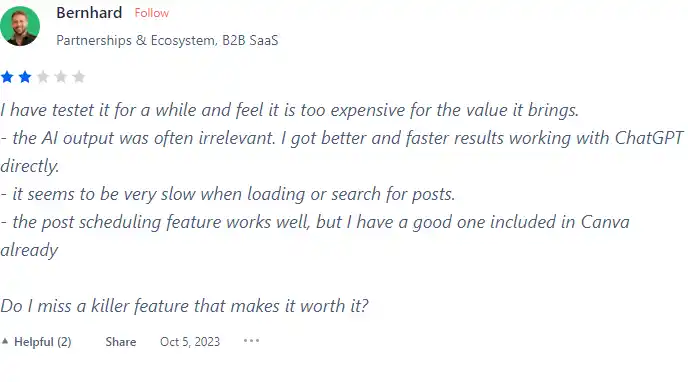
I have crosschecked Taplio reviews on Product Hunt.

Here’s what I found:

  • 🌟 Taplio has an overall rating of 4.2/5 based on 22 reviews on Product Hunt.
  • Most users appreciate Taplio for:
    • 💬 Efficient LinkedIn content creation with features dedicated to the platform
    • 😇 Positive feedback on the posting and engagement features
    • 💰 Useful content inspiration section for generating post ideas
  • Negative feedback includes:
    • ☁️ Some users find Taplio expensive for the value it brings

How to use Taplio

Taplio offers a user-friendly interface and a range of features to enhance your LinkedIn experience. Here’s how you can utilize them:

Post Inspiration

This feature helps you generate ideas for your LinkedIn posts.

  1. Input a few keywords or topics in the post inspiration section.
    how to use Taplio 3
  2. The AI will filter high-performing posts based on those inputs.
    how to use Taplio 4

Stats

Taplio provides Stats and insights to track your progress and see which posts are performing well.

  1. Check the stats section to view the performance of your posts.
    how to use Taplio 5

Post-Scheduling

This feature allows you to schedule your LinkedIn posts for optimal engagement.

  1. Compose your post using the post composer.
    how to use Taplio 6
  2. Select the desired time and date for your post to be published.
    how to use Taplio 7

Relationship Builder

This feature helps you nurture and cultivate authentic relationships with your LinkedIn connections.

  1. Use the Relationship Builder feature to engage with your connections.
    how to use Taplio 8

AI-Powered Content Creation

Taplio’s AI capabilities help you create engaging LinkedIn posts.

  1. Provide a few keywords or topics for the AI to generate a draft post.
    how to use Taplio 9

Chat Assist

Chat Assist is your dedicated LinkedIn assistant, focused on helping you create and improve your existing content through human-like conversation.

  1. Use Chat Assist to create new posts or improve and modify existing content.
    how to use Taplio 10

Teams & Collaboration

Taplio is designed for both individual creators and teams, focusing on personal branding and employee advocacy.
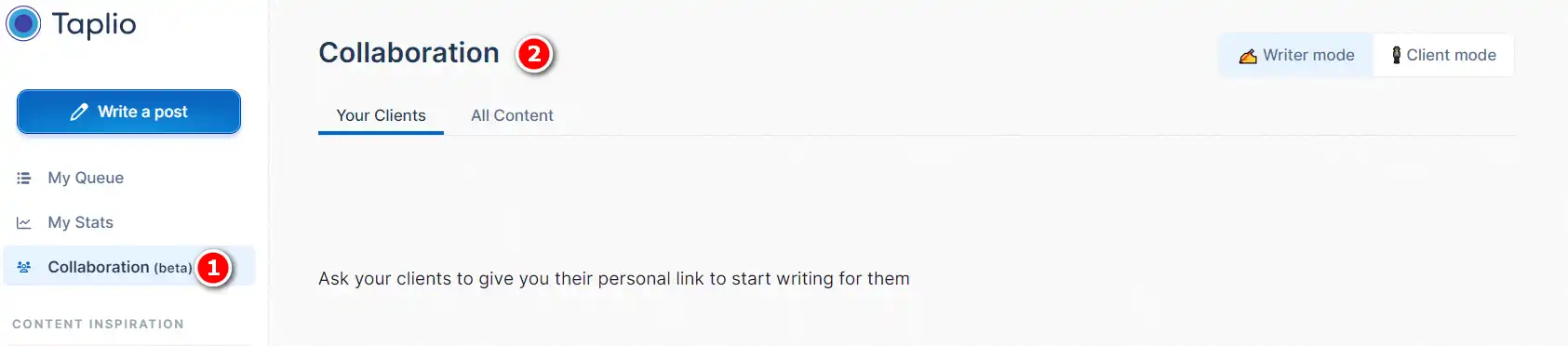
  1. Collaborate with team members in Taplio to optimize your LinkedIn activities.
    how to use Taplio 11

Taplio Top alternatives

SocialBee Review

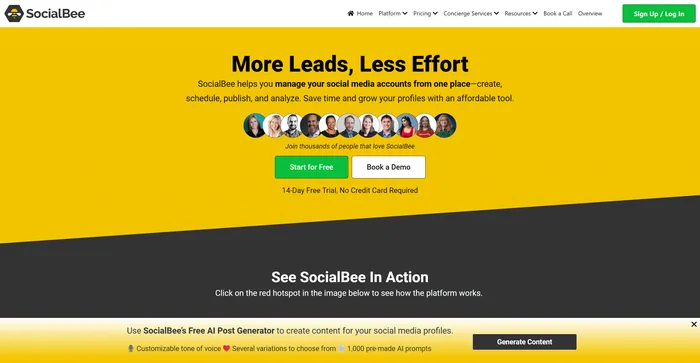
SocialBee is a powerful AI-powered social media management tool that allows users to streamline their social media activities. It offers features such as content batching, recycling, and scheduling, allowing users to manage all their social media accounts from one place. The tool’s automation features can increase engagement, streamline workflows, and help you stay on top of trends. The AI assistant feature provides over 1,000 social media prompts, enabling users to generate content that resonates with their audience while saving time and effort.

$24.2/mo

Taplio FAQ

What does Taplio do? +

Taplio is an AI-powered tool designed to enhance the LinkedIn experience for users. It aids in growing personal brands by creating compelling LinkedIn content, scheduling posts, and building meaningful relationships. It also provides analytics and insights to monitor progress and performance.

How does Taplio differ from other LinkedIn tools? +

Unlike other LinkedIn tools that emphasize automated workflows, Taplio focuses on creating high-performing content and building meaningful relationships on LinkedIn. It uses AI for content development, post management, and engagement enhancement.

Can I use Taplio for free? +

Taplio offers a free trial, allowing users to test out its features before committing to a paid plan.

What are some of the key features of Taplio? +

Some of the key features of Taplio include AI Inspiration for generating content ideas, a Viral Post Library with access to over 4 million high-performing posts for inspiration, AI-Generated Posts based on your account, and Post Automation. It also provides analytics and insights to monitor progress and performance.

How does Taplio’s AI-powered content generation work? +

Taplio’s AI-powered content generation is powered by a powerful natural language processing (NLP) model. This model is trained on a large dataset of LinkedIn posts and uses machine learning to generate engaging content. When you use Taplio to generate content, you provide a few keywords or topics, and the AI will generate a draft post based on those inputs.

Is Taplio a safe tool to utilize on LinkedIn? +

While specific information about the safety of Taplio was not found, it’s important to note that any reputable software should prioritize user safety and data protection. Always ensure to review the privacy policy and terms of service of any new software you use.

How can Taplio help me grow my personal brand on LinkedIn? +

Taplio helps users grow their personal brand on LinkedIn by creating engaging content, scheduling posts at the right time, building new relationships, and monitoring the results. It is designed for anyone who wants to boost their visibility, authority, and influence on LinkedIn.

Who can benefit from using Taplio? +

Taplio is designed for anyone who wants to boost their visibility, authority, and influence on LinkedIn, whether they are founders, content creators, consultants, freelancers, or companies. It can be particularly beneficial for those looking to grow their personal brand on LinkedIn.

Taplio Conclusion

Choose Taplio to grow your personal brand on LinkedIn effortlessly. It’s a comprehensive solution that combines AI-powered tools and intuitive features to optimize your LinkedIn experience. With Taplio, you can focus on what truly matters: building your business and personal brand.

Featured AI Tools

Taplio Related AI Tools

Simplified Review

An Easy to Use All-In-One App For Modern Marketing Teams

Vizard.ai Review

Create social-ready videos with AI instantly

SocialBee Review

Social Media Management Tools, Training, and Teams