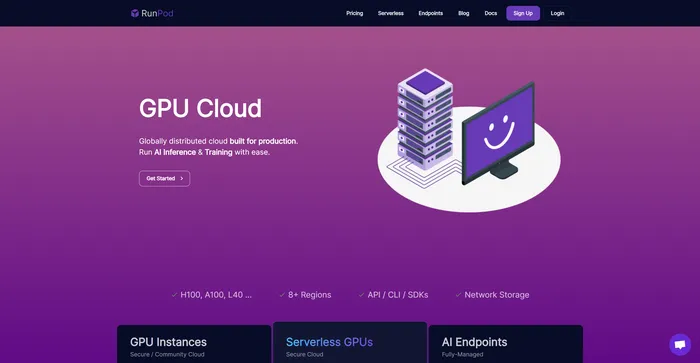
Generic selectors
Exact matches only
Search in title
Search in content
Post Type Selectors

RunPod Review: Is This the Most Cost-Effective Cloud GPU Platform for AI?

Pricing:

Top alternatives:

Platform:

Web Based, GitHub

Intergrations:

API

Social links:

Overview

As AI developers and researchers, we often face the challenge of accessing powerful GPUs without breaking the bank.

RunPod promises to be the solution, offering cloud GPU rentals at a fraction of the cost.

But does it live up to its promise? Let’s dive into an in-depth review of RunPod.

Editor's review

Overall Score: 4.5

RunPod is a cloud GPU platform that lets you rent GPUs from $0.2/hour and run AI applications with over 50 templates or custom containers. If you are an AI developer or researcher looking for an affordable and flexible way to access powerful GPUs, RunPod is a great option to consider.

PROS

  • Lowest GPU prices on the market
  • Serverless GPU endpoints with cold-start in milliseconds
  • Supports any AI framework and custom containers
  • Global availability and scalability

CONS

  • Limited documentation and tutorials
  • No integration with other cloud services

RunPod Pricing

GPU Instance Pricing (monthly plan) VRAM RAM 1x GPU On-Demand Price (per hour) 8x GPU On-Demand Price (per hour)
A100 80GB 80 GB 125 GB $1.89 $15.12
A100 SXM 80GB 80 GB 125 GB $2.29 $18.32
H100 80GB SXM5 80 GB 251 GB $4.69 $37.52
H100 80GB PCIe 80 GB 125 GB $4.09 $32.72
A40 48 GB 50 GB $0.79 $6.32

RunPod pricing plans.
monthly pricing plan for RunPod 1

monthly pricing plan for RunPod 2

monthly pricing plan for RunPod 3

monthly pricing plan for RunPod 4

What is RunPod

• Who is RunPod for?

RunPod is a versatile tool that caters to a broad spectrum of users. If you’re an AI developer or researcher working with frameworks like PyTorch and Tensorflow, or a data scientist looking to speed up your data processing and analysis, RunPod is the tool for you. It’s especially useful for those who appreciate the power of GPU computing and wish to leverage it without the hefty price tag.

• RunPod Top features

RunPod comes packed with top-notch features. Here are a few:

  • Cost-Effective GPU Cloud Platform: Access powerful GPUs to run your AI frameworks at just $0.2 per hour, saving over 80%.
  • Support for Various AI Frameworks: RunPod supports various AI frameworks like PyTorch, Tensorflow, and more.
  • Serverless GPU Computing: RunPod offers serverless GPU computing for machine learning and AI.
  • Secure and Community Cloud: RunPod provides a secure and community cloud that offers low-cost and reliable access to compute.

• Tips for using RunPod

Here are my personal tips for making the most out of RunPod:

  • 🌟 Choose the Right GPU: RunPod offers a variety of GPU options. Choose the one that best suits your project’s needs.
  • 🎯 Monitor Your Usage: Keep an eye on your usage to manage your costs effectively.
  • 📺 Use Jupyter Notebooks: RunPod supports Jupyter notebooks, which can be a great way to store data and run code.
  • ⏱️ Optimize Your Workloads: RunPod supports various workloads. Optimize your workloads to get the most out of the platform.
  • 🗣️ Use the API: RunPod offers an API that can be used to automate tasks and integrate with other tools.
  • 📜 Stay Updated: RunPod is constantly adding new features and improving its service. Stay updated to take advantage of these improvements.
  • 📚 Learn from Others: There’s a community of users out there who have shared their experiences and tips for using RunPod. Learn from them to get the most out of the platform.
  • 🔍 Experiment: Don’t be afraid to experiment with different settings and options to see what works best for your projects.

Remember, RunPod is a powerful tool, and with these tips, you can harness its full potential. Happy computing! 💻

Trustpilot Review for RunPod

What other users are saying about RunPod

I have crosschecked my experience with the experience of other RunPod customers on Trustpilot.

Here’s what I found:

  • ⭐ RunPod has a 3.6 rating on Trustpilot with 37 total reviews (89% 5-star reviews).
  • Most positive reviewers like RunPod for its:
    • 💬 Responsive customer support with instances of quick problem resolution and assistance
    • 🚀 Rapid deployment of GPU instances, especially for machine learning and AI tasks
    • 💰 Cost-effective pricing compared to other cloud GPU providers
    • 🌐 Wide range of server specs to choose from, including Nvidia GPUs
    • 👥 Active and helpful community support on platforms like Discord
  • 🐾 RunPod also received positive feedback for its role in supporting startups, as indicated by a user running a startup on their serverless infrastructure.
  • 🔍 Some negative reviews mentioned issues with customer support and dissatisfaction with the no-refund policy, impacting overall experience.

How to use RunPod

RunPod offers a variety of features that can be utilized for AI and machine learning applications. Here’s how you can make the most of them:

Launching a GPU Instance

RunPod allows you to launch a GPU instance in seconds with minimal configuration. This feature is ideal for kickstarting your development in machine learning and AI.

  1. Log into your RunPod account.
    how to use RunPod 5
  2. From the dashboard, select the option to create a new GPU instance.
    how to use RunPod 6
  3. Choose the desired GPU type and configure the instance settings as per your requirements.
    how to use RunPod 7
  4. Click on ‘Deploy’ to initiate the GPU instance.
    how to use RunPod 8

Serverless AI Endpoints

RunPod offers serverless AI endpoints that can handle millions of inference requests daily and can be scaled to handle billions. This feature is perfect for machine learning inference tasks.

  1. From your RunPod dashboard, navigate to the ‘Endpoints’ section.
    how to use RunPod 9
  2. Create a new endpoint and configure the settings as per your needs.
    how to use RunPod 10
  3. Deploy the endpoint and start sending inference requests.

Using the CLI/GraphQL API

RunPod provides a CLI/GraphQL API to automate workflows and manage compute jobs effectively.

  1. Install the RunPod CLI on your local machine.
    how to use RunPod 11
  2. Use the CLI commands to manage your GPU instances and AI endpoints.
    how to use RunPod 12
  3. For more complex tasks, use the GraphQL API to interact with RunPod’s services.
    how to use RunPod 13

Running Stable Diffusion

RunPod provides a simple template to get started with Stable Diffusion with minimal fuss.

  1. From your RunPod dashboard, select the Stable Diffusion template.
    how to use RunPod 15
  2. Connect to Jupyter Lab and choose the corresponding notebook for your task.
    how to use RunPod 16
  3. Follow the instructions in the notebook to run Stable Diffusion.

RunPod Top alternatives

Replicate Review

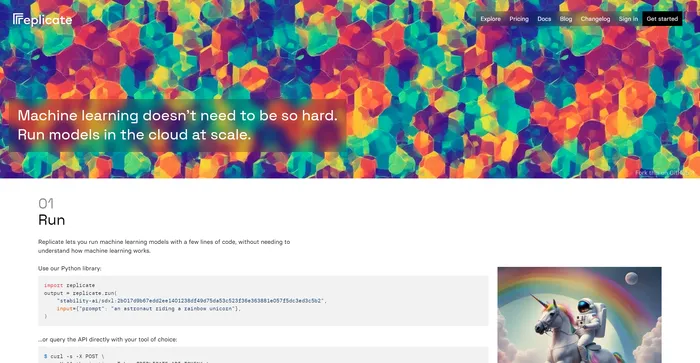
Replicate is a versatile AI platform designed to democratize access to machine learning by enabling users to run, deploy, and scale AI models with minimal coding. It stands out for its user-friendly interface, cloud API, and the use of open-source models, which makes it accessible even to those without advanced technical knowledge. Replicate’s integration with tools like Cog simplifies the production packaging of machine learning models, handling dependencies and GPU configurations efficiently.

$0.05/1M tokens

Hugging Face Review

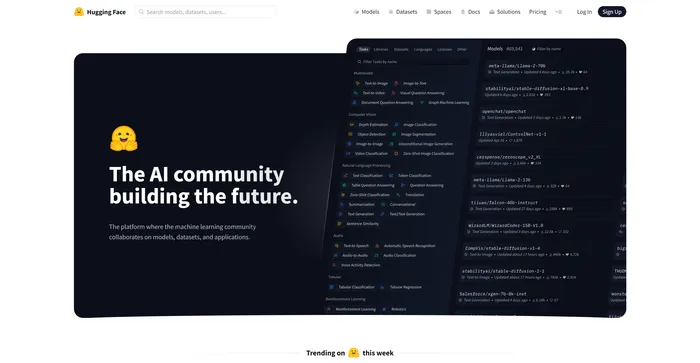
Hugging Face is a leading machine learning (ML) and data science platform that provides a collaborative environment for the AI community. It is often referred to as the GitHub of machine learning due to its open-source nature and the ability for users to share and discover ML models. Hugging Face is known for its Transformers Python library, which simplifies the process of downloading and training ML models. It also provides pre-trained AI models, known as transformers, that can be used for various natural language processing (NLP) tasks. It’s a valuable resource for developers, researchers, and businesses looking to integrate AI capabilities into their applications and workflows.

$9/mo

RunPod FAQ

What is RunPod? +

RunPod is a cloud-based platform designed to facilitate GPU computing for AI applications. It provides users with access to GPU instances, serverless GPUs, AI endpoints, and free bandwidth. It allows users to deploy container-based GPU instances and pay per second for serverless GPU.

What are the key features of RunPod? +

RunPod includes features such as Cloud Sync, CLI/GraphQL API, OnDemand/Spot GPUs, SSH/TCP Ports/HTTP Ports, and Persistent Volumes. It also offers serverless endpoints for deploying models in production. It is compatible with a variety of AI frameworks, including PyTorch, TensorFlow, Axolotl, and more.

How does RunPod work? +

RunPod leverages technologies like Docker to containerize and isolate guest workloads on a host machine. It has built a decentralized platform where thousands of servers can be connected to offer a seamless experience for all users.

What is the pricing model of RunPod? +

RunPod’s pricing structure is contingent upon the specific type of service you opt for, which can be categorized into two main offerings: GPU instances and serverless AI endpoints. For GPU instances, pricing starts at $0.2 per hour.

Is RunPod safe? +

Data privacy is important to RunPod. Their Terms of Service prohibit hosts from trying to inspect your Pod data or usage patterns in any way. If you want the highest level of security, use Secure Cloud.

What can I do in a RunPod Pod? +

RunPod Pods are designed to provide you with reliable servers for your AI and machine learning applications. All of their listed servers must meet minimum reliability, and most are running in a data center. However, if you want the highest level of reliability and security, use Secure Cloud.

How can I get help with RunPod? +

You can join RunPod’s community on Discord, message them in their support chat, or email them at [email protected]. You can also browse through their documentation for any general inquiries.

What is RunPod’s policy on refunds and credits? +

RunPod does not currently offer refunds or trial credits due to the overhead of processing these requests. You can load as little as $10 into your account to try things out.

RunPod Conclusion

Choose RunPod for an efficient and cost-effective solution for your AI and machine learning needs. It offers a range of features that cater to both beginners and experienced developers. With RunPod, you can focus on building and scaling your AI models while it takes care of the computational resources.

Featured AI Tools

RunPod Related AI Tools

Replicate Review

Replicate

Hugging Face Review

The AI community building the future.

Gemini Review

Chat Based AI Tool from Google

Framer Review

The internet is your canvas

Uizard Review

App, Web, & UI Design Made Easy