
Generic selectors
Exact matches only
Search in title
Search in content
Post Type Selectors

Pictory AI Review – How to Create Amazing Videos from Text

Overview

Video content is one of the most powerful ways to communicate your message, engage your audience, and grow your brand. But creating video content can be challenging, especially if you don’t have the skills, time, or budget to do it.

What if you could turn any text into a stunning video with just a few clicks?

That’s exactly what Pictory AI does. It’s a revolutionary AI video generator that lets you create professional-quality videos from text in minutes. Whether you want to convert a blog post, a script, a URL, or a text prompt into a video, Pictory AI can handle it.

In this blog post, I’ll show you how Pictory AI works, what features it offers, and how you can use it to create amazing videos for your business or personal projects.

Editor's review

Overall Score: 4.7

Pictory is the best AI software for creating brandable videos from your long-form content (scripts, sales letters, blog posts, webinars, podcasts, Zoom recordings, and more). If you are a content creator or marketer looking for an easy way to convert your written work into video form, Pictory is the best option I’ve found to get started quickly.

Pictory uses advanced AI to automatically generate a video from your written content, with a professional voiceover, stock video clips, captions, and branding. You can also edit your video by changing the text, voice, clips, and music. Pictory has a huge library of stock videos, images, and music to choose from, and you can also upload your own media. You can also customize your branding with your logo, color scheme, intro, and outro.

PROS

  • Generous free trial with no credit card required
  • Automatically generates a video from written content
  • Huge library of stock video clips
  • Professional AI voiceover to narrate your video

CONS

  • Video rendering speed is slower than some alternatives
  • No lifetime deal currently available

Pictory Pricing

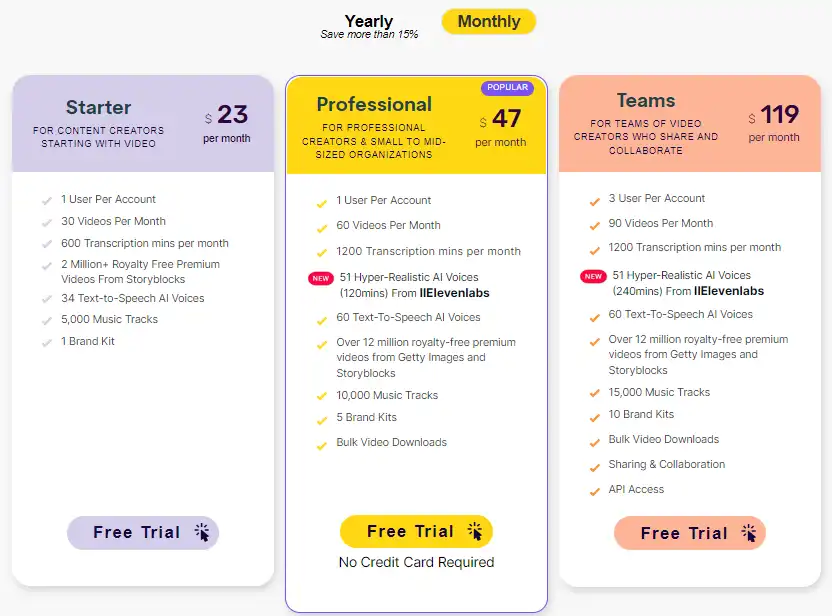
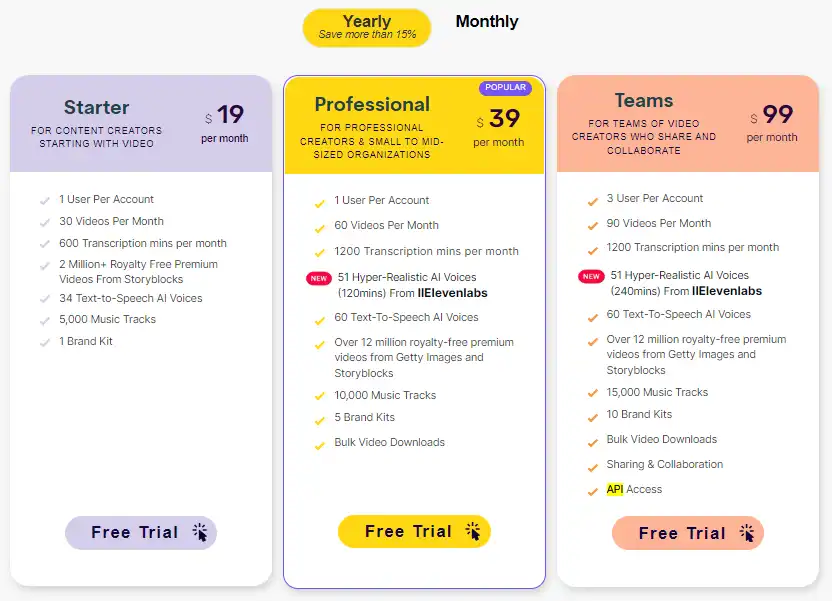
Pricing (monthly plan billed annually) Plan Best For
19 USD Starter Best for content creators starting with video
39 USD Professional Best for professional creators & small to mid-sized organizations
99 USD Teams Best for teams of video creators who share and collaborate

Pictory monthly pricing plans.

monthly pricing plan for Pictory 1

Pictory annual pricing plans.

yearly pricing plan for Pictory 2

Plan Name Starter Professional Teams
Videos per Month 30 60 90
Text-to-Speech AI Voices 34 60 60
Video Transcription per Month 600 mins 1200 mins 1200 mins
Edit Existing Video Up to 1 hr Up to 3 hrs Up to 3 hrs
Brand Kits 1 5 10
Hyper-Realistic AI Voices From IIElevenlabs No 51 51
Music Tracks 5,000 10,000 15,000
API Access No No Yes

What is Pictory

• Who is Pictory AI for?

Pictory AI is a versatile tool that caters to a broad spectrum of users. If you’re a content marketer looking to transform your text into engaging videos, or a blogger aiming to reach a wider audience with video content, Pictory AI is the tool for you. It’s especially useful for those who appreciate the power of video marketing and wish to leverage AI technology to create compelling video content efficiently.

• Pictory AI Top features

Pictory AI comes packed with top-notch features. Here are a few:

  • Easy Video Creation: Generate more leads and boost sales by turning any content into highly shareable videos using the power of AI.
  • Script To Video In Just Minutes: Professional quality videos from your script complete with realistic AI voices, matching footage and music in just a few clicks.
  • Transform Long-Form Videos into Engaging Branded Clips for Social Media: Automatically extract highlights from your Zoom, Teams, Webinar and Podcast recordings and convert them into short branded video snippets ideal for posting on social media.

• Tips for using Pictory AI

Here are my personal tips for making the most out of Pictory AI:

  • 🌟 Treat it like a command: When you’re using Pictory AI, think of your prompts as commands. Be clear and concise in your instructions to get the best results.
  • 🎯 Specify your topic clearly: Write your topic as clearly as possible. For example, “Create a video on the benefits of using Pictory AI for content marketing.”
  • 📺 Specify the type of video: Clearly state the type of video you want Pictory AI to generate for you. It could be a YouTube Short, an Explainer video, or a video on recent events.
  • ⏱️ State the duration of the video: Be sure to specify the duration of the video you want, such as 60 seconds or 2 minutes.
  • 🗣️ Specify the language and tone of voice: Talk about the type of language you want it to generate and the tone of voice. For example, you might want a simple, energetic tone with a British accent.
  • 📜 Specify the beginning and end: Clearly state what you want Pictory AI to discuss at the beginning and end of the video. This helps in creating a coherent narrative.
  • 📚 Include a blog post or article: If possible, include a blog post or article from which Pictory AI can pick points. This can provide a solid base for your video content.
  • 🔍 Be detailed and specific: The more specific you are with your instructions, the better Pictory AI can meet your expectations. Don’t hesitate to provide detailed instructions.
  • 🌐 Use a compatible browser: For the most optimal experience, use a compatible browser like Google Chrome when using Pictory AI.
  • 💡 Explore and Experiment: Spend some time exploring all the features that Pictory AI offers. Don’t be afraid to experiment with different settings and options to see what works best for you.
  • 🔄 Automate Tasks: Identify tasks that are repetitive and time-consuming, and automate them using Pictory AI. This can free up your time for more important tasks.

Remember, Pictory AI is a powerful tool, and with these tips, you can harness its full potential. Happy video creating! 🎥

• Pros and Cons of Pictory AI

Like any tool, Pictory AI has its pros and cons. Here are some of the main ones that I found while using it:

Pros:

  • Fast and easy: Pictory AI is incredibly fast and easy to use. You can create a video from text in minutes, without any technical skills or prior experience.
  • High-quality output: Pictory AI produces high-quality videos that look professional and engaging. The AI voiceovers are realistic and natural, the footage and music are relevant and appealing, and the subtitles and captions are accurate and clear.
  • Versatile and customizable: Pictory AI is versatile and customizable. You can create videos for different purposes, platforms, and audiences. You can also tweak various aspects of your video, such as the voice, the visuals, the music, the text, and the branding.
  • Affordable and scalable: Pictory AI is affordable and scalable. You can choose from different plans that suit your needs and budget. You can also create unlimited videos with no watermark or branding.

Cons:

  • Not perfect: Pictory AI is not perfect. Sometimes, it may generate videos that are not exactly what you wanted, or that have some errors or inconsistencies. You may need to do some manual editing or revision to get the best results.
  • Dependent on internet connection: Pictory AI is dependent on internet connection. You need a stable and fast internet connection to use Pictory AI and to download your videos. If your internet connection is slow or unreliable, you may experience some delays or glitches.
  • Limited languages and voices: Pictory AI is limited in terms of languages and voices. Currently, it only supports English, Spanish, French, German, Dutch, and Portuguese languages, and a few voices for each language. You may not find the language or voice that you prefer or that matches your target audience.

Product Hunt Review for Pictory

What other users are saying about Pictory

I have crosschecked my experience with the experience of other Pictory users on Product Hunt.

Here’s what I found:

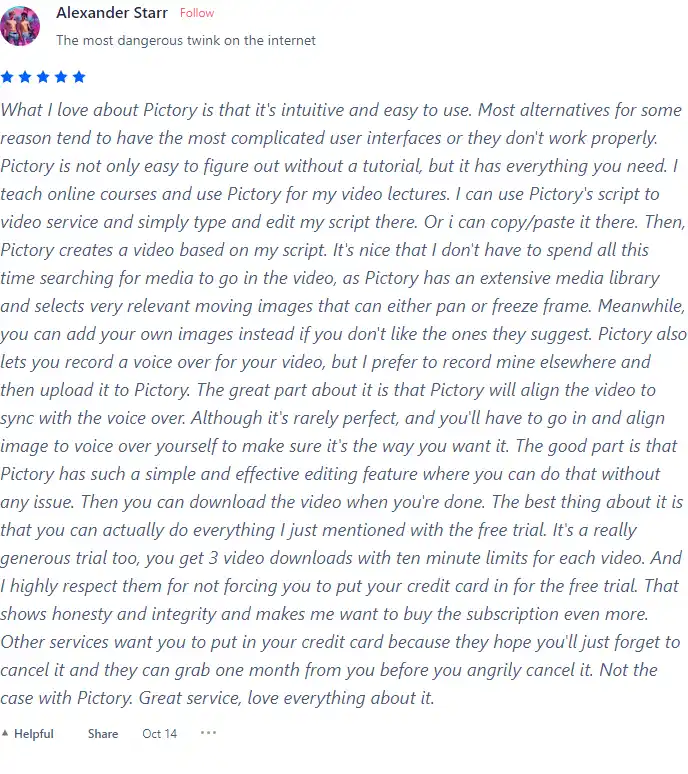
  • 🌟 Pictory has an overall rating of 4.2/5 on Product Hunt based on 40 reviews.
  • Most positive aspects highlighted by users:
    • 🎥 Intuitive and easy-to-use interface
    • 🚀 Effective for creating high-quality videos
    • 🔄 Continuous addition of new features
    • 🔊 Ability to sync video with voice-over
    • 🆓 Generous free trial without requiring credit card information
  • 👍 Some users suggest the need for a “talking head” option in Pictory.
  • 🤔 While there are generally positive reviews, a few users mention the desire for improved AI capabilities and reduced rendering time.

How to use Pictory

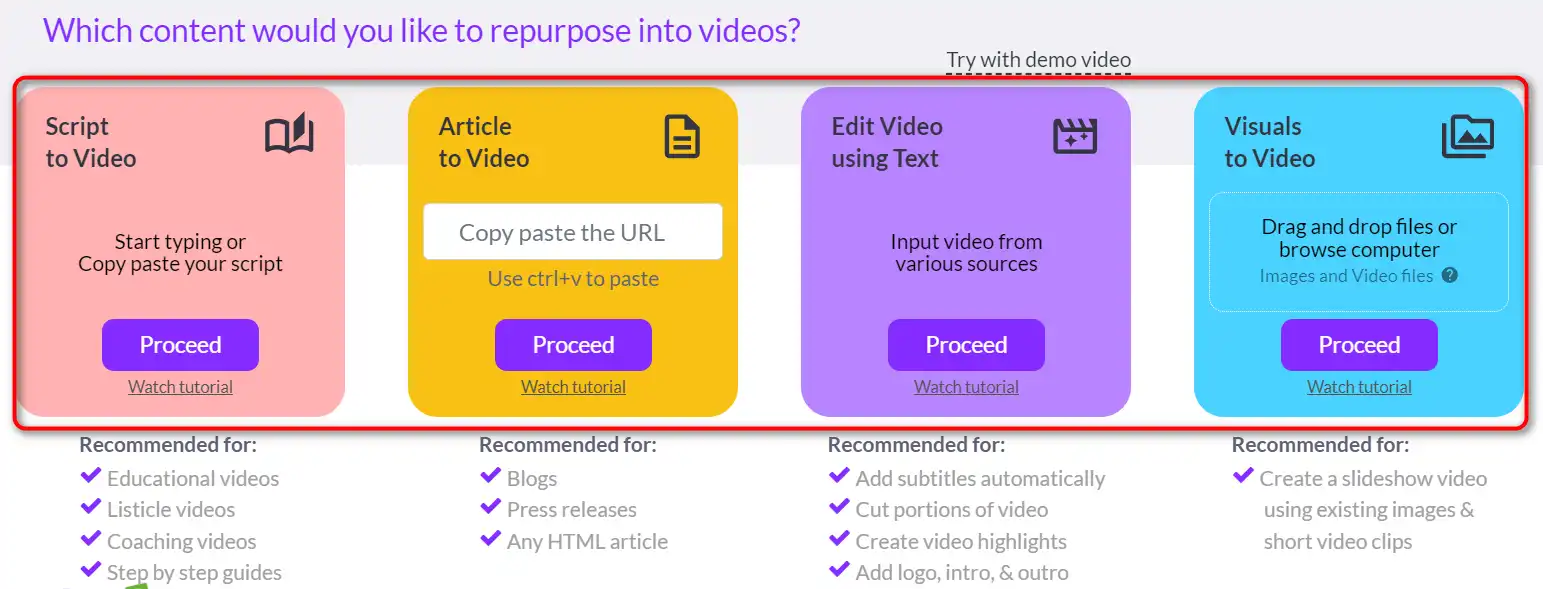
To provide you with a thorough evaluation of Pictory, I put each feature to the test. Pictory’s tools are incredibly easy to use.
how to use Pictory 3

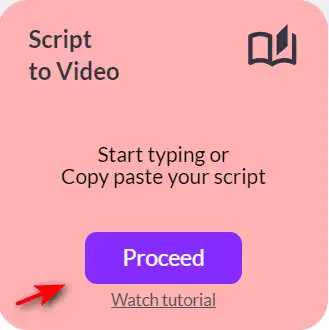
Script to Video

how to use Pictory 5

Best for:

  • Educational videos
  • Listicle videos
  • Coaching videos
  • Step-by-step guides


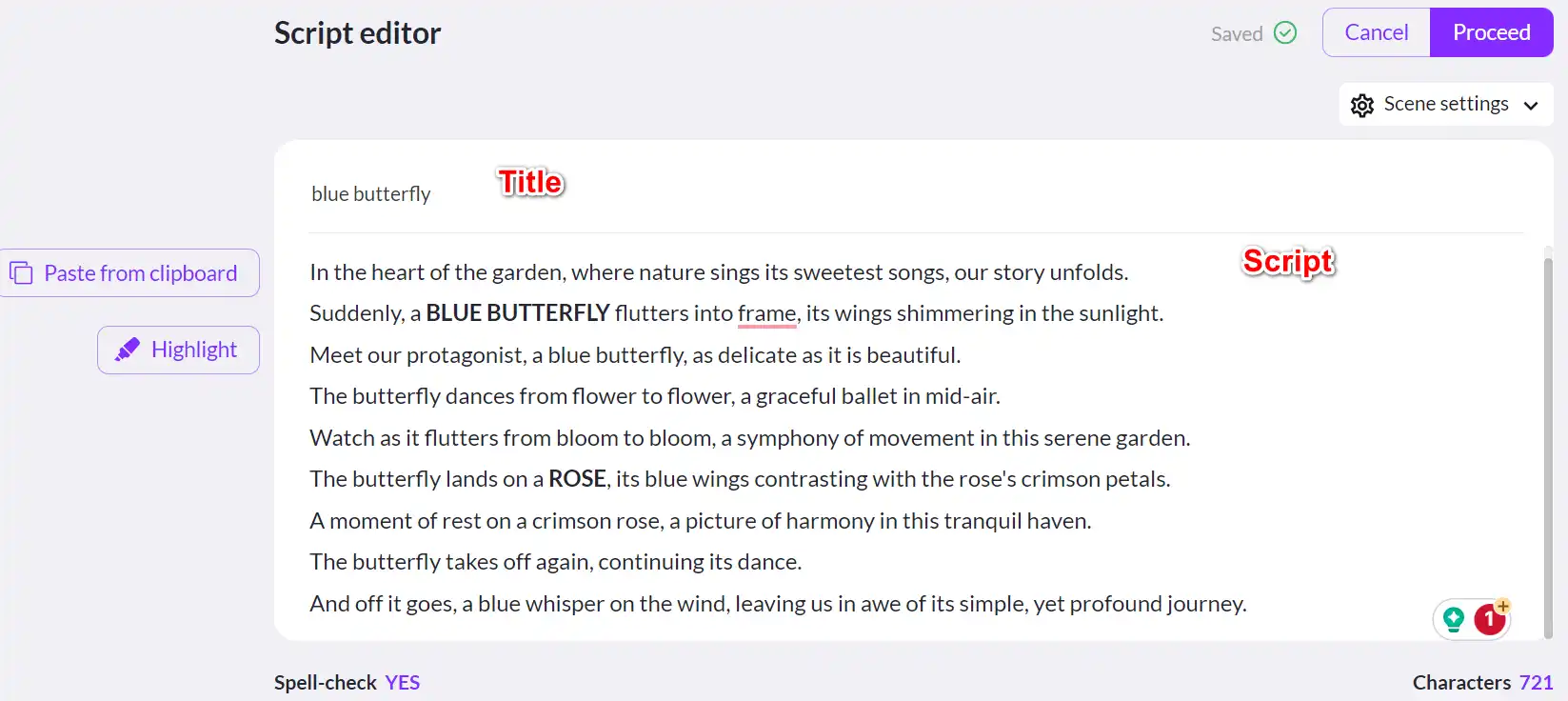
1) When selecting “Script to Video,” you will begin in the Script editor. Name your video and upload the written content (the script) you would like in your video.
how to use Pictory 9

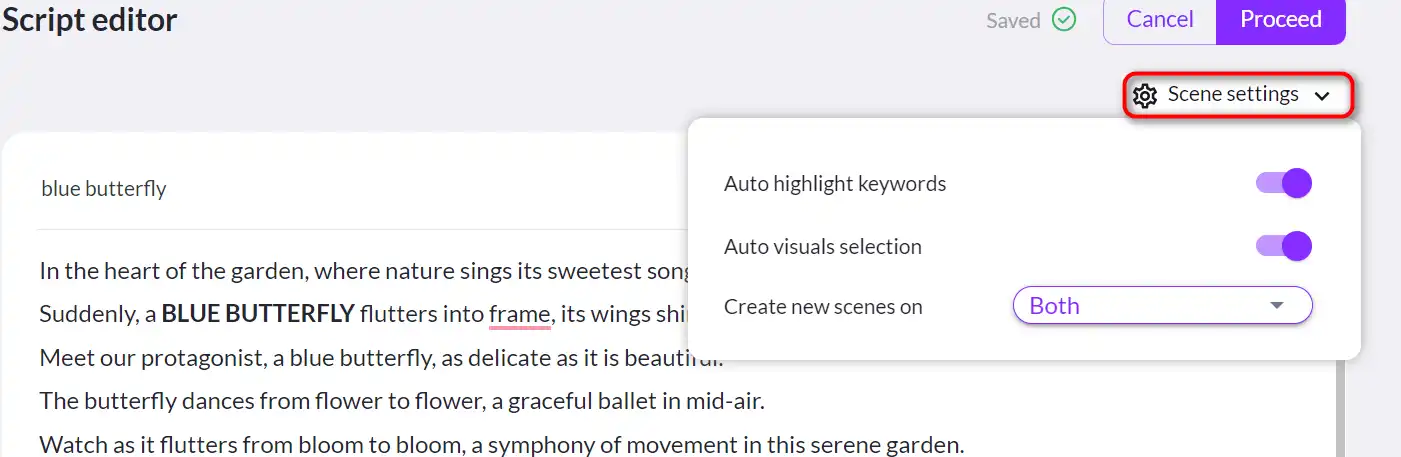
2) Select your scene settings by choosing whether or not you want Pictory to auto-highlight keywords, select the visuals for you, or create new scenes on sentence breaks, line breaks, or both.
how to use Pictory 10

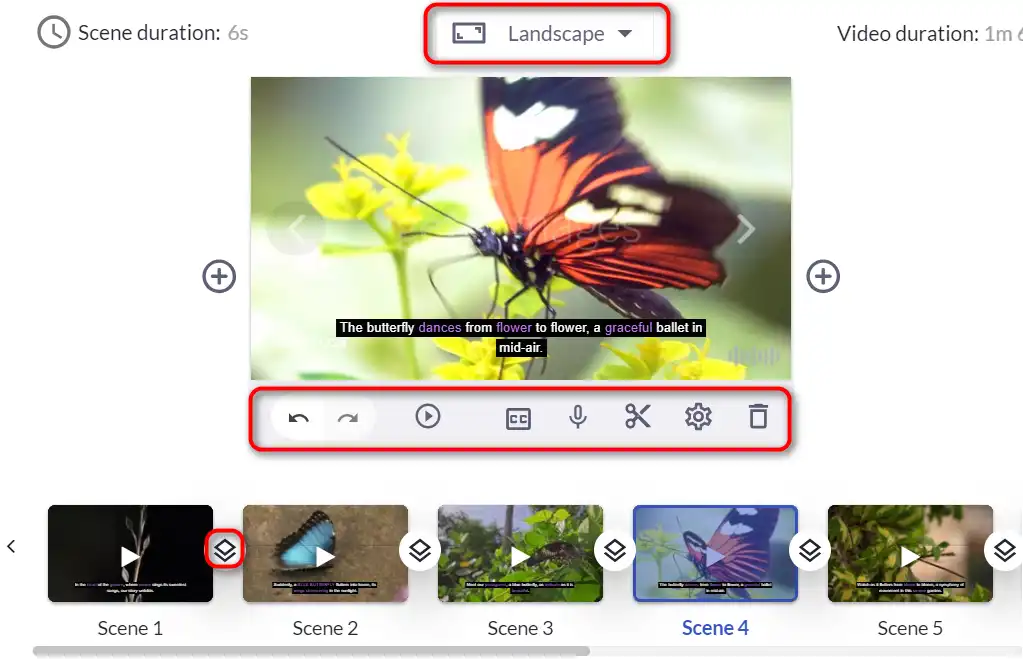
3) Choose an aspect ratio based on where you will share your video.
how to use Pictory 12

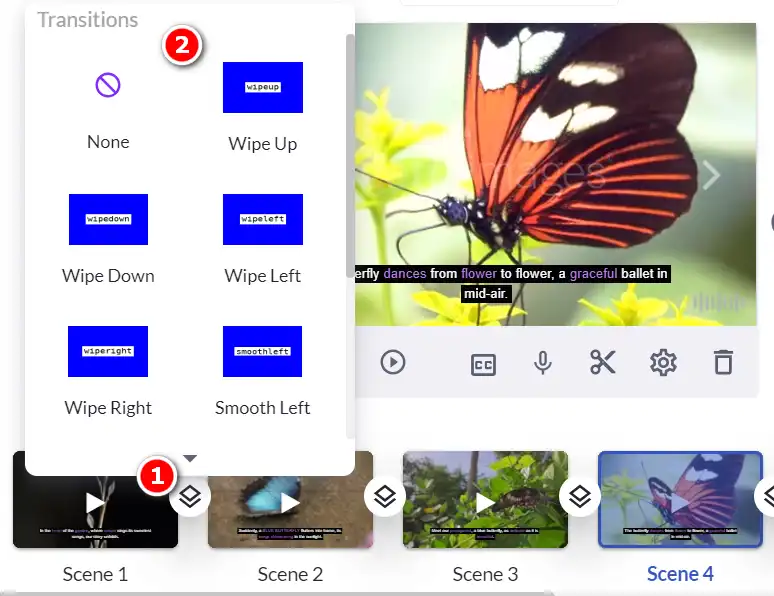
4) Pictory generated a video with captions, stock footage, and background music for me in under one minute!
how to use Pictory 13

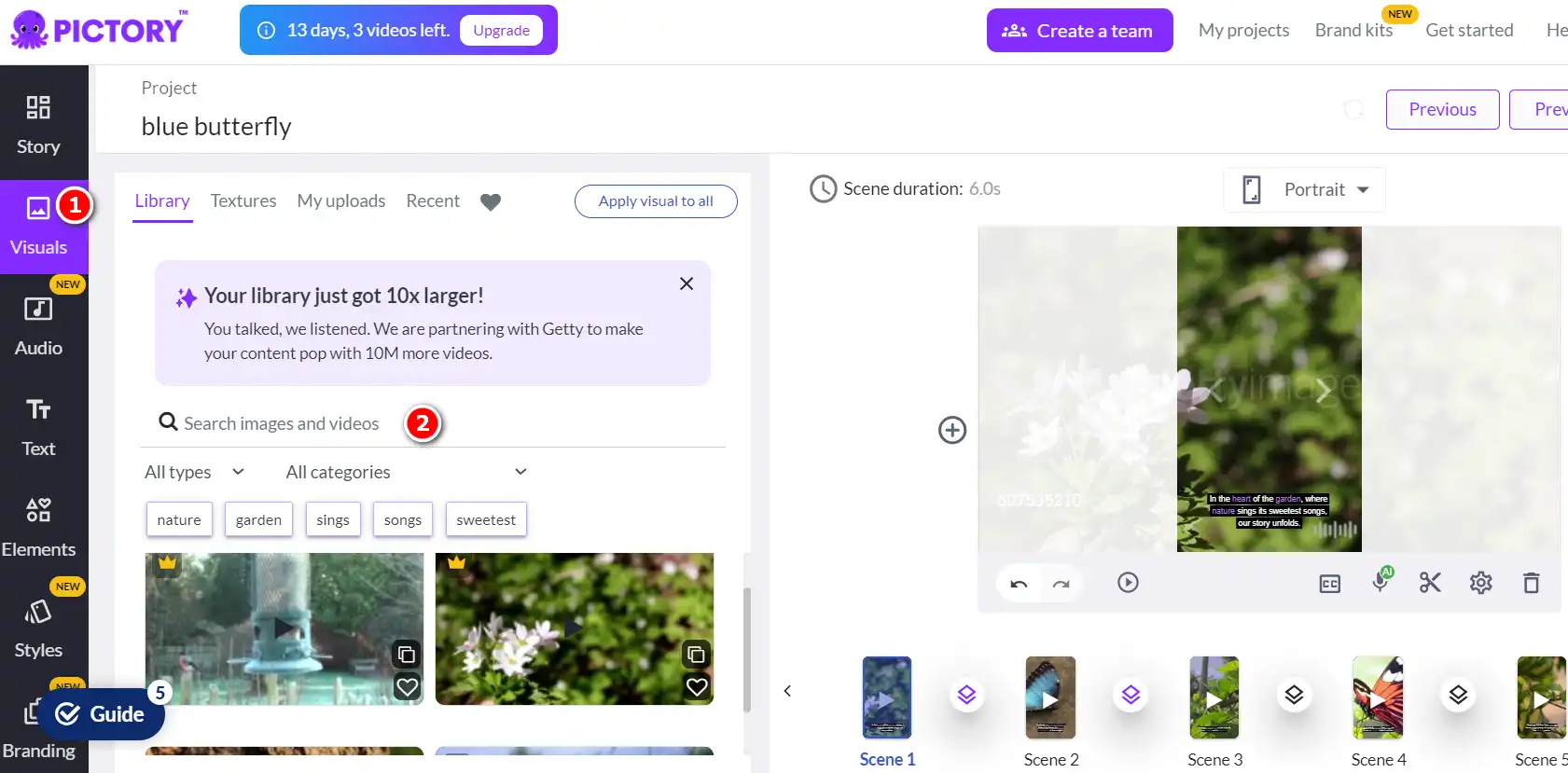
Everything can be edited within Pictory, from changing the background music to finding alternative footage, adding graphics, and more.
how to use Pictory 21

Article to Video


Best for:

  • Blogs
  • Press releases
  • HTML articles

1) Copy and paste the article URL from which you would like Pictory to create a video.
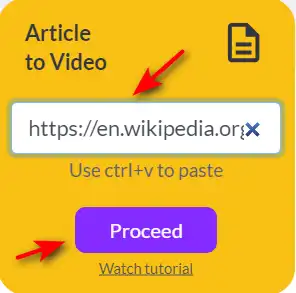
how to use Pictory 22

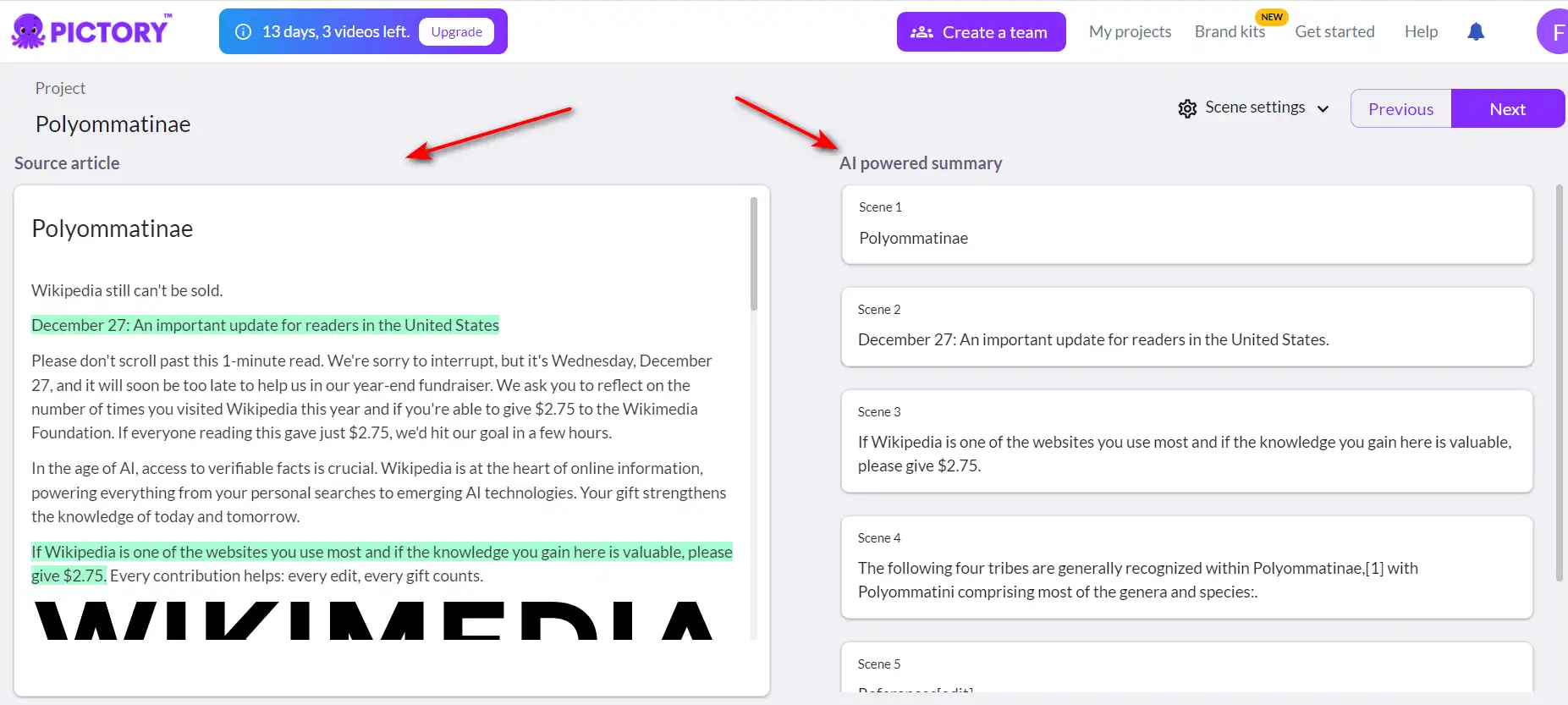
2) After waiting under a minute, Pictory will have extracted the key points from the article and broken them into appropriate video segments you can edit. Once you are happy, click “Next” to continue.
how to use Pictory 23

3) Select aspect ratio for your video.
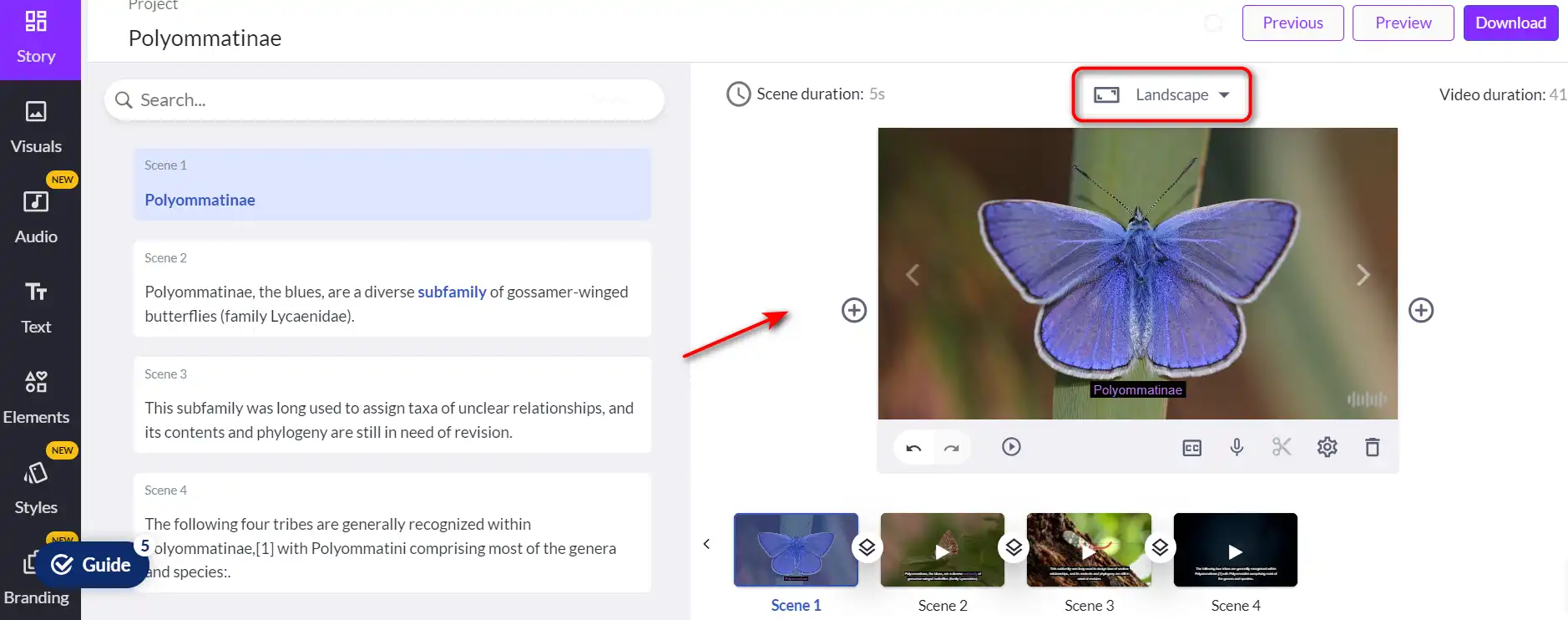
how to use Pictory 26

After a few seconds, you’ll have an entire video with captions, stock videos, and images! You can now edit it to your liking.
Edit Videos using Text

how to use Pictory 7

Best for:

  • Adding subtitles
  • Cutting parts of the video
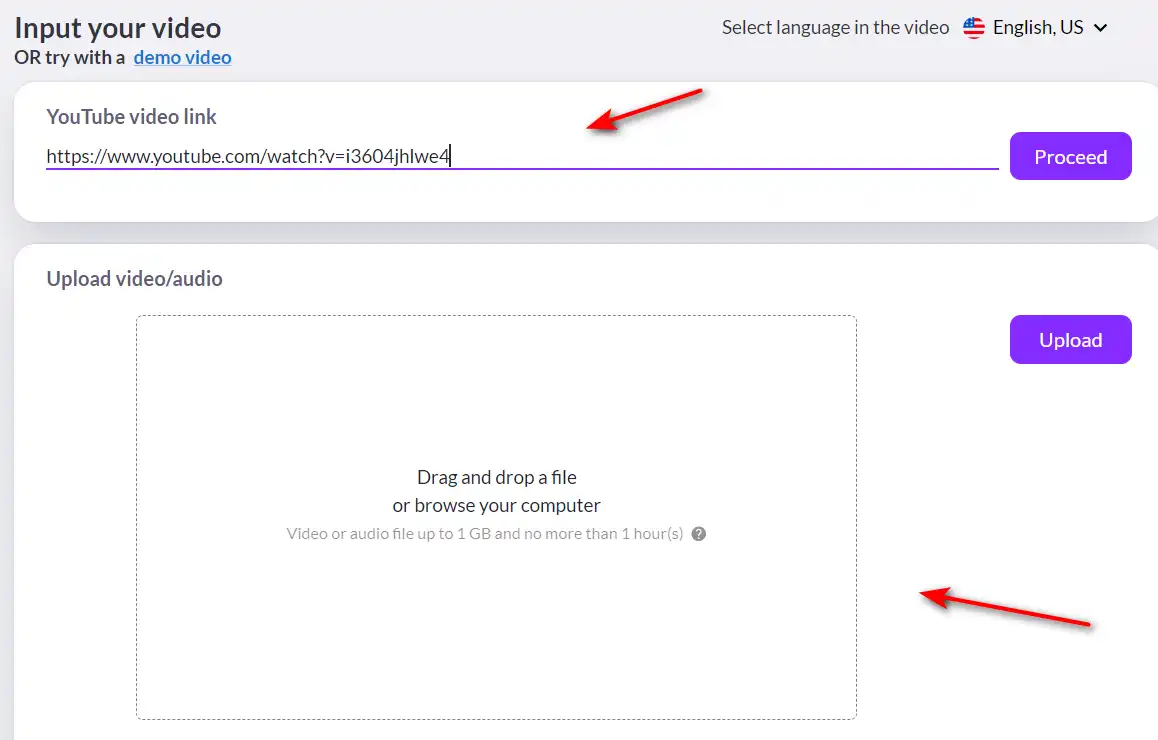
  • Video highlightsExperiment with a demo video, paste a YouTube link or upload a video from your computer.

    how to use Pictory 27

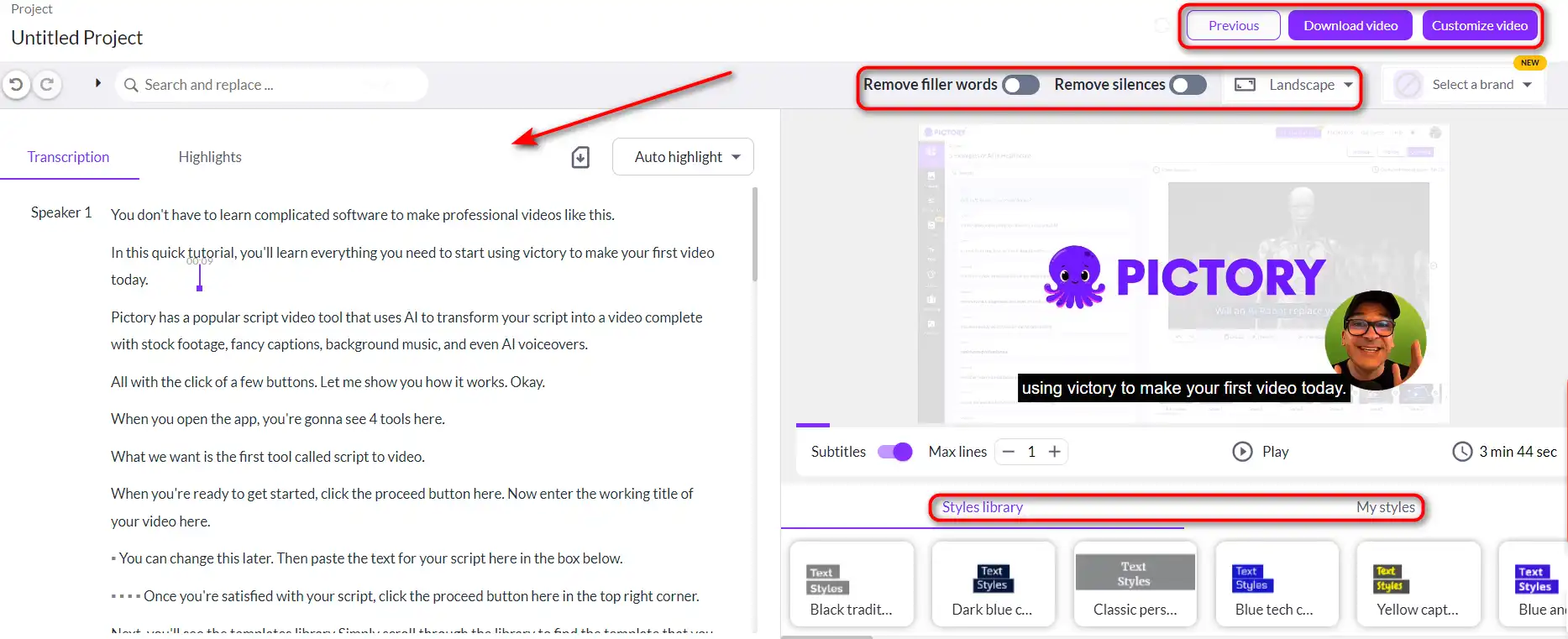
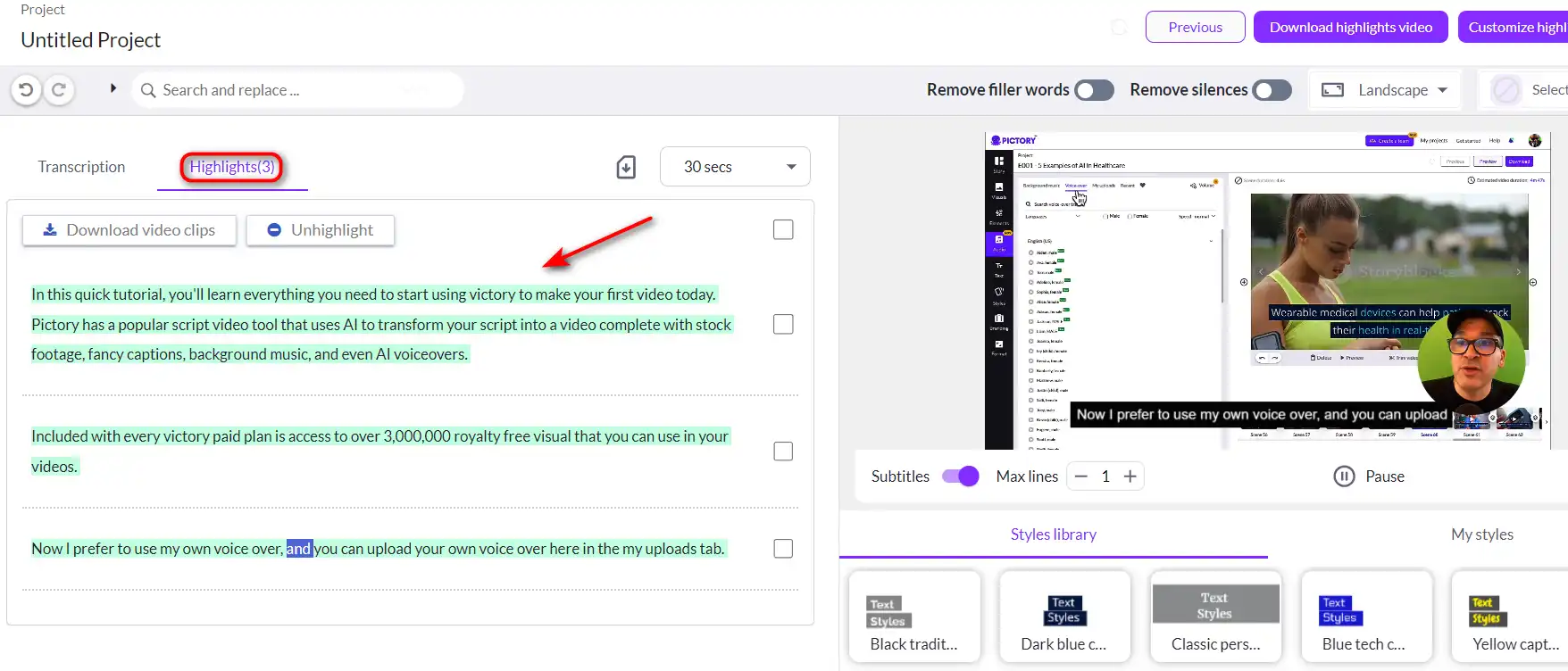
    You can edit your video using text, and remove the parts you don’t want. Use “Remove filler words” or “Remove silences” if needed. how to use Pictory 28You can also extract the highlights from your video, convert your long videos to short videos, and share them to other platforms.how to use Pictory 30
 

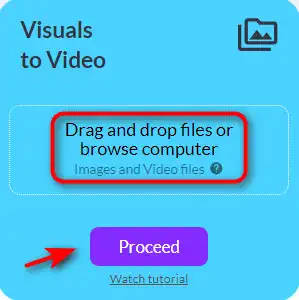
Visuals to Video

how to use Pictory 31

Best for:

  • Creating short videos using multiple images and videos from your computer


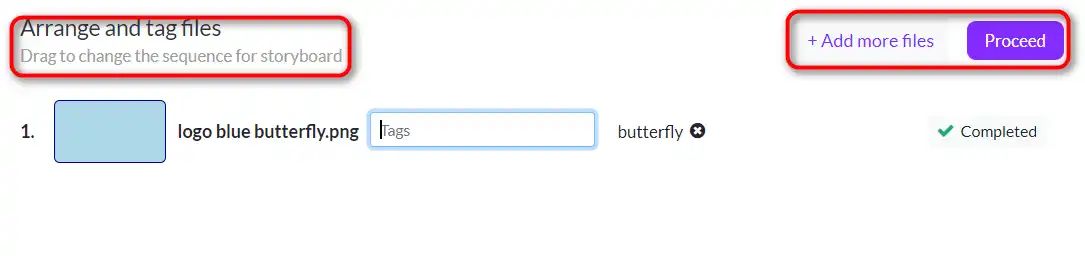
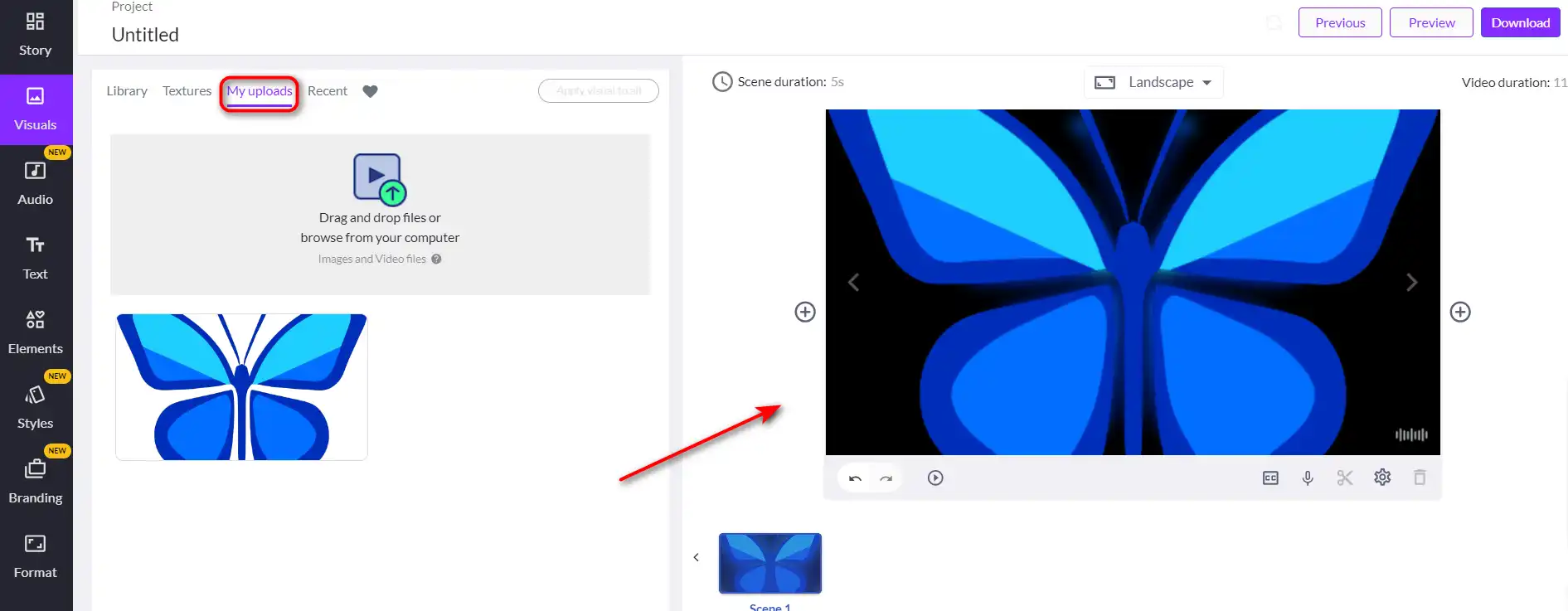
  1. Start by uploading your files.

how to use Pictory 32

2. Click and drag to change the sequence.

3. Choose an aspect ratio and edit!
how to use Pictory 33

After a few seconds, you will have a video using the footage and images uploaded with background music you can now edit.

This feature is an excellent alternative for those who want to edit videos but don’t have the technical software or know-how.
Pictory Top alternatives

PixVerse Review

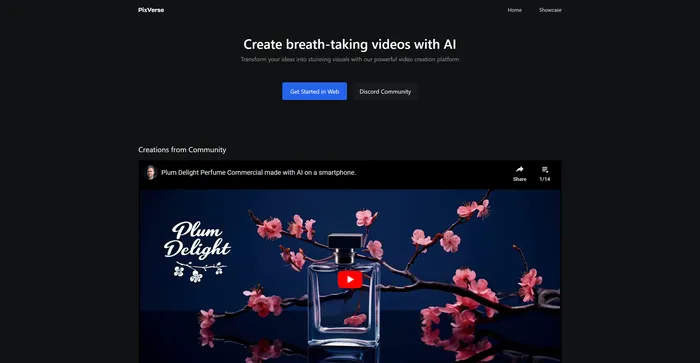
PixVerse is a powerful AI tool that transforms your ideas into stunning videos. It leverages advanced generative AI technology to create visually captivating outputs, making it an ideal tool for filmmakers, animators, content creators, and anyone in need of high-quality video content. PixVerse is flexible and capable of producing a wide variety of content, from animations to real-life sceneries, and stylized genre-specific settings.

Free for now

Vizard.ai Review

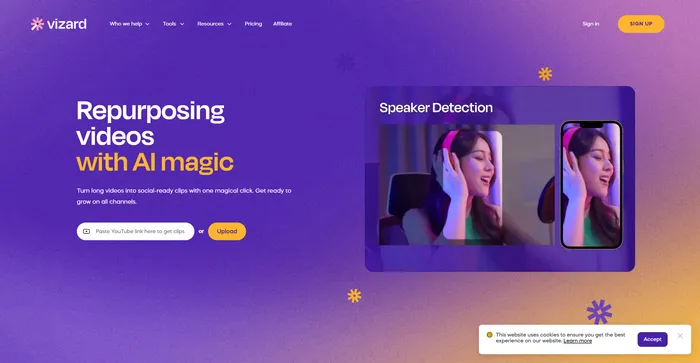
Vizard.ai is a cutting-edge AI-powered tool designed to transform long videos into engaging, social-ready clips. This platform is particularly beneficial for marketers, content creators, and social media professionals looking to repurpose video content efficiently. With its user-friendly interface and AI-driven features, Vizard.ai simplifies the video editing process, making it accessible even to those with no technical background in video editing.

$16/mo

Fliz Review

Fliz is an AI-powered tool that simplifies the process of creating engaging and high-quality videos. By simply inputting a URL, users can quickly turn articles, product listings, or ads into videos. The tool uses AI to generate a unique and high-quality video, retrieving essential information from your page. It offers three video styles to suit different needs and is compatible with all e-commerce solutions, making it accessible to a wide range of users.

$20/mo

FlexClip Review

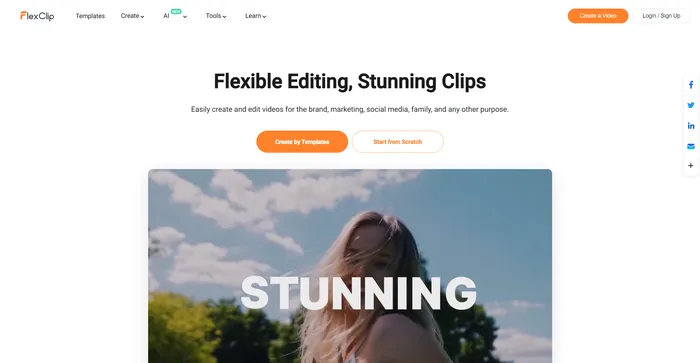
FlexClip is a simple yet powerful online video maker that helps you create engaging videos in minutes. Whether you want to make a promo video, a tutorial video, a slideshow, or a vlog, FlexClip has you covered. You can choose from hundreds of templates or start from scratch, and customize your video with stunning transitions, filters, texts, music, and more.

$9.99/mo

Pika Labs Review

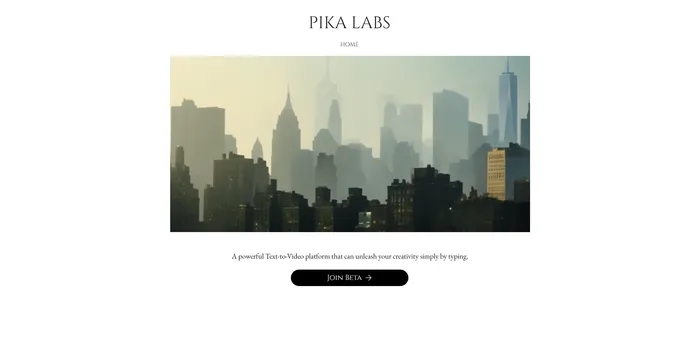
Pika Labs is a cutting-edge AI software that lets you create stunning videos from text, image, or video inputs. Whether you want to make a cinematic trailer, an animated cartoon, or a realistic simulation, Pika Labs can help you turn your ideas into visual stories. Pika Labs uses generative AI models to produce high-quality videos in various styles and formats, giving you the freedom and flexibility to express your creativity.

$8/mo

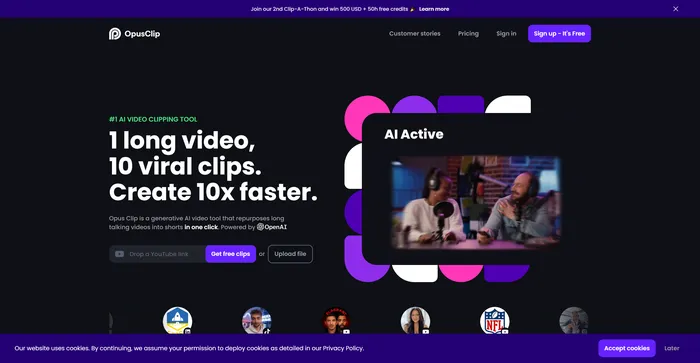
Opus Clip Review

Opus Clip emerges as a highly efficient AI video clipping tool that caters to the needs of content creators and marketers aiming to produce viral shorts. With its AI-driven capabilities, it simplifies the process of transforming long-form videos into engaging short clips suitable for social media platforms.

$9/mo

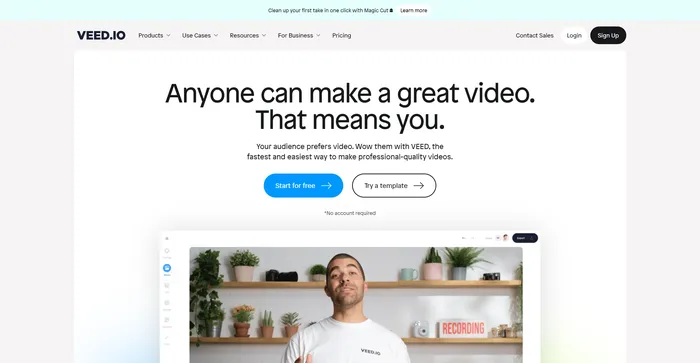
Veed Review

Veed is a simple and powerful online video editor that lets you create stunning videos in minutes. Whether you want to add subtitles, trim, crop, rotate, resize, filter, or animate your videos, Veed has got you covered. You can also record your screen, webcam, or audio and edit them right away.

$18/mo

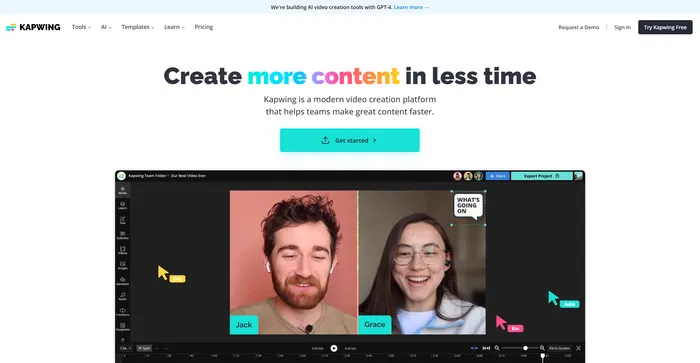
Kapwing Review

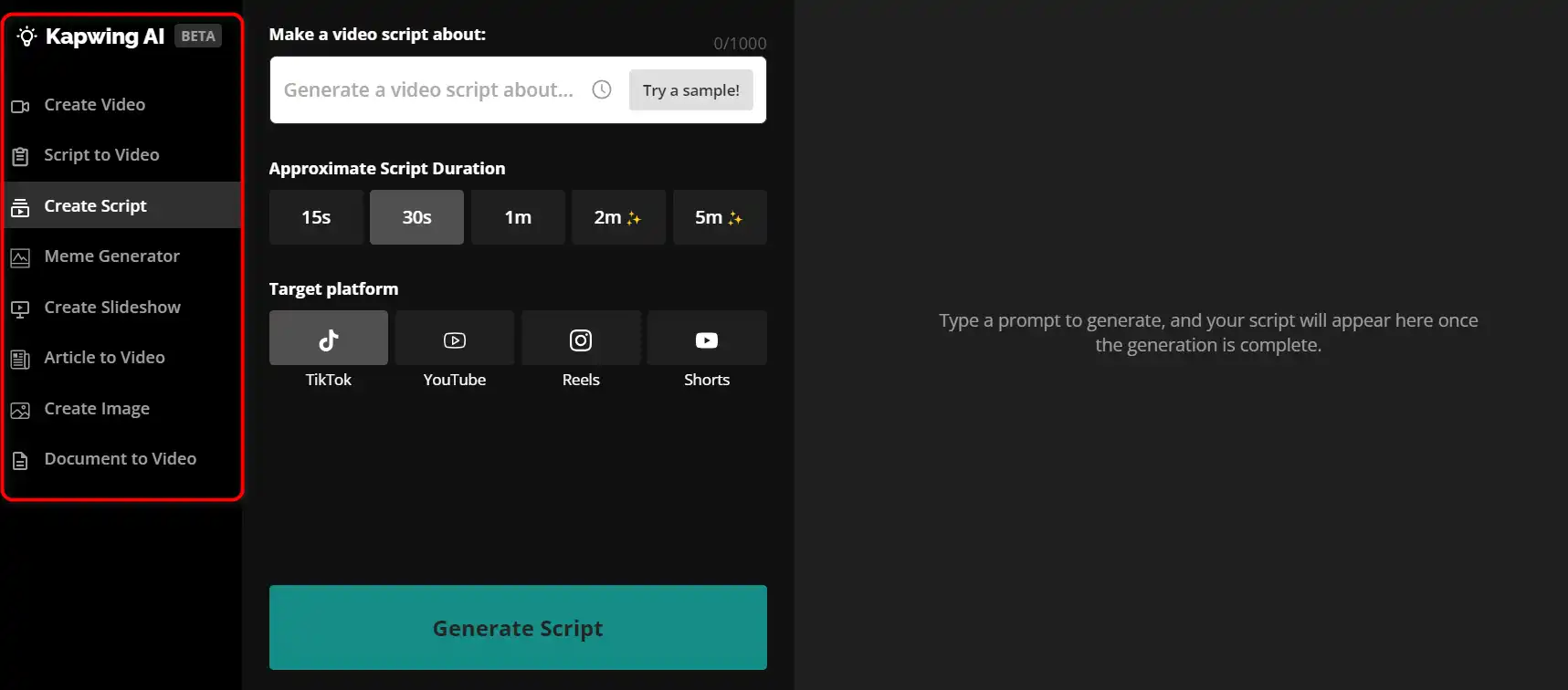
Kapwing is a versatile online video editor that lets you create, edit, and share videos, images, and GIFs. Whether you want to make a meme, a collage, a subtitle, a montage, or a slideshow, Kapwing has the tools you need to unleash your creativity.how to use Kapwing 29
 

$16/mo

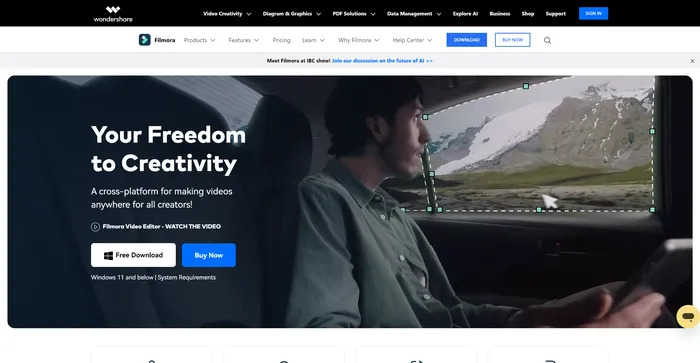
Filmora Review

Filmora is a popular and easy-to-use video editing software for beginners and professionals alike. It offers a wide range of features, such as filters, transitions, titles, music, sound effects, and more. You can also use Filmora to record your screen, webcam, or voiceover. Filmora supports various formats and devices, and you can export your videos to YouTube, Vimeo, or DVD.

$29.99/qtr

Kaiber Review

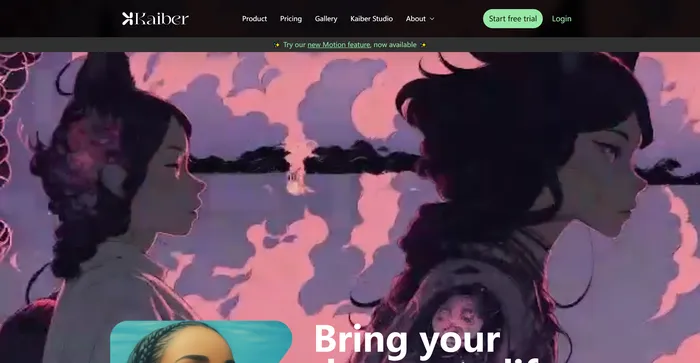
Kaiber is an AI video generator that can create animated videos from your text prompts and stylistic preferences. It is a web-based platform that aims to simplify the video creation process and unleash your creativity. However, it also has some drawbacks that you should be aware of before using it.
$5/mo

Pictory FAQ

Is Pictory AI worth it? +

Pictory AI is a tool that allows easy video creation for content marketers. It can generate leads and boost sales by turning any content into highly shareable videos using the power of AI. It’s fast, scalable, and affordable Therefore, it can be considered worth it for those who need such services. Pictory is best for social media videos or videos that you want to create with a high frequency. You can also use Pictory to also create explainer videos or short video ads, but for high-stakes videos, you probably should hire a video production agency.

Is Pictory AI safe? +

While I couldn’t find specific information about the safety of Pictory AI, it’s important to note that any reputable software should prioritize user safety and data protection. Always ensure to review the privacy policy and terms of service of any new software you use.

Is Pictory AI good? +

Pictory AI is praised for its ability to easily create videos for content marketers. It allows users to generate more leads and boost sales by turning any content into highly shareable videos. It’s fast, scalable, and affordable Therefore, it can be considered a good tool for those in need of such services.

How long does it typically take to create a Pictory video? +

In the beginning, as you are learning the software, it might take you about an hour to create a video, but over time this time will reduce to about 15 minutes. Most of the time will be spent trying to find the best visual for a specific scene.

Do I have to pay royalties to use the visuals or music provided in your product? +

No, Pictory has already licensed their collection of over 3 million visuals and hundreds of music tracks for your use in your videos.

What is the ideal length for a video for social media? +

Ideal videos are under one minute long. For video ads, Pictory recommends videos under 15 seconds of length.

What kind of articles can I use to create a video? Can the text be in a PDF or Word document? +

The acceptable types of articles are blogs or news articles published in HTML format. PDF, Word, or Google Docs are not currently supported.

Can I edit the text on the storyboard page? +

Yes, you can edit the storyboard text by simply clicking on the textbox on the scene. You can also edit the text using the left panel where you have only the text for each scene.

Can I move the text on a scene? +

Yes, simply click and drag the text box to your desired location.

How can I change the font size and color of my text? +

You can change these together using the preset, but if you want further customizability, please visit Pictory’s Adjusting Brand Settings. Another option is to double-click the text box and you will see the option to change the font and color of the text.

Can I record and upload my own voiceover? +

Pictory offers the capability to record or upload your own voiceovers. Simply click on the Add Audio button on a specific scene and you will be able to record your own voice for the scene. To apply the voice-over for the entire video just add it to your audio uploads and click on Entire video.

What if the voice-over mispronounces certain words? +

Sometimes the pronunciation of the text to speech may be incorrect. This can be fixed in Pictory’s backend very easily, simply send a request to them at [email protected] with the word and its correct phonetic pronunciation and they will fix it promptly.

Can I reorder the scenes in my storyboard? +

Yes, you can reorder the scenes in your storyboard.

How do I get help with this product? +

You can visit Pictory’s help portal or you can email them at [email protected].

Pictory Conclusion

Pictory is the best solution for bloggers, content creators, and marketers who are looking to generate more traffic and sales through sharing video content.

It’s not only very affordable but also extremely easy to navigate, allowing most users to get amazing results in very little time, and with almost no learning curve.

With Pictory, you don’t have to waste time or a ton of money creating easily sharable video content. You get to leverage the power of AI and cloud-based software to create high-quality videos with very little effort.

Featured AI Tools

Pictory Related AI Tools

Easy-Peasy.AI Review

Best AI Writer, Content Generator & Copywriting Assistant

FlexClip Review

Online Video Editor - Make Videos for Free

HARPA AI Review

GPT Chrome Automation Copilot

Katteb Review

Fact Checked AI Writer

Writesonic Review

Best AI Writer, Copywriting & Paraphrasing Tool